
Superset Pinot testing - Stream Data
Make sure you have Kafka (used kafka3 here), Pinot (1.4.0), and Superset running.
export PINOT_HOST=$(hostname -f)
export KAFKA_BROKERS="newsuper-0.newsuper.harshith.svc.cluster.local:6669,newsuper-1.newsuper.harshith.svc.cluster.local:6669,newsuper-2.newsuper.harshith.svc.cluster.local:6669"
Set up Kafka
Client.properties for krb auth
[root@newsuper-2 kafka3]# cat client.properties
security.protocol=SASL_PLAINTEXT
sasl.mechanism=GSSAPI
sasl.kerberos.service.name=kafka
sasl.jaas.config=com.sun.security.auth.module.Krb5LoginModule required \
 useKeyTab=true \
 keyTab="/etc/security/keytabs/kafka.service.keytab" \
 storeKey=true \
 useTicketCache=false \
 principal="kafka/newsuper-2.newsuper.harshith.svc.cluster.local@ADSRE.COM";
Create a Topic
bin/kafka-topics.sh --create \
 --topic flight-events \
 --bootstrap-server $KAFKA_BROKERS \
 --partitions 3 \
 --replication-factor 3 \
 --command-config client.properties

bin/kafka-topics.sh --list \
 --bootstrap-server $KAFKA_BROKERS \
 --command-config client.properties

bin/kafka-topics.sh --describe \
 --topic flight-events \
 --bootstrap-server $KAFKA_BROKERS \
 --command-config client.properties
Producer Script to Ingest Data
#!/bin/bash

PINOT_HOST=$(hostname -f)
KAFKA_BROKERS="newsuper-0.newsuper.harshith.svc.cluster.local:6669,newsuper-1.newsuper.harshith.svc.cluster.local:6669,newsuper-2.newsuper.harshith.svc.cluster.local:6669"

KAFKA_HOME="${KAFKA_HOME:-.}"
KAFKA_BROKERS="${KAFKA_BROKERS:-localhost:9092}"
TOPIC="flight-events"
CLIENT_CONFIG="client.properties"

CARRIERS=("AA" "UA" "DL" "WN" "AS" "B6" "NK" "F9" "G4" "HA")
ORIGINS=("SFO" "LAX" "JFK" "ORD" "DFW" "ATL" "SEA" "BOS" "MIA" "DEN")
DESTS=("SFO" "LAX" "JFK" "ORD" "DFW" "ATL" "SEA" "BOS" "MIA" "DEN")

echo "Publishing flight events to $TOPIC..."
echo "Press Ctrl+C to stop"


# Generate messages and pipe to a single producer instance
while true; do
 TIMESTAMP=$(date +%s000)
 CARRIER=${CARRIERS[$RANDOM % ${#CARRIERS[@]}]}
 ORIGIN=${ORIGINS[$RANDOM % ${#ORIGINS[@]}]}
 DEST=${DESTS[$RANDOM % ${#DESTS[@]}]}

 while [ "$ORIGIN" == "$DEST" ]; do
 DEST=${DESTS[$RANDOM % ${#DESTS[@]}]}
 done

 FLIGHT_NUM=$((RANDOM % 9000 + 1000))
 ARR_DELAY=$((RANDOM % 120 - 30))
 DEP_DELAY=$((RANDOM % 60 - 15))
 AIR_TIME=$((RANDOM % 300 + 60))
 DISTANCE=$((RANDOM % 2500 + 200))

 echo "{\"timestamp\":${TIMESTAMP},\"Carrier\":\"${CARRIER}\",\"FlightNum\":${FLIGHT_NUM},\"Origin\":\"${ORIGIN}\",\"Dest\":\"${DEST}\",\"ArrDelay\":${ARR_DELAY},\"DepDelay\":${DEP_DELAY},\"AirTime\":${AIR_TIME},\"Distance\":${DISTANCE}}"

 sleep 1
done | ${KAFKA_HOME}/bin/kafka-console-producer.sh \
 --bootstrap-server $KAFKA_BROKERS \
 --topic $TOPIC \
 --producer.config $CLIENT_CONFIG
Set up Pinot Injestion
Create Pinot Realtime Table
Create Schema
cat > flightEvents_schema.json << 'EOF'
{
  "schemaName": "flightEvents",
  "dimensionFieldSpecs": [
    {"name": "Carrier", "dataType": "STRING"},
    {"name": "FlightNum", "dataType": "INT"},
    {"name": "Origin", "dataType": "STRING"},
    {"name": "Dest", "dataType": "STRING"}
  ],
  "metricFieldSpecs": [
    {"name": "ArrDelay", "dataType": "INT"},
    {"name": "DepDelay", "dataType": "INT"},
    {"name": "AirTime", "dataType": "INT"},
    {"name": "Distance", "dataType": "INT"}
  ],
  "dateTimeFieldSpecs": [
    {
      "name": "timestamp",
      "dataType": "LONG",
      "format": "1:MILLISECONDS:EPOCH",
      "granularity": "1:MILLISECONDS"
    }
  ]
}
EOF
Create Table Config
cat > flightEvents_realtime_table_config.json << 'EOF'
{
  "tableName": "flightEvents",
  "tableType": "REALTIME",
  "segmentsConfig": {
    "timeColumnName": "timestamp",
    "timeType": "MILLISECONDS",
    "schemaName": "flightEvents",
    "replicasPerPartition": "1"
  },
  "tenants": {},
  "tableIndexConfig": {
    "loadMode": "MMAP",
    "streamConfigs": {
      "streamType": "kafka",
      "stream.kafka.consumer.type": "lowlevel",
      "stream.kafka.topic.name": "flight-events",
      "stream.kafka.decoder.class.name": "org.apache.pinot.plugin.stream.kafka.KafkaJSONMessageDecoder",
      "stream.kafka.consumer.factory.class.name": "org.apache.pinot.plugin.stream.kafka20.KafkaConsumerFactory",
      "stream.kafka.broker.list": "newsuper-0.newsuper.harshith.svc.cluster.local:6669,newsuper-1.newsuper.harshith.svc.cluster.local:6669,newsuper-2.newsuper.harshith.svc.cluster.local:6669",
      "security.protocol": "SASL_PLAINTEXT",
      "sasl.mechanism": "GSSAPI",
      "sasl.kerberos.service.name": "kafka",
      "sasl.jaas.config": "com.sun.security.auth.module.Krb5LoginModule required useKeyTab=true keyTab=\"/etc/security/keytabs/pinot.headless.keytab\" storeKey=true useTicketCache=false principal=\"pinot-odp_quantum@ADSRE.COM\";",
      "realtime.segment.flush.threshold.rows": "10000",
      "realtime.segment.flush.threshold.time": "1h"
    }
  },
  "metadata": {
    "customConfigs": {}
  }
}
EOF
- Now give permissions for Pinot to read Kafka (for that topic or in general, all topics) and add Pinot Jaas to the Pinot process so that Pinot can pass through the Kerberos authentication.
cat > /usr/odp/3.3.6.3-101/pinot/pinot_jaas.conf << 'EOF'
KafkaClient {
  com.sun.security.auth.module.Krb5LoginModule required
  useKeyTab=true
  keyTab="/etc/security/keytabs/pinot.headless.keytab"
  storeKey=true
  useTicketCache=false
  principal="pinot-odp_quantum@ADSRE.COM";
};

Client {
  com.sun.security.auth.module.Krb5LoginModule required
  useKeyTab=true
  keyTab="/etc/security/keytabs/pinot.headless.keytab"
  storeKey=true
  useTicketCache=false
  principal="pinot-odp_quantum@ADSRE.COM";
};
EOF
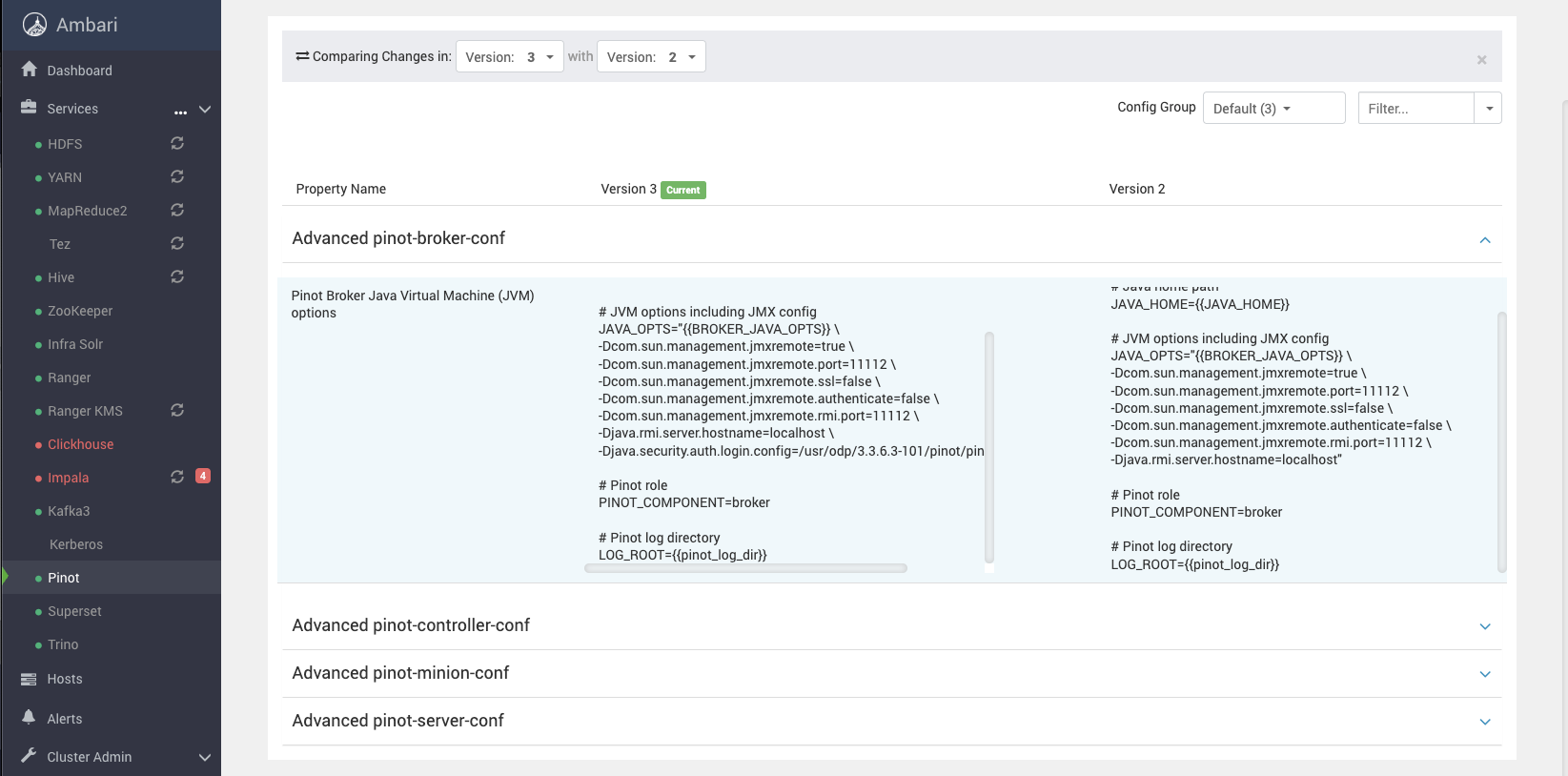
Add this to Pinot JVM args,
-Djava.security.auth.login.config=/usr/odp/3.3.6.3-101/pinot/pinot_jaas.conf
like the following, for all components of Pinot.
Info
If you see failures related to auth, you can try adding -Dsun.security.krb5.debug=true to above and see some logs.
[Kafka topic is still active, and messages are being pushed and consumed by Pinot Live]
And once that's done, as we have already connected Pinot to Kafka from previous testing, we should see a new table in Superset.
Create Charts
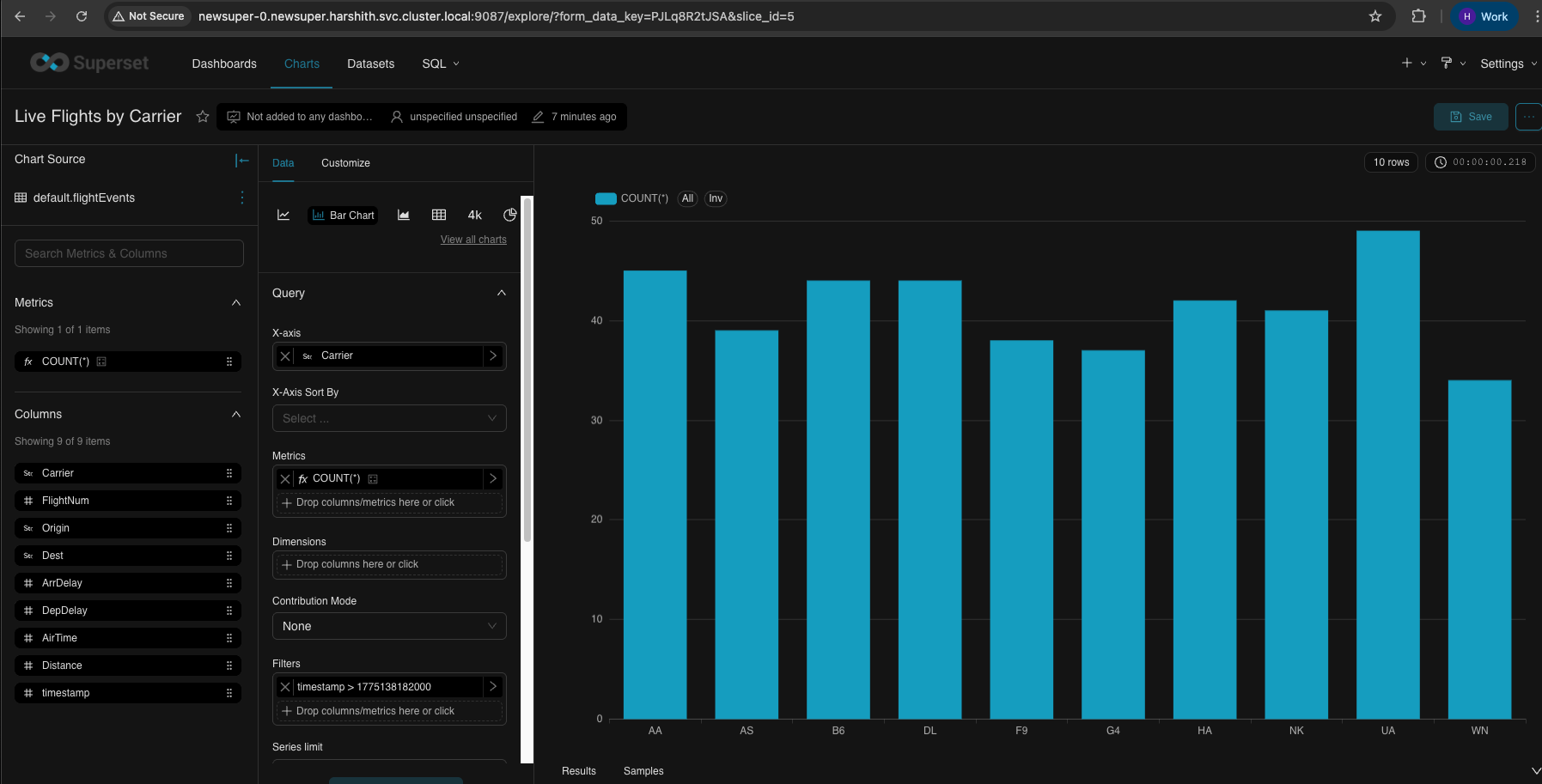
Bar Chart - Live Flights by Carrier
| Field | Value | Description |
|-------|-------|-------------|
| X-Axis | `Carrier` | Airline carrier codes on horizontal axis |
| Metrics | `COUNT(*)` | Number of flight events (bar height) |
| Dimensions | *(leave empty)* | Not needed for simple bar chart |
| Time Range | `Last hour` | Filter to recent data |
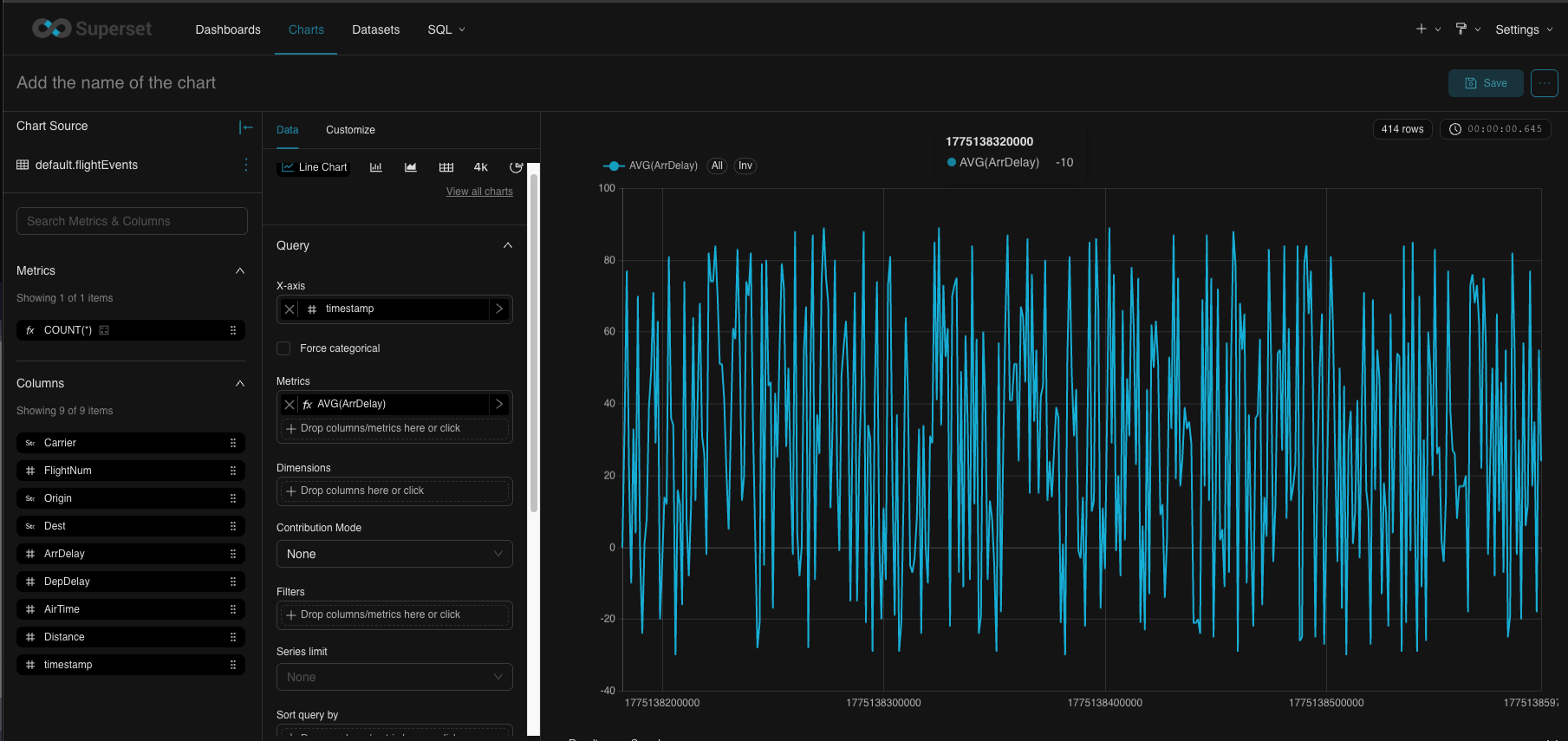
Line Chart - Arrival Delays Over Time
| Field | Value | Description |
|-------|-------|-------------|
| X-Axis | `timestamp` | Time on horizontal axis |
| Time Grain | `minute` | Aggregate by minute |
| Metrics | `AVG(ArrDelay)` | Average arrival delay (line value) |
| Dimensions | *(leave empty)* | Single line for all carriers |
| Time Range | `Last hour` | Show last hour of data |
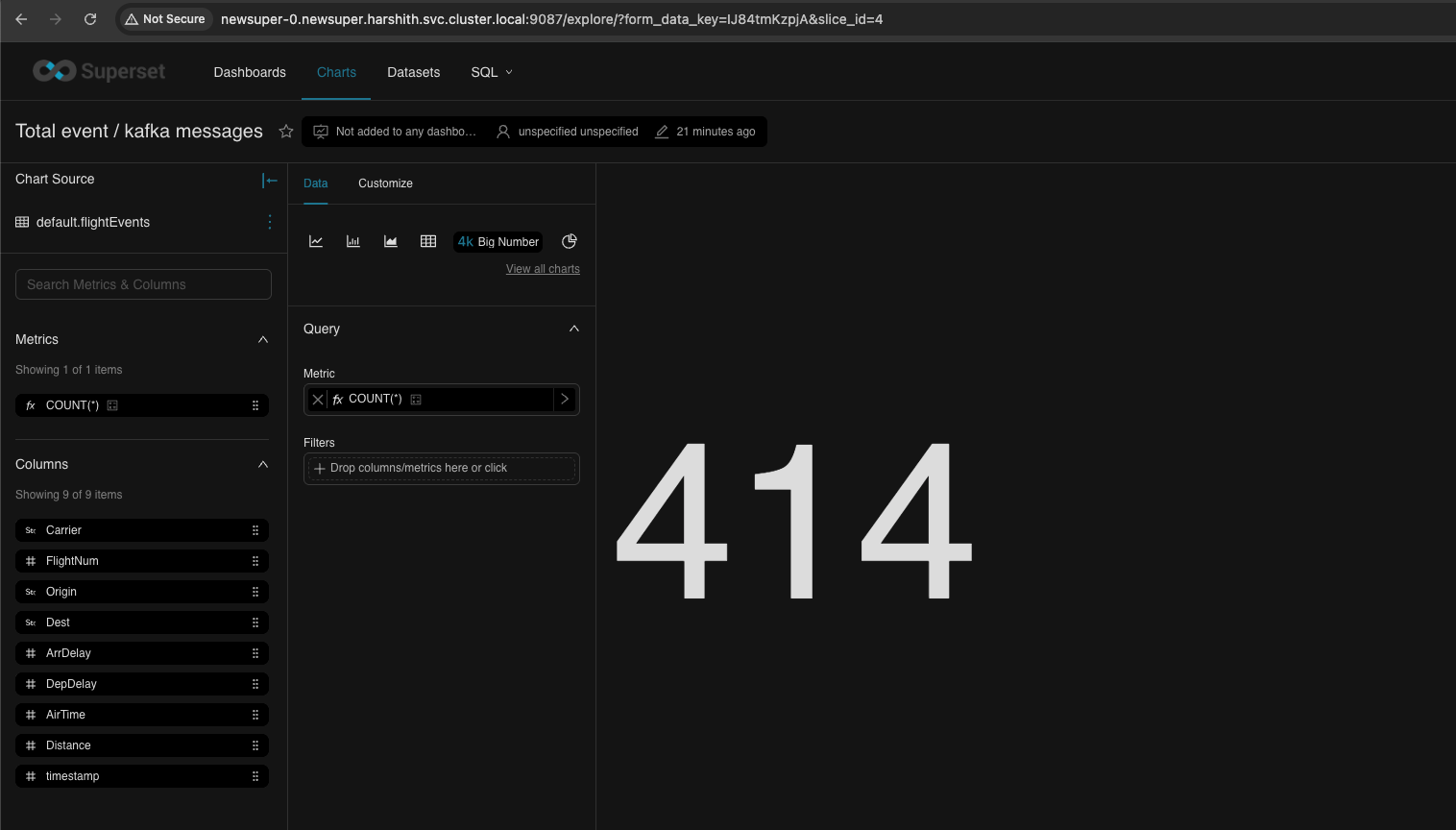
Big Number - Total Events
| Field | Value | Description |
|-------|-------|-------------|
| Chart Type | `Big Number` | Single large metric display |
| Metric | `COUNT(*)` | Total event count |
Dashboard
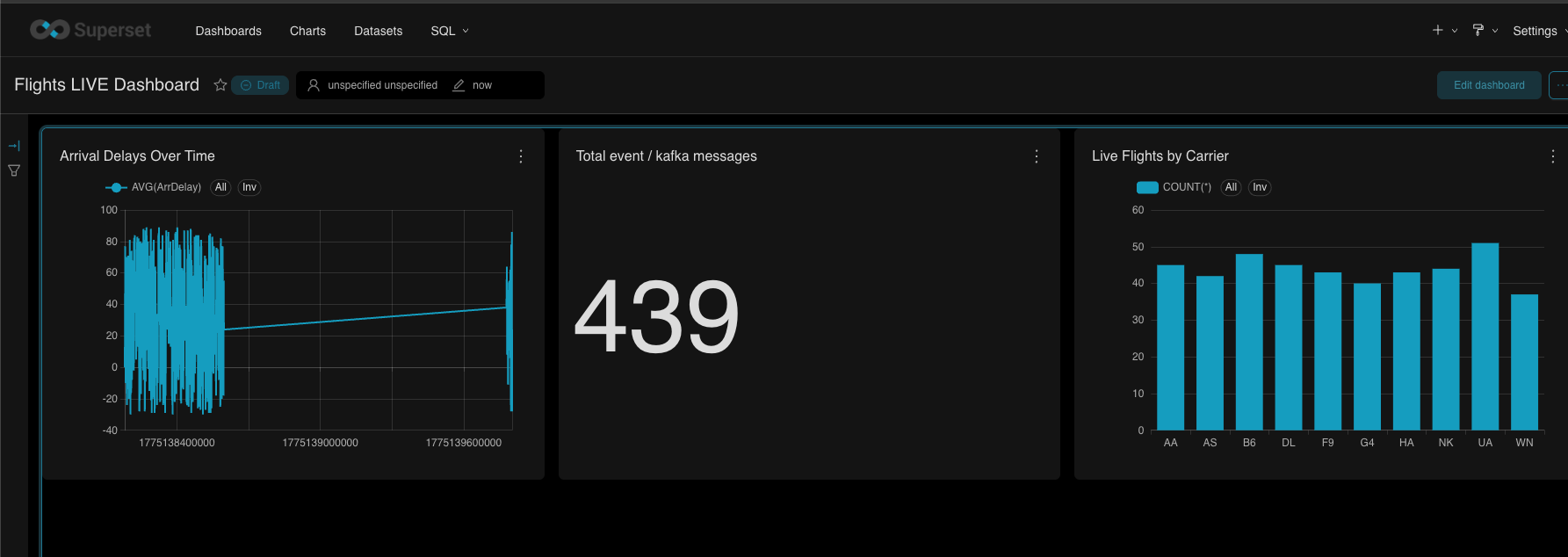
- Refresh (on 3dot menu, top right)
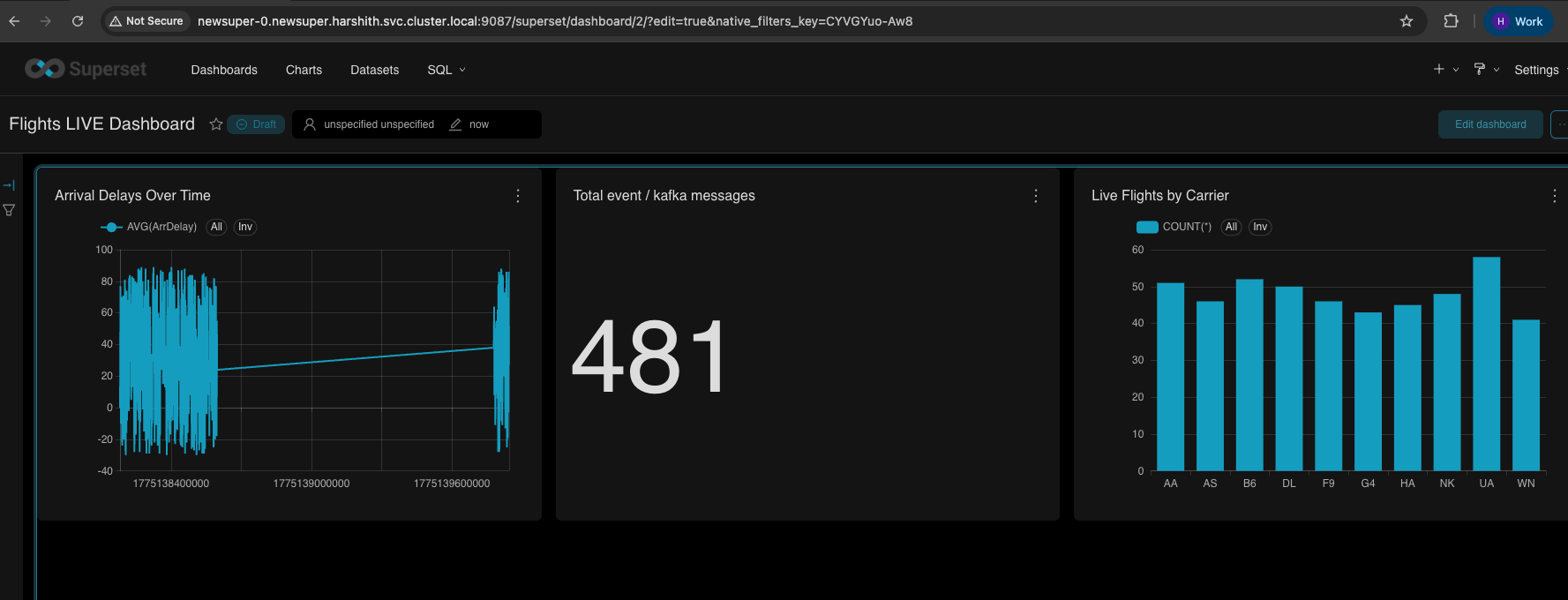
- Autorefresh
Video live refresh for the Dashboard
The following is a quick video showing autorefresh.
Have a suggestion?