
Batch Import using Local File
Before running any Pinot commands, make sure to set Java 11 on the CLI and export other required configurations.
export JAVA_HOME=/usr/lib/jvm/java-11-openjdk-11.0.25.0.9-2.el8.x86_64
export PATH=$JAVA_HOME/bin:$PATH
export JAVA_OPTS="-Xms1G -Xmx2G"
export LOG_ROOT=/var/log/pinot
Create different tables and schemas.
Prepare your Data
Create a directory to store raw data:
mkdir -p /tmp/pinot-new/rawdata
Create a sample CSV file:
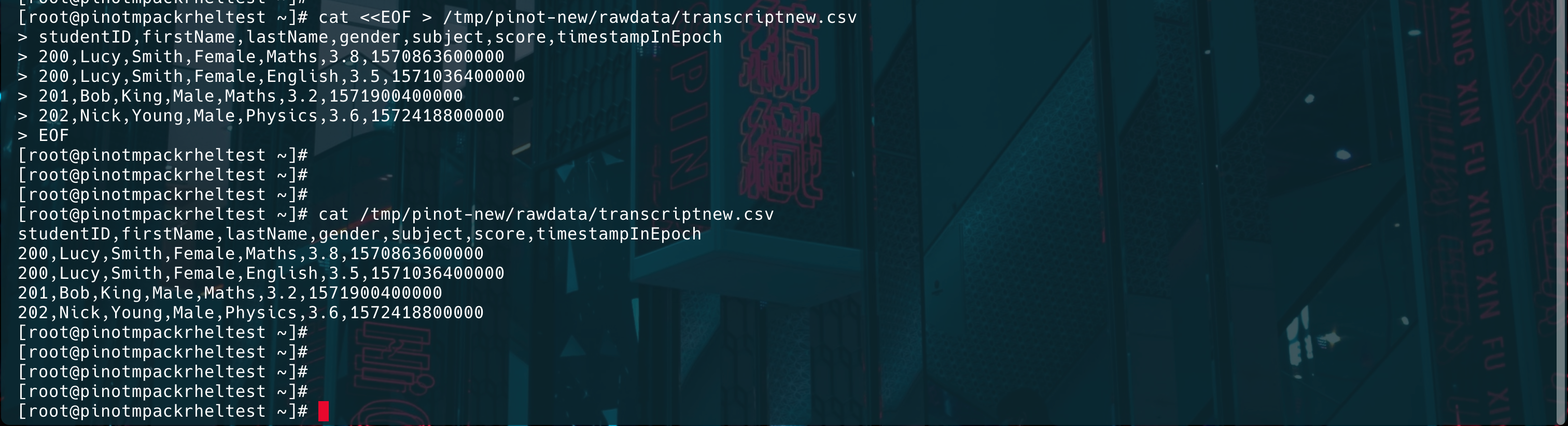
cat <<EOF > /tmp/pinot-new/rawdata/transcriptnew.csv
studentID,firstName,lastName,gender,subject,score,timestampInEpoch
200,Lucy,Smith,Female,Maths,3.8,1570863600000
200,Lucy,Smith,Female,English,3.5,1571036400000
201,Bob,King,Male,Maths,3.2,1571900400000
202,Nick,Young,Male,Physics,3.6,1572418800000
EOF
Info
Make sure that the table and schema names are the same.
Create Schema
Define a schema in the JSON format:
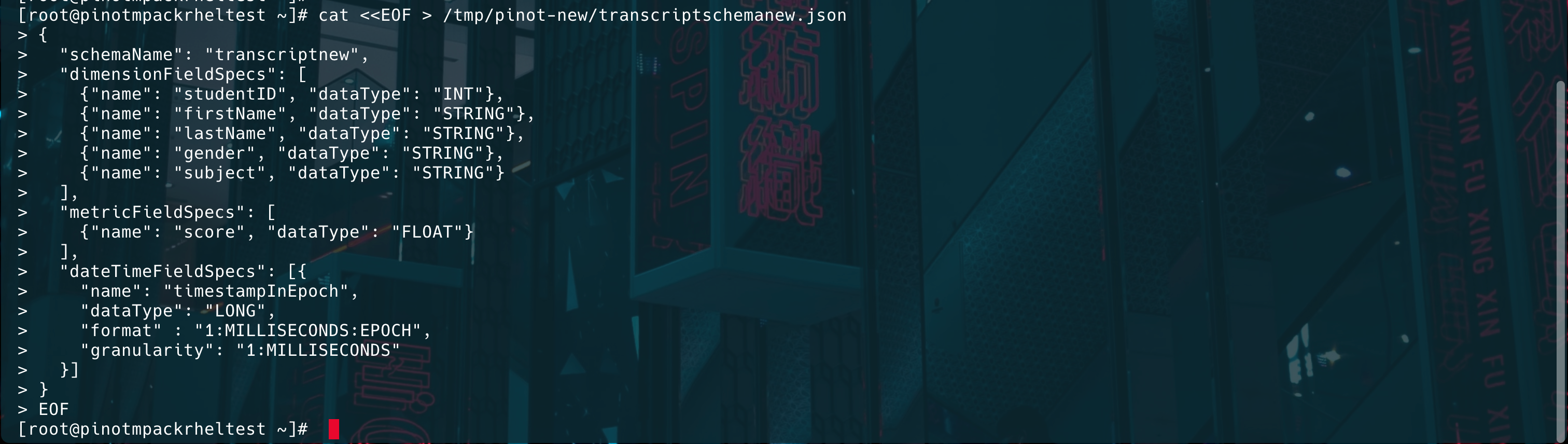
cat <<EOF > /tmp/pinot-new/transcriptschemanew.json
{
  "schemaName": "transcriptnew",
  "dimensionFieldSpecs": [
    {"name": "studentID", "dataType": "INT"},
    {"name": "firstName", "dataType": "STRING"},
    {"name": "lastName", "dataType": "STRING"},
    {"name": "gender", "dataType": "STRING"},
    {"name": "subject", "dataType": "STRING"}
  ],
  "metricFieldSpecs": [
    {"name": "score", "dataType": "FLOAT"}
  ],
  "dateTimeFieldSpecs": [{
    "name": "timestampInEpoch",
    "dataType": "LONG",
    "format" : "1:MILLISECONDS:EPOCH",
    "granularity": "1:MILLISECONDS"
  }]
}
EOF
Create Table Configuration
Define the table configuration in the JSON format:
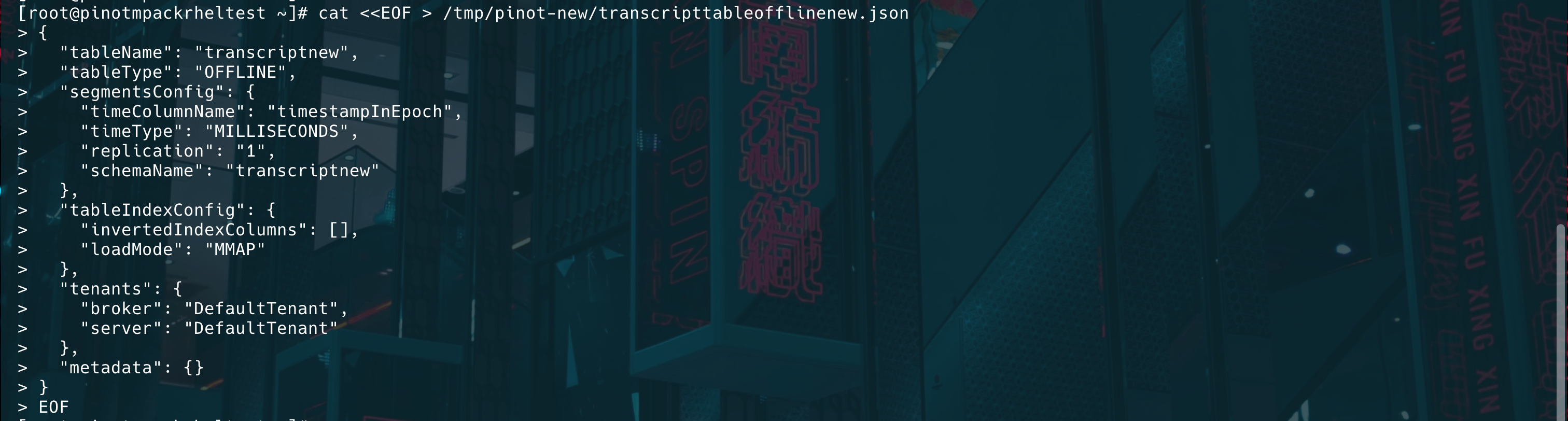
cat <<EOF > /tmp/pinot-new/transcripttableofflinenew.json
{
  "tableName": "transcriptnew",
  "tableType": "OFFLINE",
  "segmentsConfig": {
    "timeColumnName": "timestampInEpoch",
    "timeType": "MILLISECONDS",
    "replication": "1",
    "schemaName": "transcriptnew"
  },
  "tableIndexConfig": {
    "invertedIndexColumns": [],
    "loadMode": "MMAP"
  },
  "tenants": {
    "broker": "DefaultTenant",
    "server": "DefaultTenant"
  },
  "metadata": {}
}
EOF
Upload Schema and Table Configuration
Use the Pinot Controller REST API to upload them:
Upload Schema:
curl -X POST "http://{hostname}or{IP}:9000/schemas" -H "Content-Type: application/json" -d @/tmp/pinot-new/transcriptschemanew.json

Upload the Table Configuration:
curl -X POST "http://{hostname}or{IP}:9000/tables" -H "Content-Type: application/json" -d @/tmp/pinot-new/transcripttableofflinenew.json

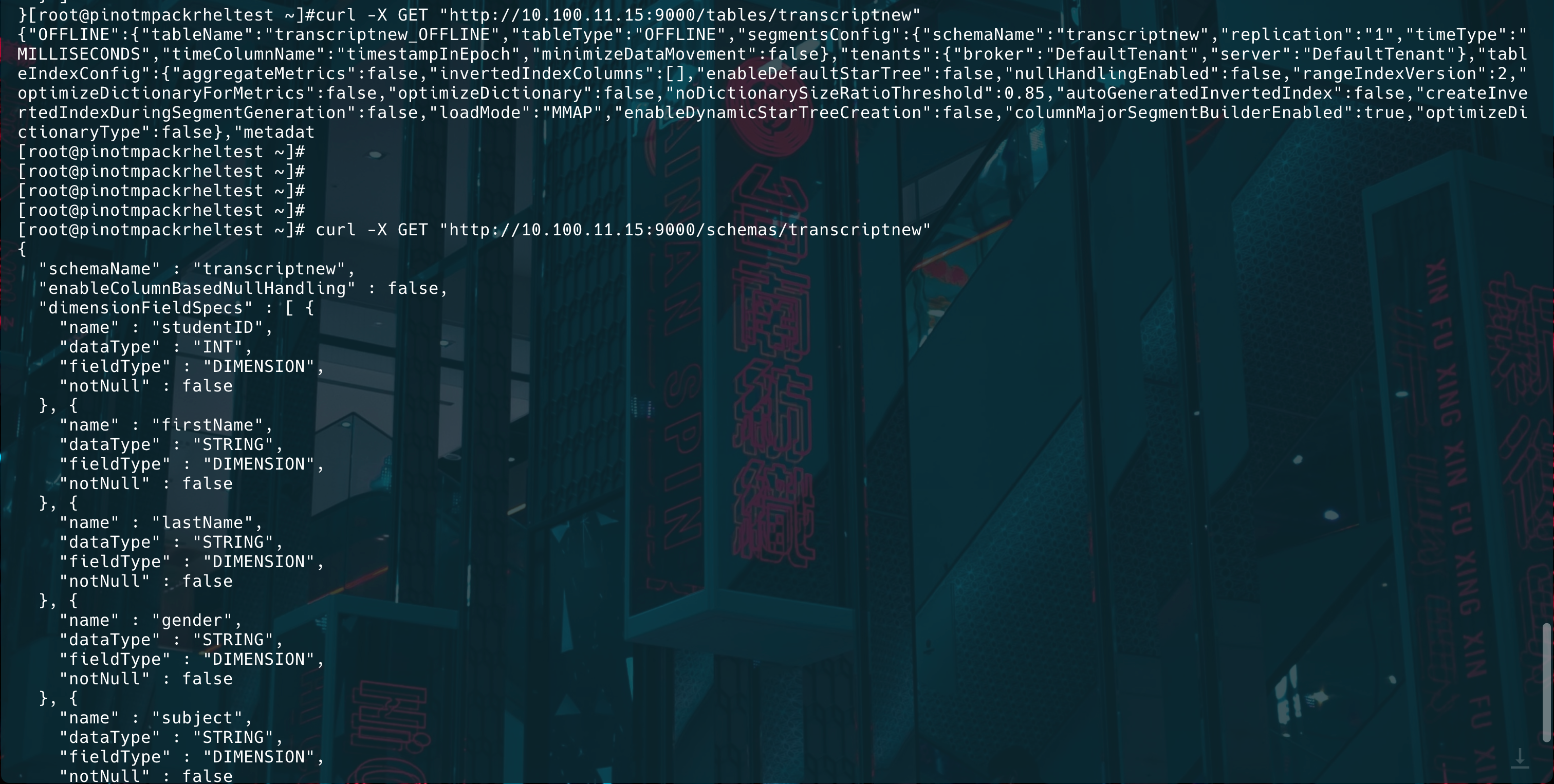
Verify if the table and schema were uploaded:
curl -X GET "http://{hostname}or{IP}:9000/tables/transcriptnew"
curl -X GET "http://{hostname}or{IP}:9000/schemas/transcriptnew"
Create a Segment Job Spec (YAML)
cat <<EOF > /tmp/pinot-new/batch-job-spec.yml
executionFrameworkSpec:
  name: 'standalone'
  segmentGenerationJobRunnerClassName: 'org.apache.pinot.plugin.ingestion.batch.standalone.SegmentGenerationJobRunner'
  segmentTarPushJobRunnerClassName: 'org.apache.pinot.plugin.ingestion.batch.standalone.SegmentTarPushJobRunner'
  segmentUriPushJobRunnerClassName: 'org.apache.pinot.plugin.ingestion.batch.standalone.SegmentUriPushJobRunner'
jobType: SegmentCreation
inputDirURI: 'file:///tmp/pinot-new/rawdata/'
includeFileNamePattern: 'glob:**/*.csv'
outputDirURI: 'file:///tmp/pinot-new/segments/'
overwriteOutput: true
pinotFSSpecs:
  - scheme: file
    className: org.apache.pinot.spi.filesystem.LocalPinotFS
recordReaderSpec:
  dataFormat: 'csv'
  className: 'org.apache.pinot.plugin.inputformat.csv.CSVRecordReader'
  configClassName: 'org.apache.pinot.plugin.inputformat.csv.CSVRecordReaderConfig'
tableSpec:
  tableName: 'transcriptnew'
  schemaURI: 'http://{hostname}or{IP}:9000/schemas/transcriptnew'
  tableConfigURI: 'http://{hostname}or{IP}:9000/tables/transcriptnew'
pinotClusterSpecs:
  - controllerURI: 'http://{hostname}or{IP}:9000'
EOF
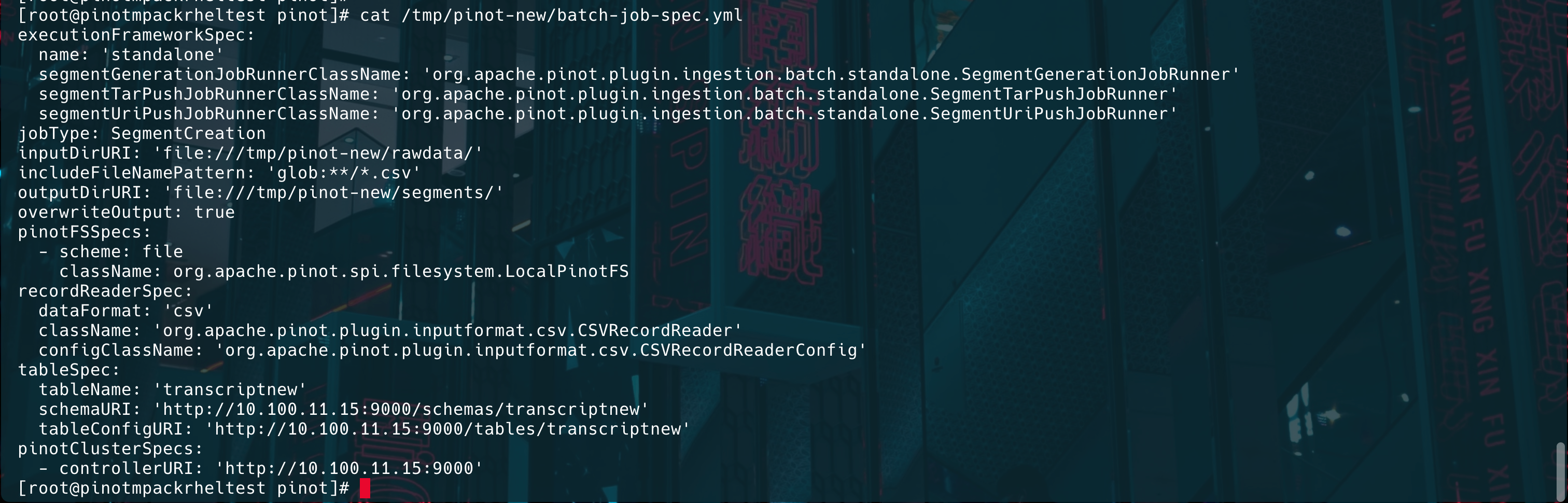
Generate Segments using Batch Job Spec
./bin/pinot-admin.sh LaunchDataIngestionJob -jobSpecFile /tmp/pinot-new/batch-job-spec.yml
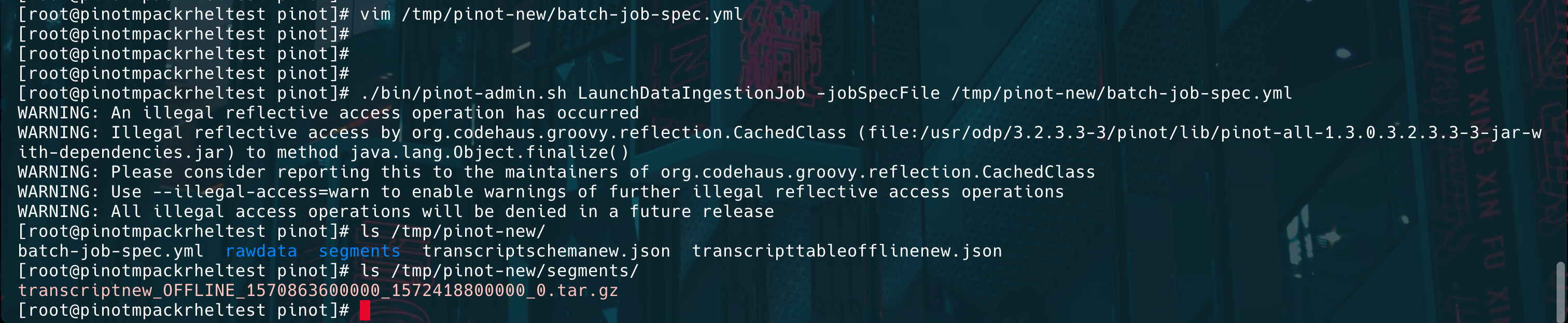
Ingest Data into Pinot
Run the following command to ingest data into Pinot.
./bin/pinot-admin.sh UploadSegment -controllerHost {hostname}or{IP} -controllerPort 9000 -tableName transcriptnew -segmentDir /tmp/pinot-new/segments/
[root@pinot apache-pinot-1.3.0-bin]# ./bin/pinot-admin.sh UploadSegment -controllerHost 10.100.11.41 -controllerPort 9000 -tableName transcript -segmentDir /tmp/pinot-quick-start/segments/
WARNING: An illegal reflective access operation has occurred
WARNING: Illegal reflective access by org.codehaus.groovy.reflection.CachedClass (file:/root/himanshu/apache-pinot-1.3.0-bin/lib/pinot-all-1.3.0-jar-with-dependencies.jar) to method java.lang.Object.finalize()
WARNING: Please consider reporting this to the maintainers of org.codehaus.groovy.reflection.CachedClass
WARNING: Use --illegal-access=warn to enable warnings of further illegal reflective access operations
WARNING: All illegal access operations will be denied in a future release

2025/03/20 15:05:24.376 INFO [UploadSegmentCommand] [main] Executing command: UploadSegment -controllerProtocol http -controllerHost 10.100.11.41 -controllerPort 9000 -segmentDir /tmp/pinot-quick-start/segments/
2025/03/20 15:05:24.544 INFO [UploadSegmentCommand] [main] Uploading segment tar file: /tmp/pinot-quick-start/segments/transcript_OFFLINE_1570863600000_1572418800000_0.tar.gz

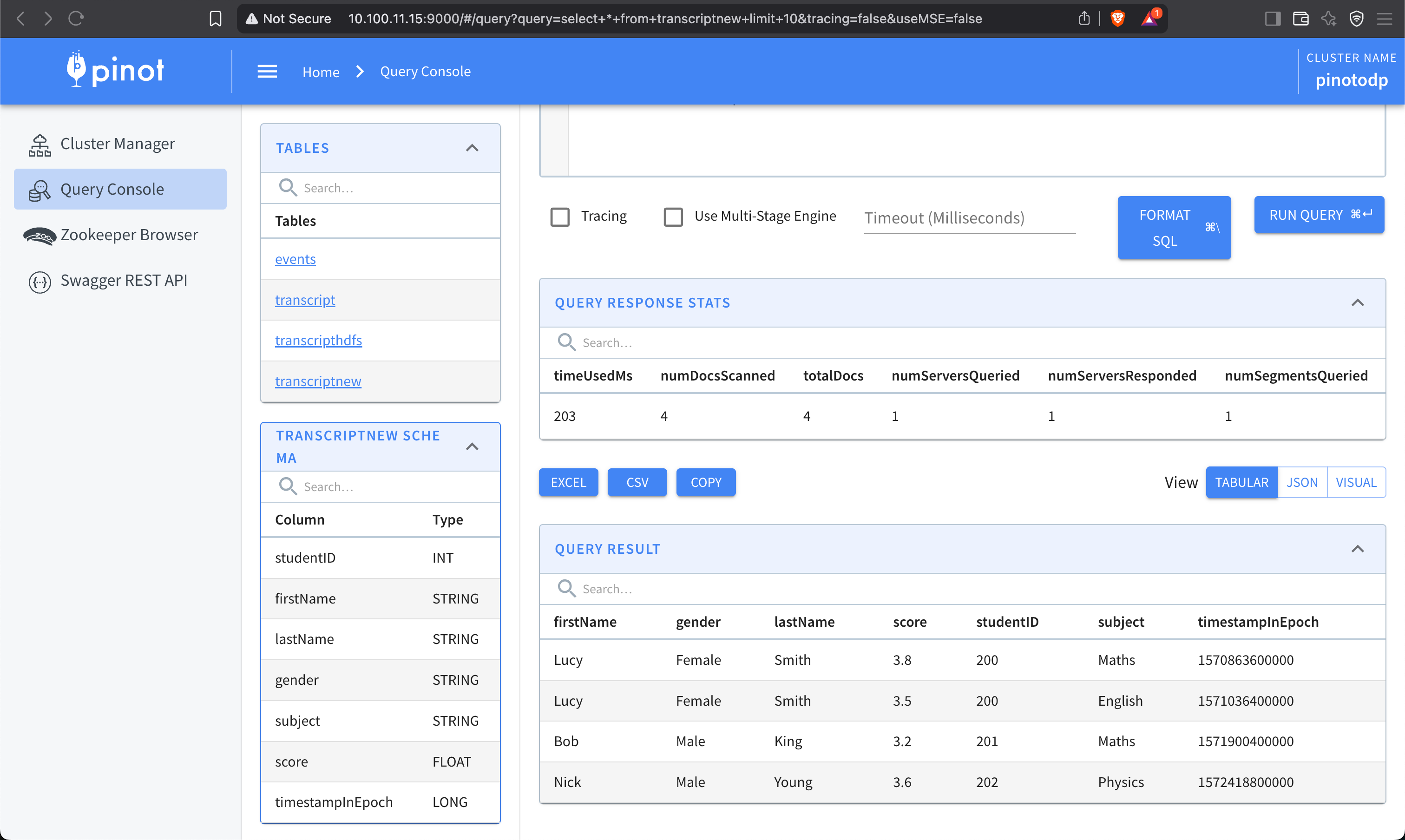
Verify Data Ingestion
Run a query using Pinot’s Query Console:
Have a suggestion?