
Routing Rules
Enabling Routing Rules
Add the following configuration to:
Trino Gateway Configuration
routingRules:
 rulesEngineEnabled: true
 rulesType: FILE
 rulesConfigPath: /etc/trino-gateway/conf/rules.yaml
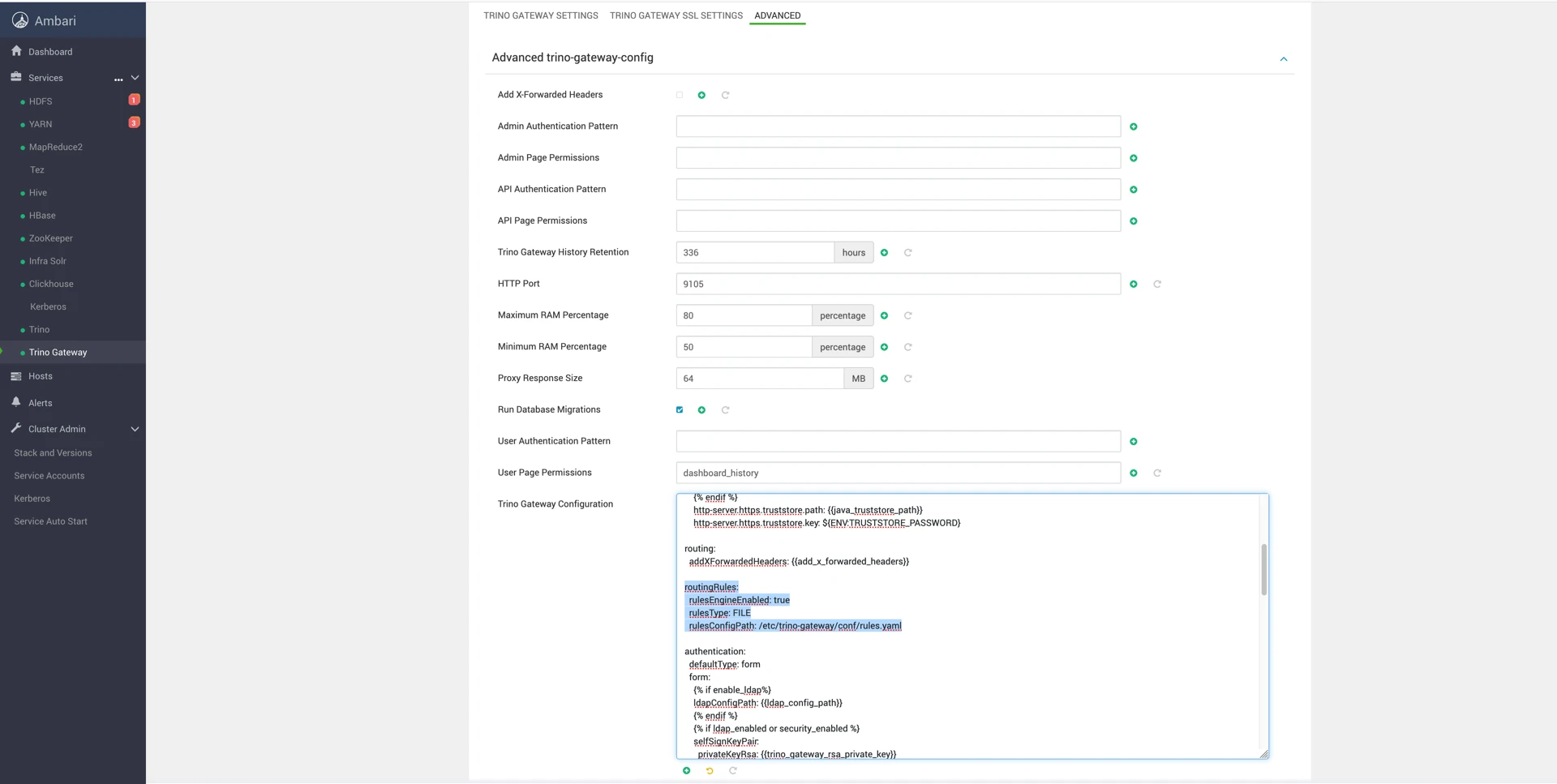
The path you provide must be read and writable by the Trino Gateway user as defined in the mpack. The path defined in the above example is a likely safe place to store it.
You can then add routing rules to the YAML configuration file.
Example Routing Rule
---
name: "airflow"
description: "if query from airflow, route to etl group"
condition: 'request.getHeader("X-Trino-Source") == "airflow"'
actions:
 - 'result.put("routingGroup", "etl")'
---
This rule routes all queries containing:
X-Trino-Source: airflow
to the etl routing group.
Queries without matching rules are routed to the adhoc group.
Rule Management Notes
- Once you have created the YAML file with your rules, you can view and edit them in the UI.
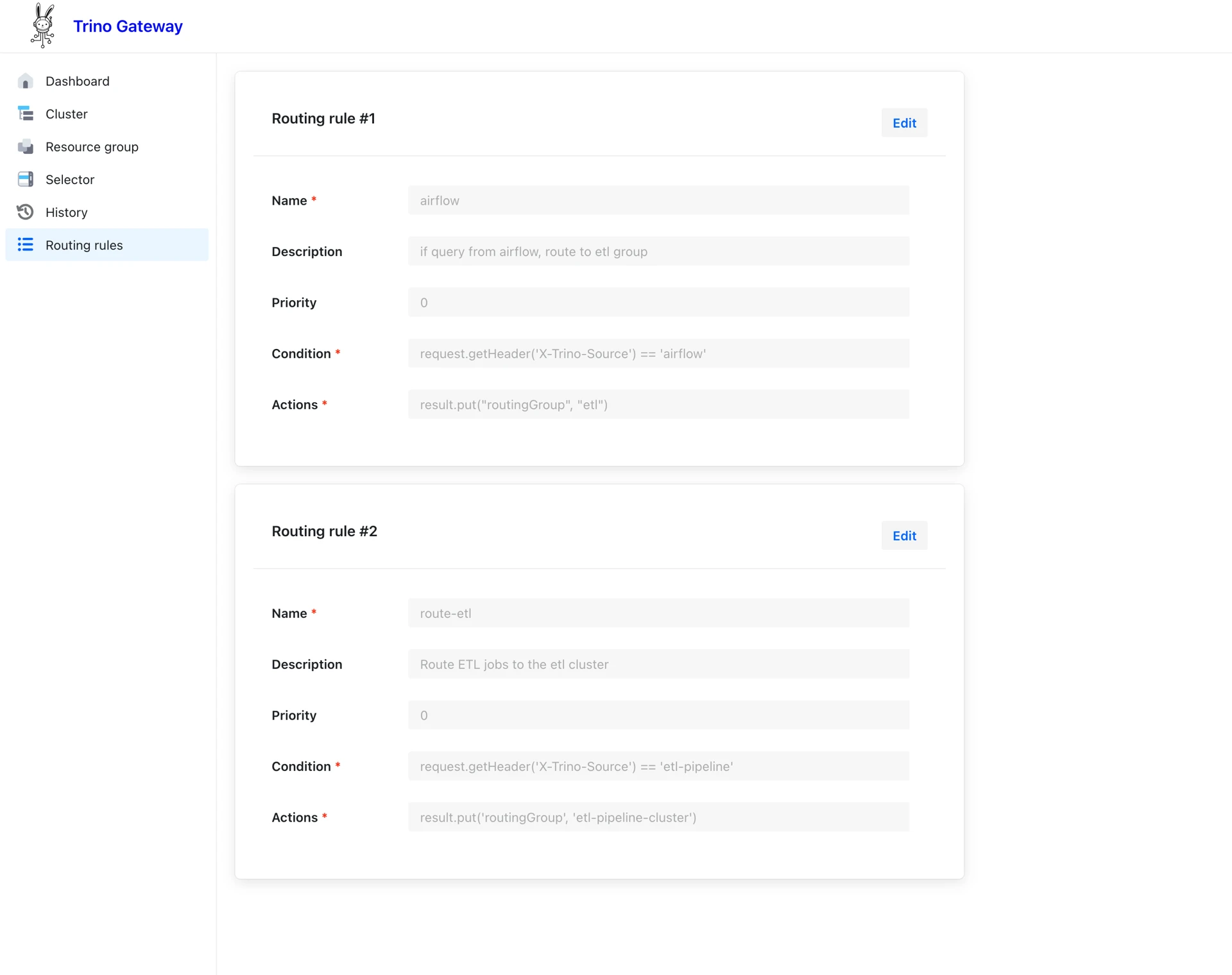
- New rules cannot currently be created from the UI.
Have a suggestion?