
Configure YARN with Hue
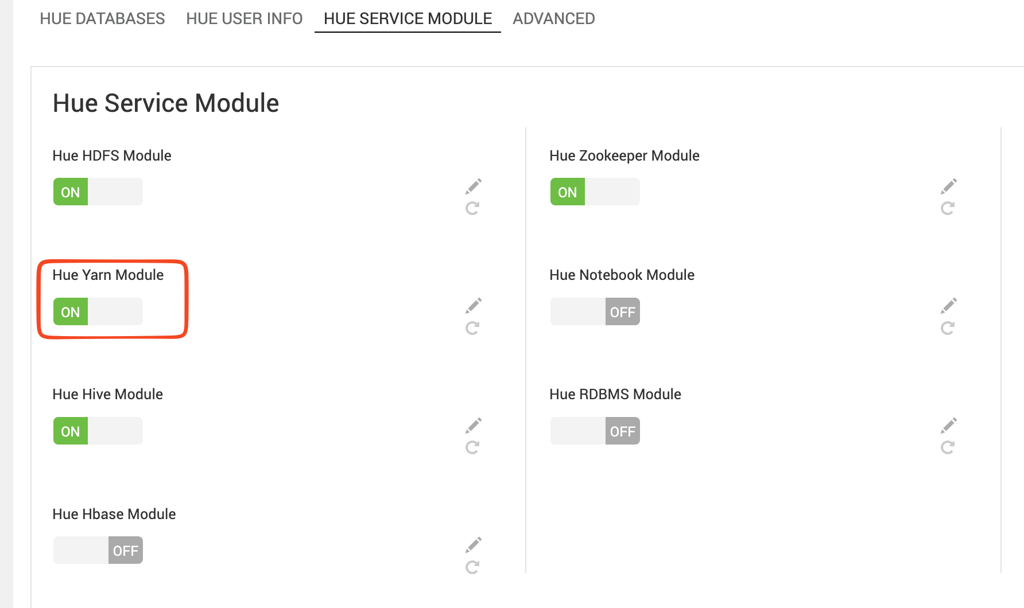
The Hue Yarn Module is enabled by default.
Enable YARN integration
- In the Ambari UI, go to the Hue configuration page.
- Verify that Hue Yarn Module is set to ON.
- Save the configuration if you make any changes.
Customize the YARN configuration
To specify additional YARN configuration:
- Go to Advanced services.
- Modify the
yarn-configproperty.
Ambari saves the generated configuration to:
/etc/hue/conf/yarn.ini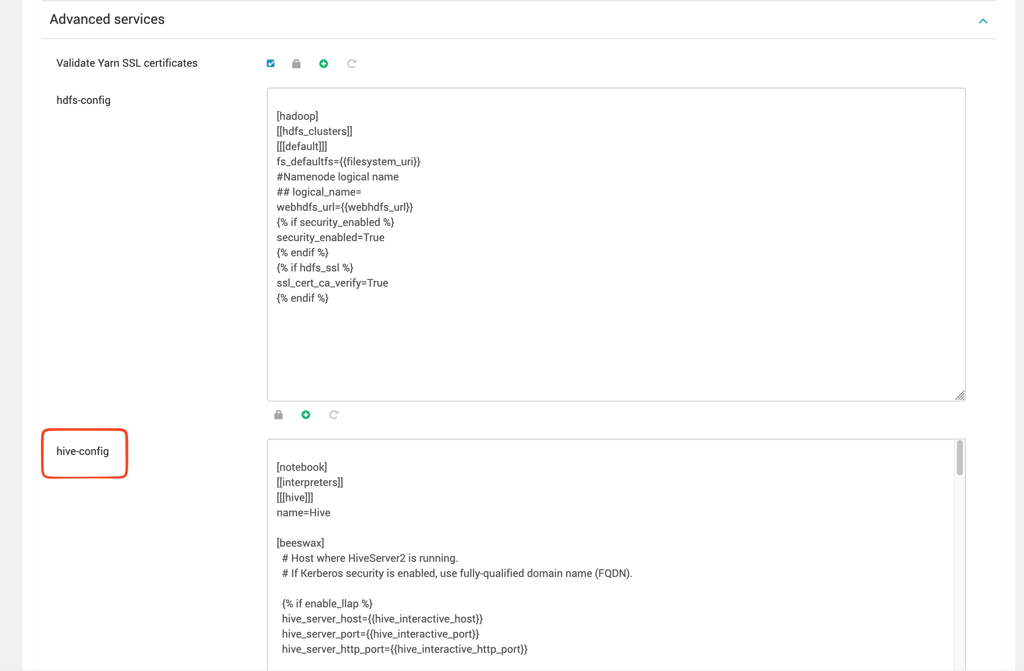
Configure YARN permissions
Hue requires permission to:
- Submit applications to the YARN queue.
- Administer the YARN queue.
Configure the permissions based on whether Ranger manages YARN authorization.
Configure permissions with Ranger
If Ranger manages YARN permissions:
- Open the Ranger YARN policy.
- Grant the Hue user permission to submit applications and administer the required queue.
By default, Hue uses the default YARN queue. Ensure that the Hue user has the required permissions for at least this queue.

Configure permissions without Ranger
If Ranger isn't enabled:
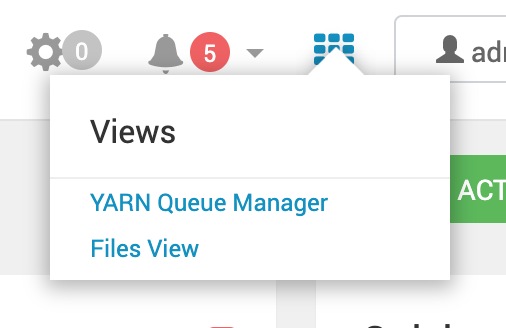
- In the Ambari UI, select the grid icon in the upper-right corner.

- Select Yarn Queue Manager.
- Select the YARN queue that Hue uses.
- Add the Hue user to the list of users permitted to submit applications.
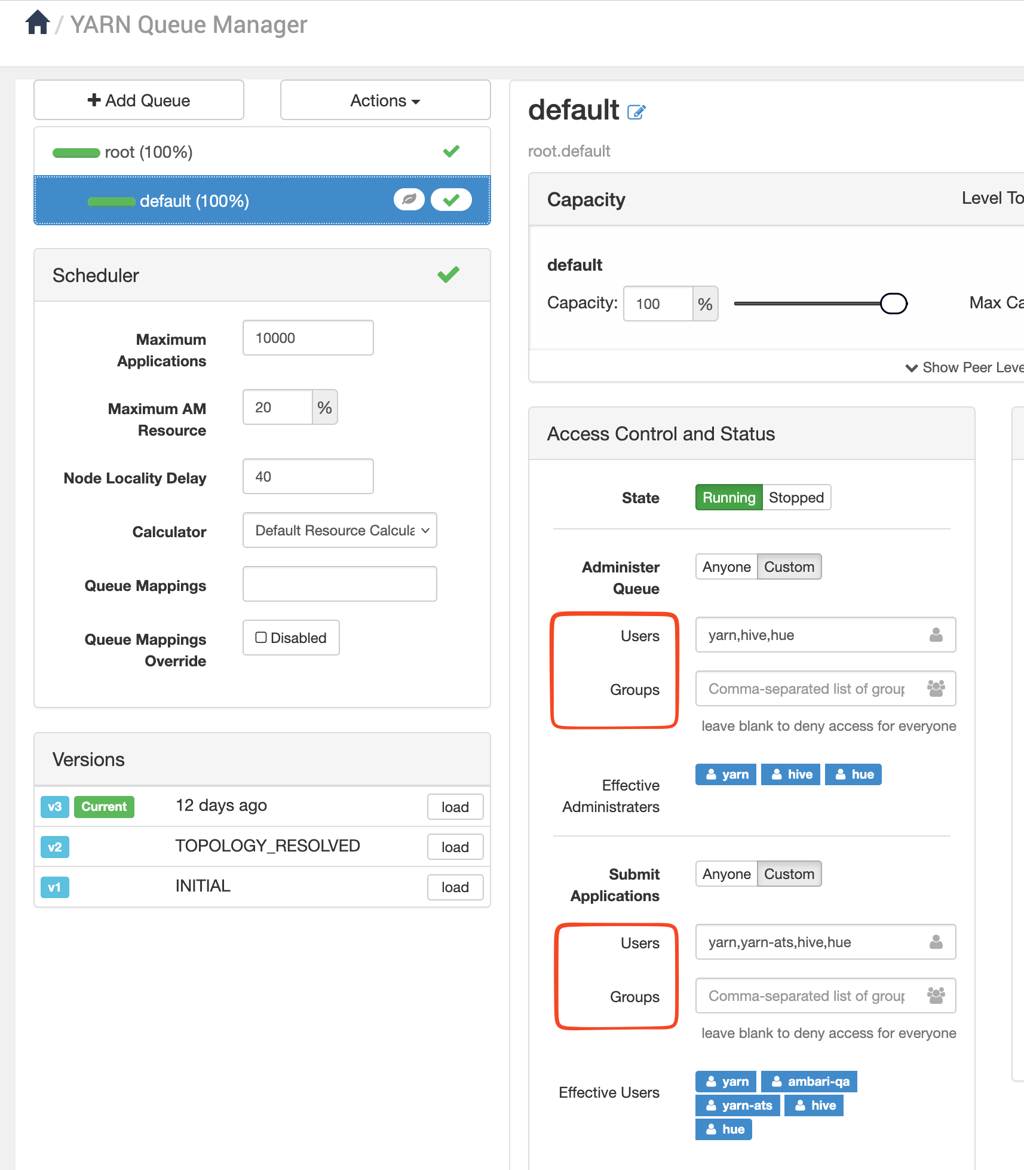
- Add the Hue user to the list of users permitted to administer the queue.
- Save the configuration.
Have a suggestion?