
Configure HDFS with Hue
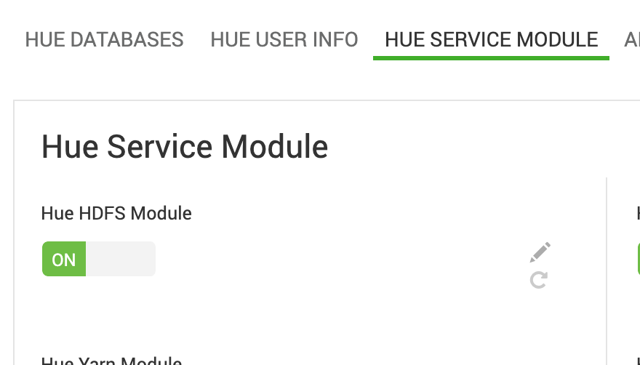
The Hue Hdfs Module is enabled by default.
Enable HDFS integration
- In the Ambari UI, go to the Hue configuration page.
- Verify that Hue Hdfs Module is set to ON.
- Save the configuration if you make any changes.
Customize the HDFS configuration
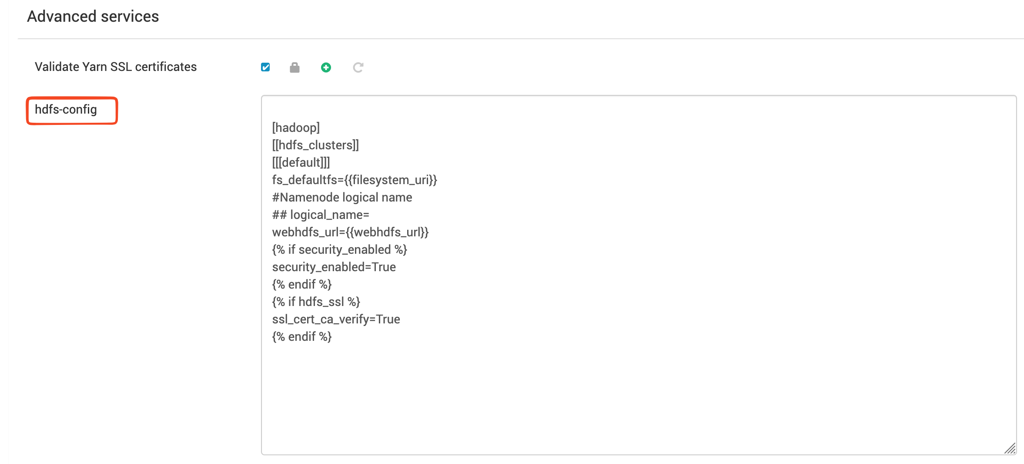
To specify additional HDFS configuration:
- Go to Advanced services.
- Modify the
hdfs-configproperty.
Configure HDFS high availability
If HDFS high availability (HA) is enabled, you must install and enable HTTPFS.
HTTPFS is available as a separate mpack. Without HTTPFS, Hue can't enable HDFS integration in an HDFS HA environment.
After you install and enable HTTPFS, no additional Hue configuration is required.
Have a suggestion?