
Stop, Delete, and Uninstall Mpack Services from Ambari
This page helps you stop, delete, and uninstall all the Mpack-managed services and delete them from Ambari.
Mpack Upgrade Support
Warning
The following Mpack services are supported during the upgrade from 3.3.6.5-x release onwards.
- Impala
- Pinot
- Spark3 (3.5.5, 3.5.1, and 3.3.3)
- Kafka3 (Add-on services; Connect, MirriorMaker2, and Cruise Control)
- Kafka2 Add-on services; Connect, MirriorMaker2, and Cruise Control
Info
Ensure to stop and delete the remaining Mpack services from Ambari before the upgrade.
Stop and Delete Services
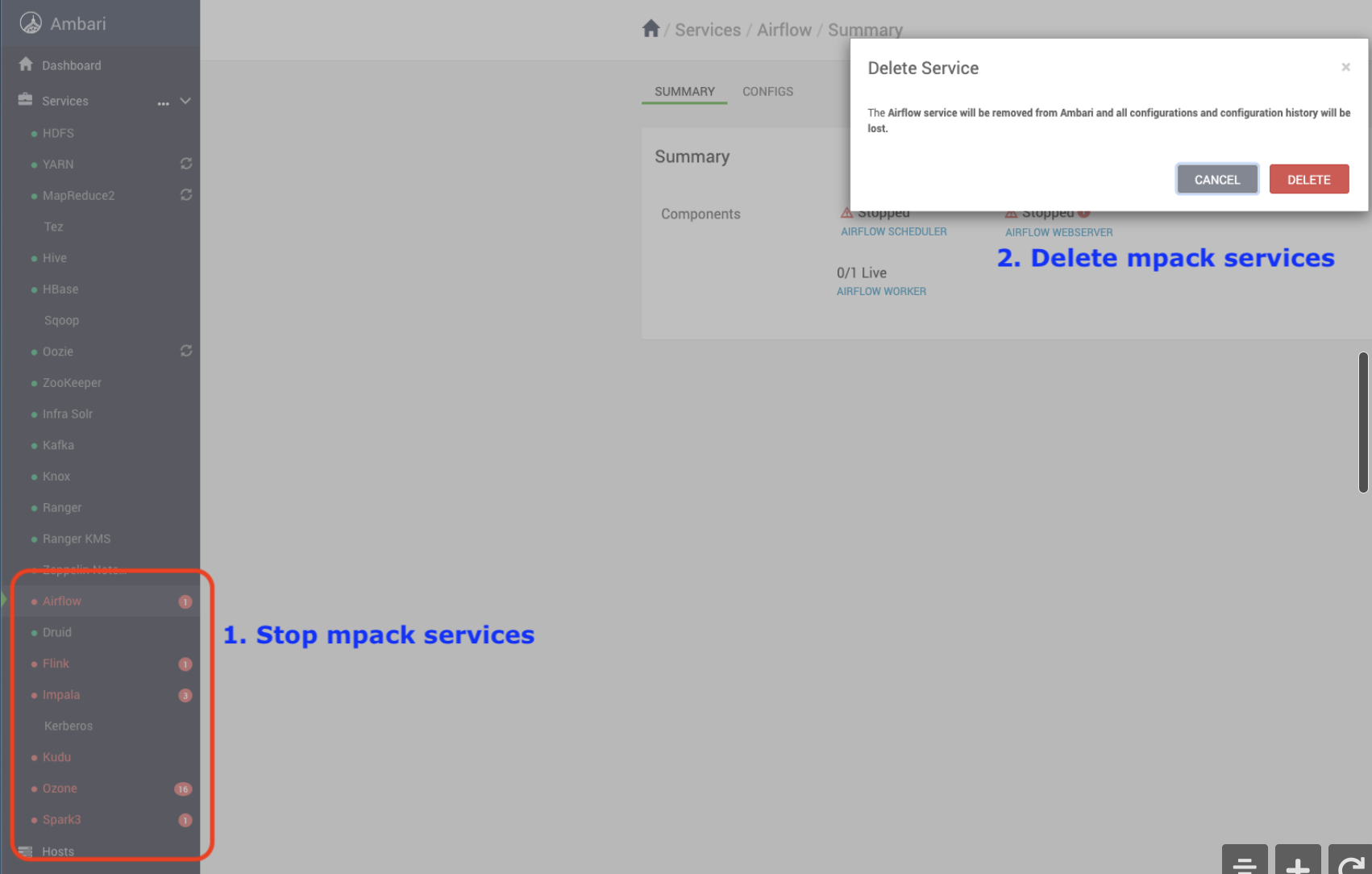
After deleting the Mpack-managed services, uninstall the Mpacks.
Uninstall Mpacks
Run the following commands to uninstall Mpacks.
 ambari-server uninstall-mpack --mpack-name=flink-ambari-mpack
 ambari-server uninstall-mpack --mpack-name=ozone-ambari.mpack
 ambari-server uninstall-mpack --mpack-name=airflow-ambari-mpack
 ambari-server uninstall-mpack --mpack=kudu-ambari-mpack
 #<Same applies for respective mpacks>
Restart Ambari Server
ambari-server restart
For additional validation, perform the following steps to ensure the packages have been completely uninstalled from the local server.
Remove Mpack Services from Ambari
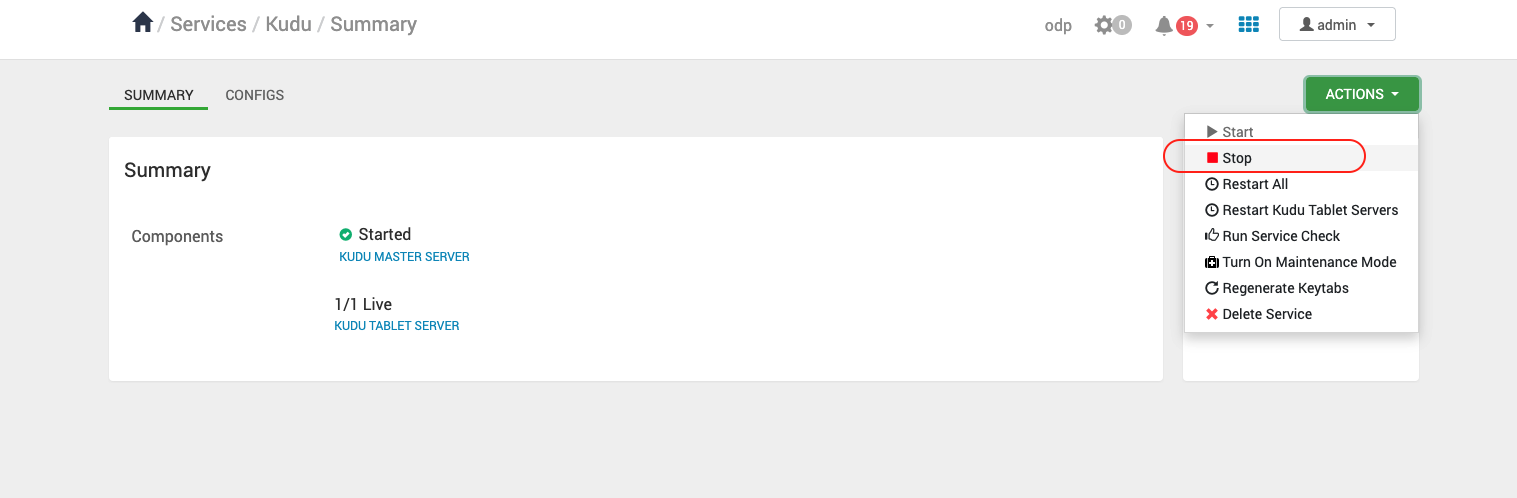
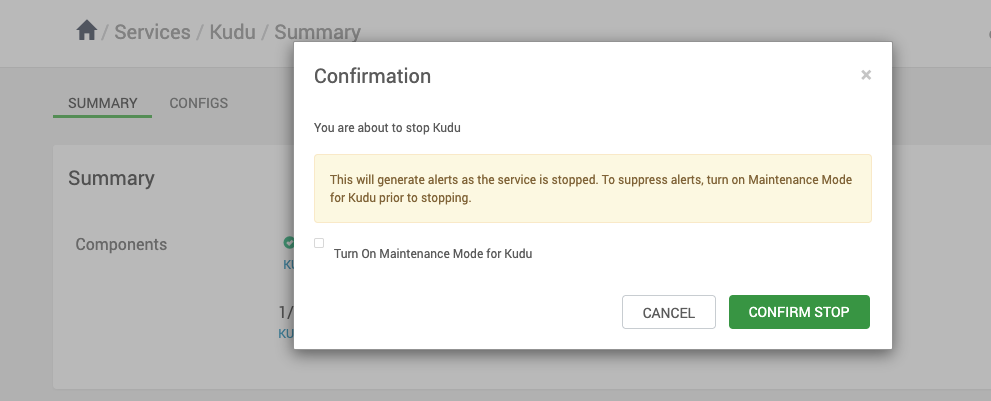
Stop the Service
In the Ambari UI, select a service from the left pane, go to Actions, and click Stop.
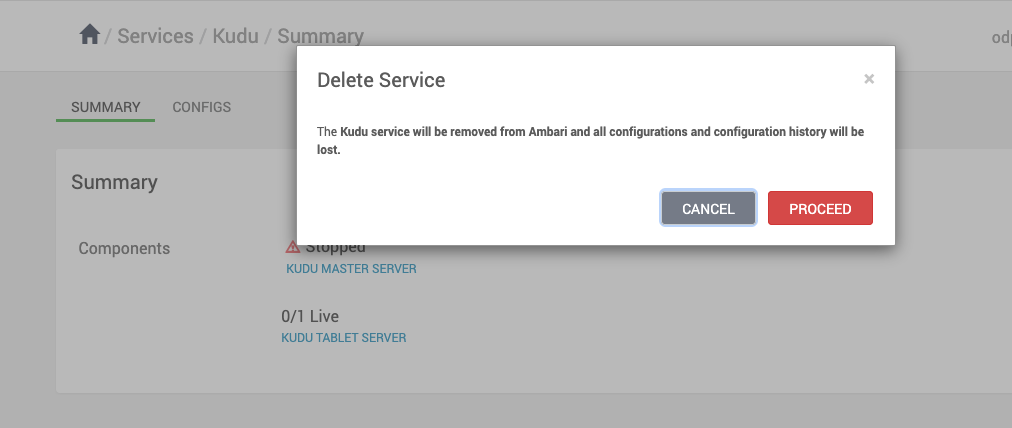
Delete the Service
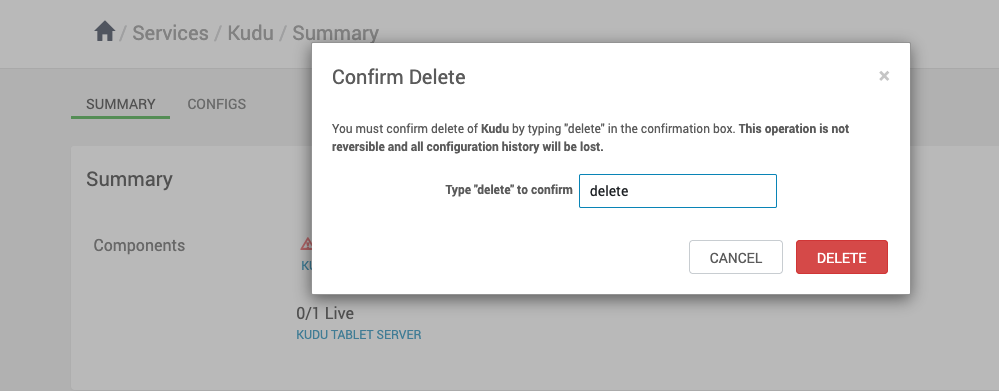
In the Ambari UI, select a service from the left pane, go to Actions, and click Delete Service.
Have a suggestion?