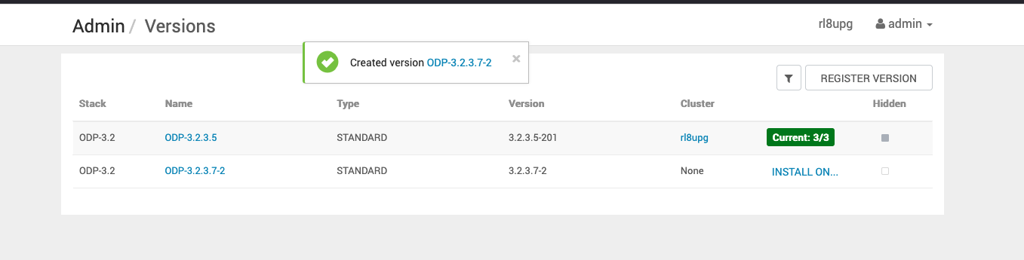
Register and Add VDF File
Before upgrading ODP, register the target ODP version in Ambari by uploading the corresponding VDF file, and then install the required ODP packages on the cluster.
Step 1: Download the VDF File
Download the required VDF file from the following location: ODP-3.2.3.7-2 VDF.
Step 2: Register the ODP Version
- In the Ambari UI, go to Admin → Manage Ambari. The Admin / Cluster Information page opens.
- From the left pane, select Versions. The Admin / Versions page opens.

- Click Register Version. The Versions / Register Versions page opens.
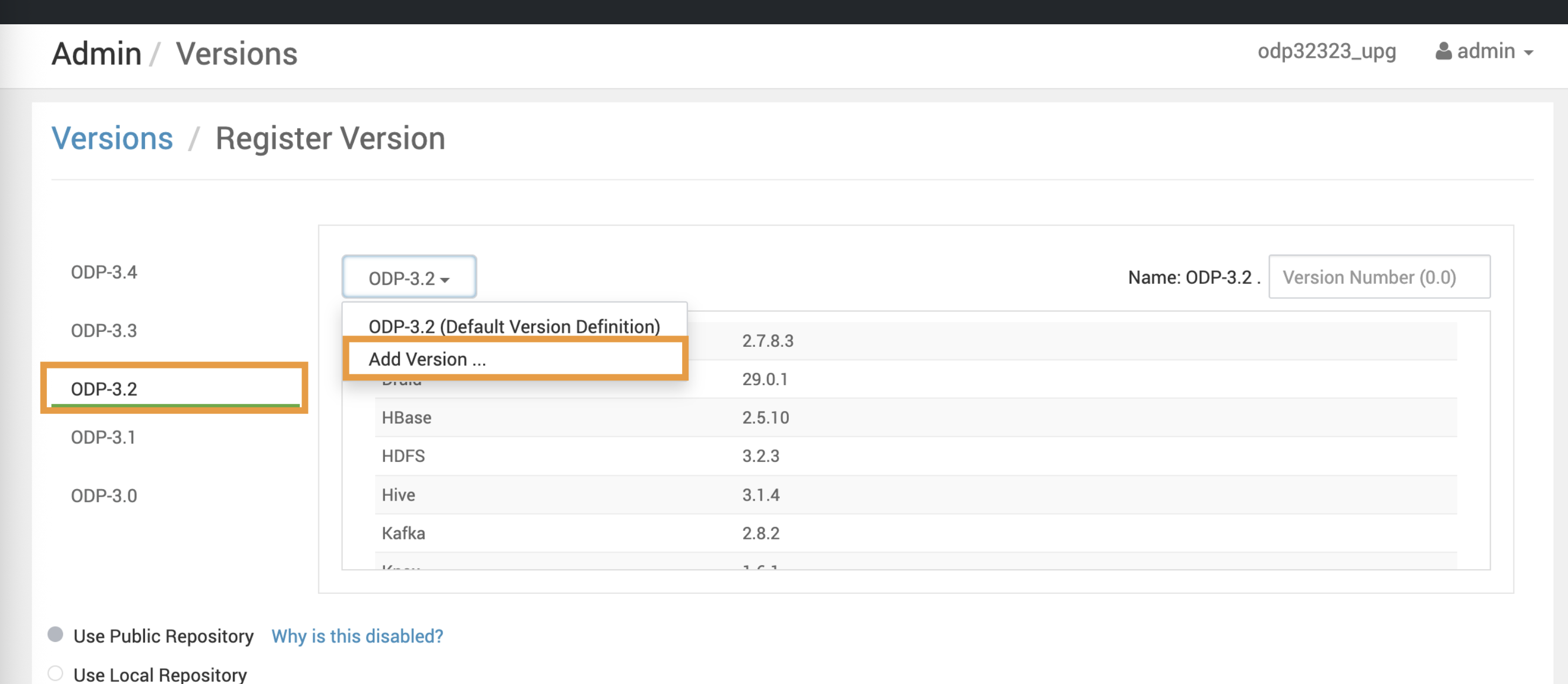
- Select ODP-x-x, and then click Add Version.
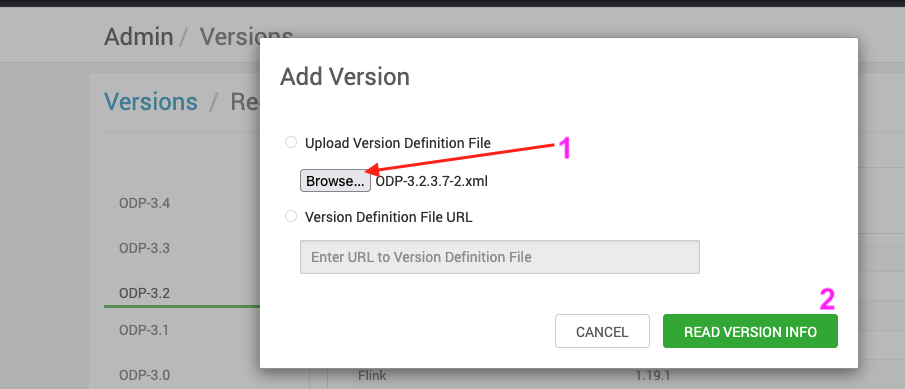
- Upload the downloaded VDF file to register the target ODP version.
- After the upload completes successfully, verify that the new ODP version appears on the Admin / Versions page.