
Installing JupyterHub via Mpack
Follow these steps to install JupyterHub using the Ambari Mpack:
- Download the JupyterHub mpack from the Mpacks Link.
- Install the Mpack: Run the following command to install the JupyterHub Mpack.
ambari-server install-mpack --mpack=ambari-mpacks-jupyterhub-5.2.1.tar.gz --verbose
Restart the Ambari Server to apply the changes:
ambari-server restart
- Add the JupyterHub Service in Ambari.
- Open the Ambari UI.
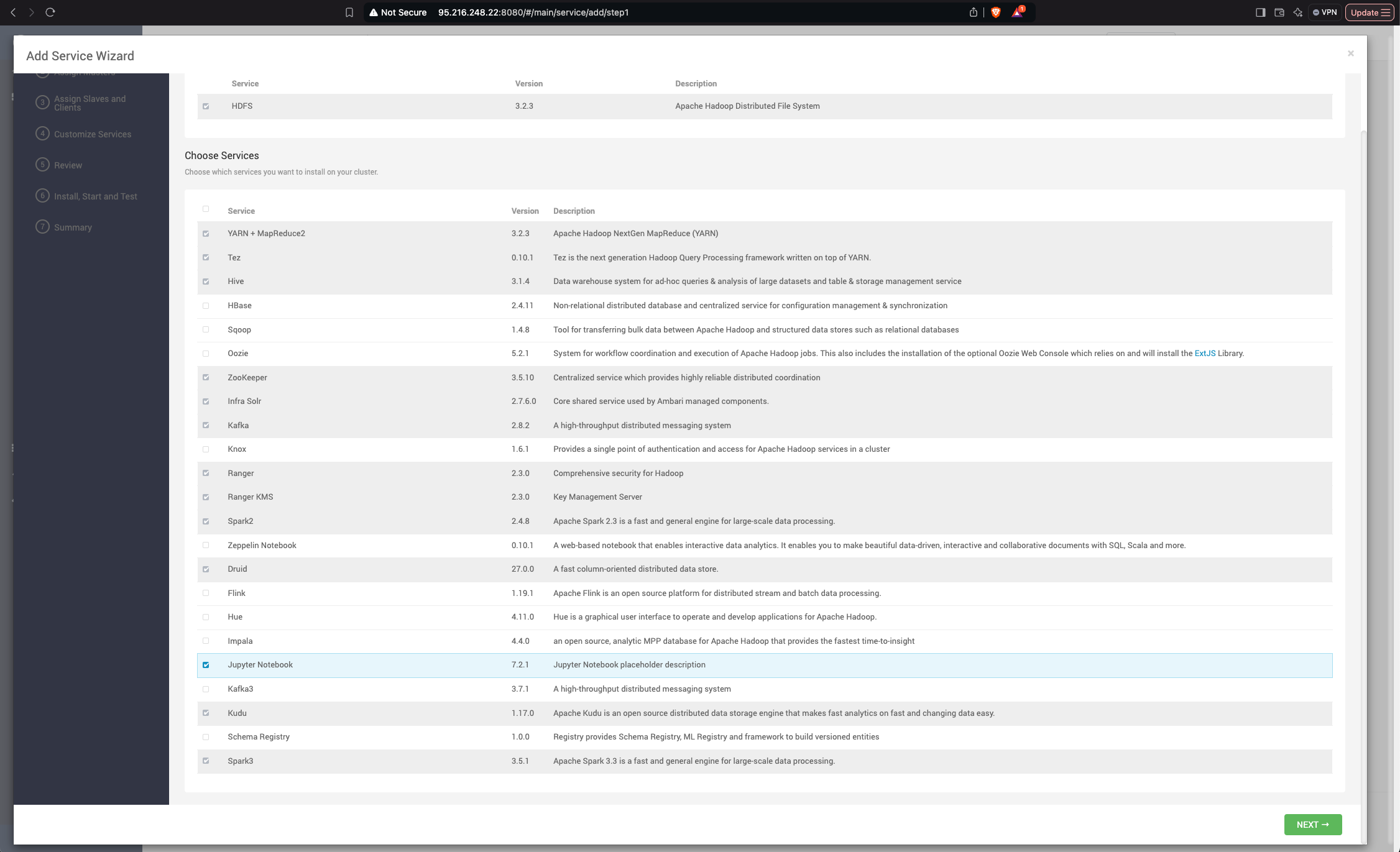
- Navigate to Add Service and select JupyterHub.
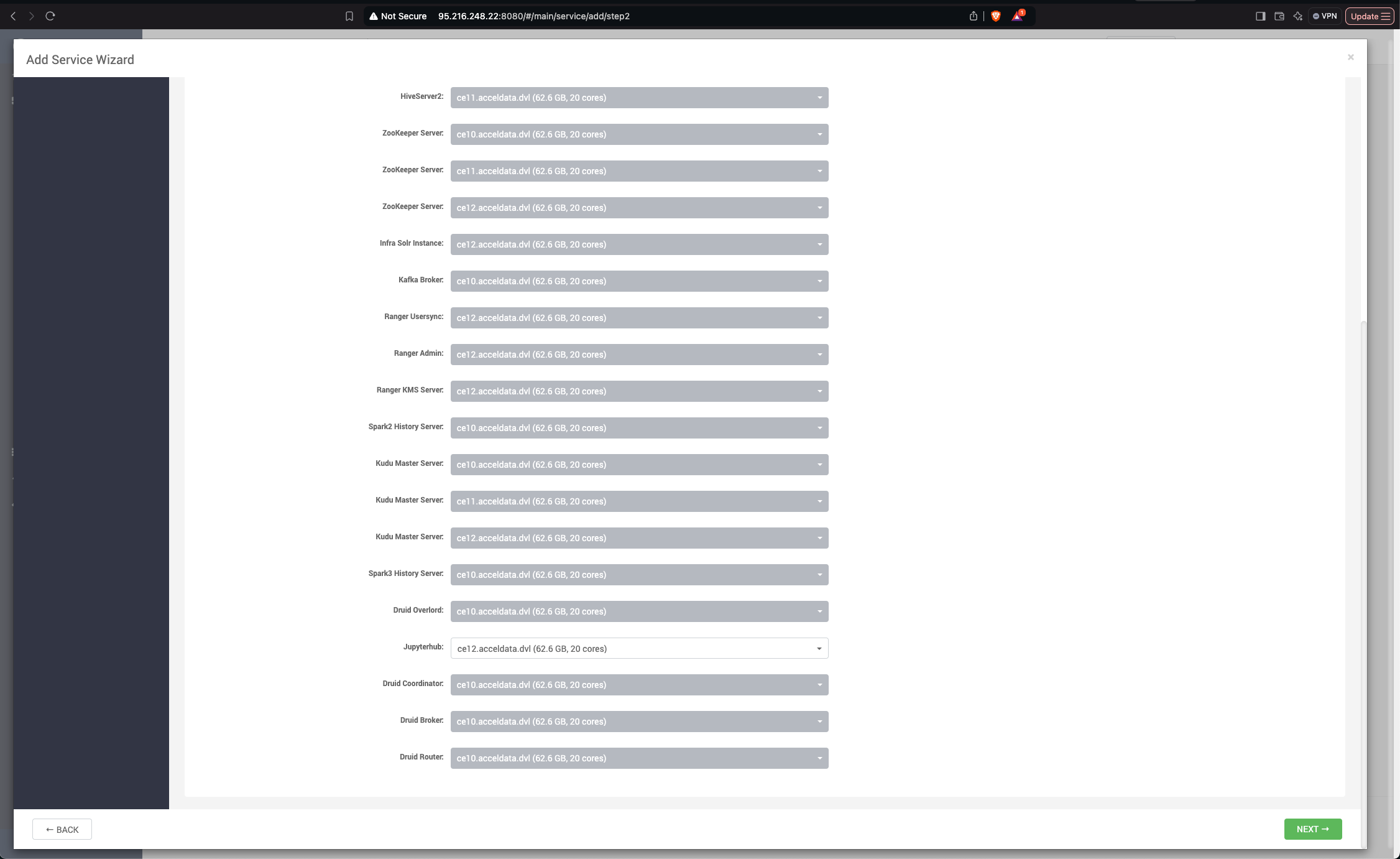
- Specify the host where you want to install the JupyterHub service.
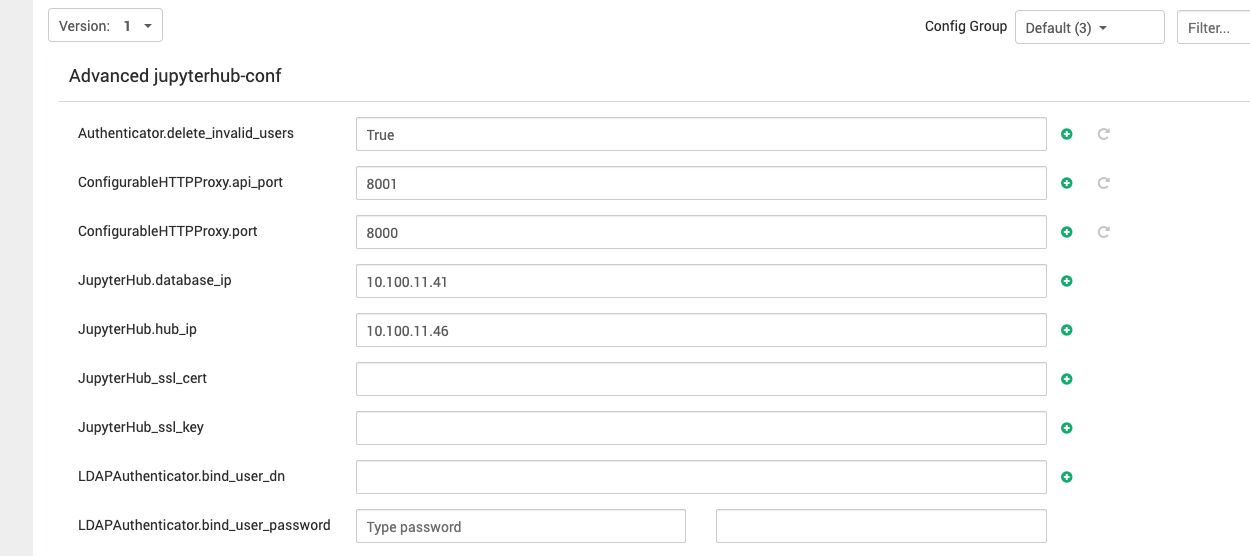
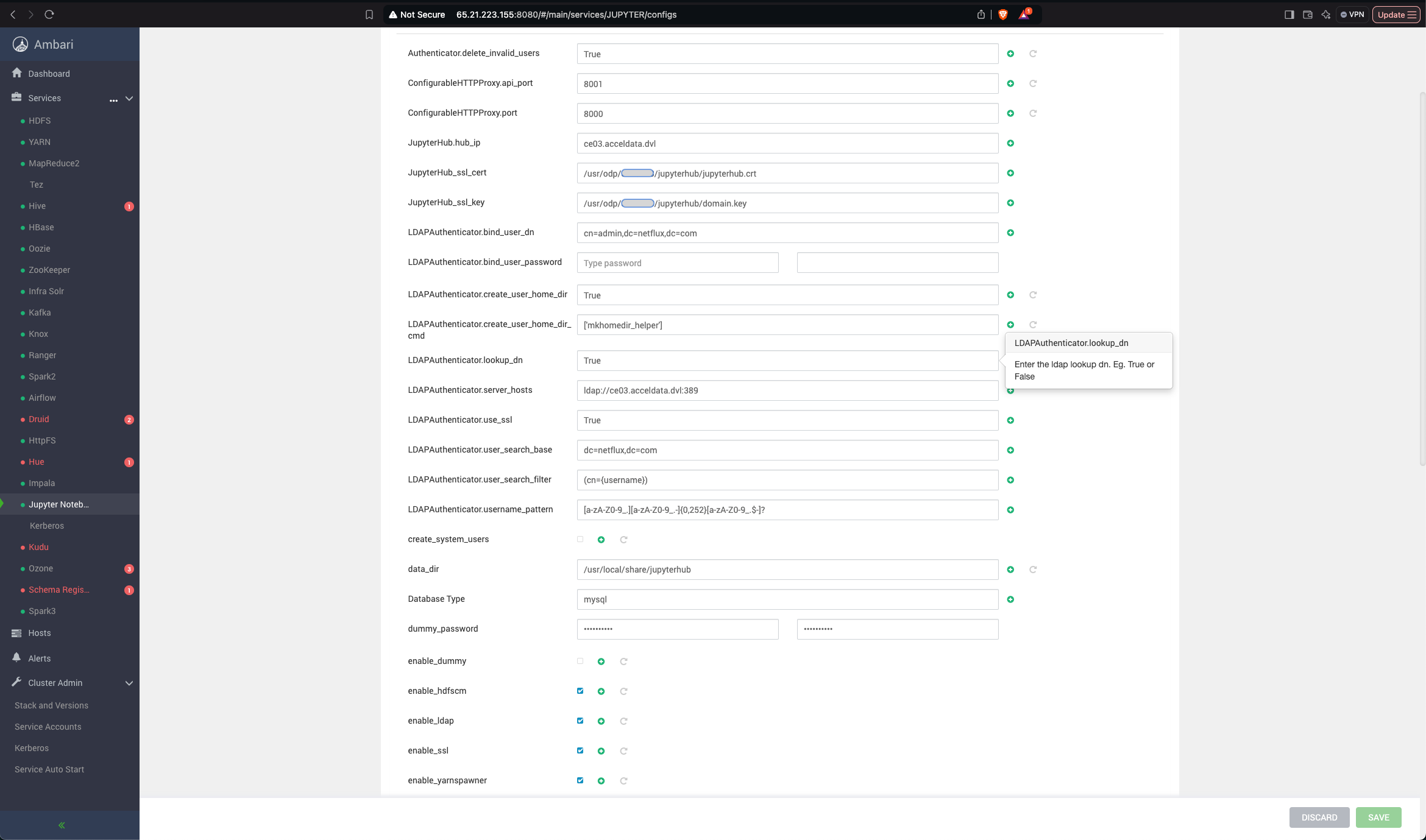
- Configure the JupyterHub.
- Provide the IP address or hostname of the server hosting JupyterHub.
- Provide the Jupyter IP address where your database is installed.
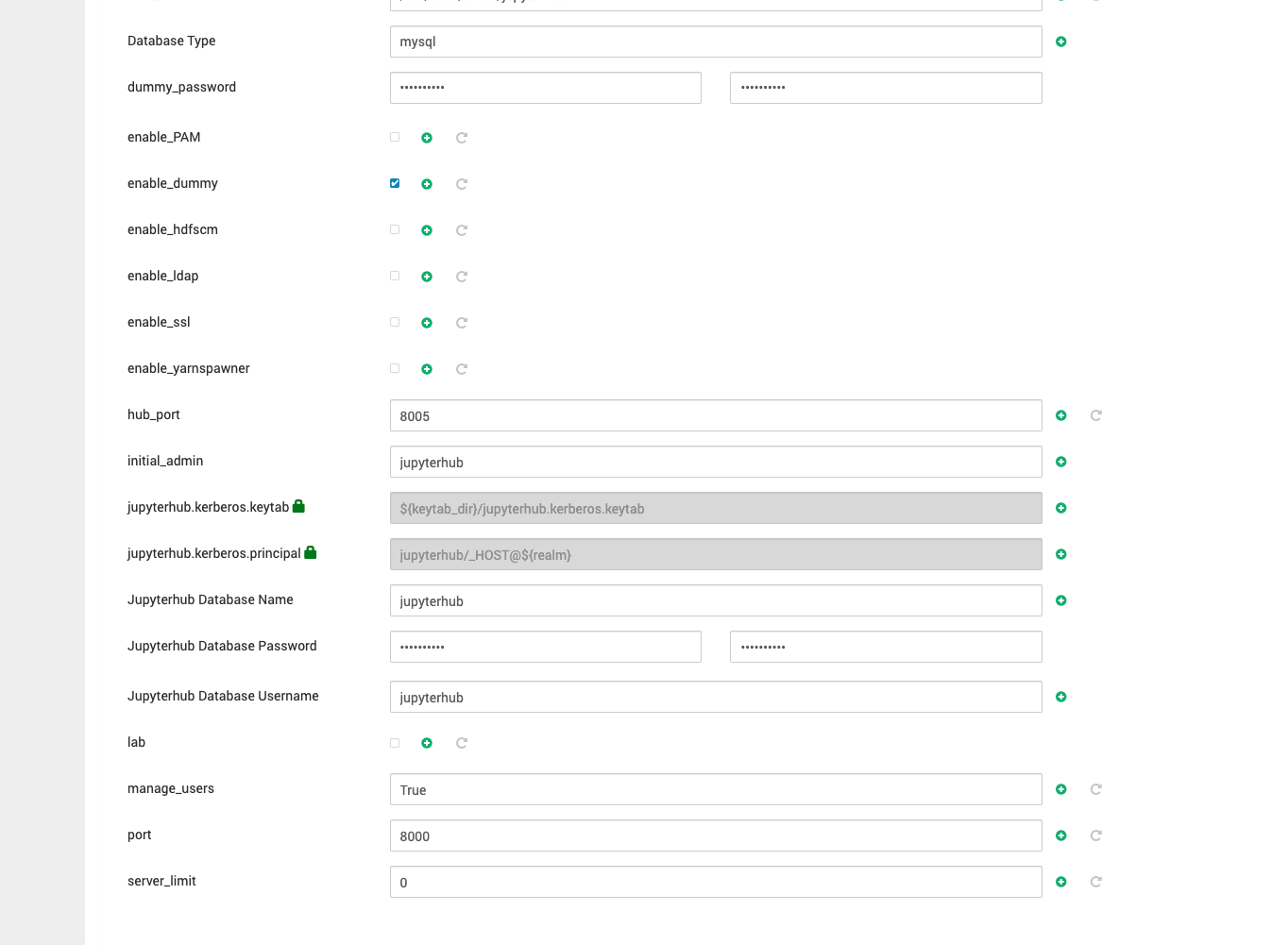
- Set the initial admin user as jupyterhub until LDAP authentication is configured.
Add the required details for the database connection shown in the screenshots below.
- Complete the Installation: Proceed with the remaining steps in Ambari to finalize the JupyterHub installation.