
Query Examples
The following queries are examples of strings you can use to search anything within logs.
Info
You can use boolean operators to add more search parameters.
- As an example, in the following image, you can construct and type the following queries in the search bar.
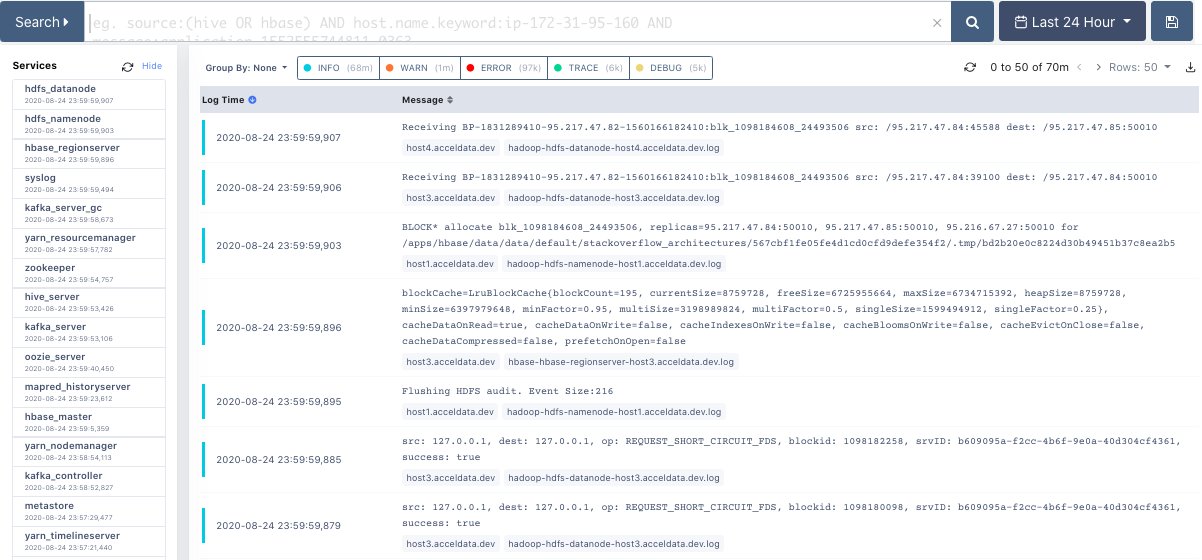
- To search logs by a message string Receiving BP-18, use the following syntax: message:< message>. For example, message:Receiving BP-18
- To search logs by a message string on a particular host, use the following syntax: message:<message>AND host.name.keyword:<host name>. For example, Receiving BP-18 AND host.name.keyword:host4.acceldata.dev
- To search application logs of particular services, use the following syntax: fields.component:<service name>. For example, fields.component:hdfs_datanode.
Search Keywords Allowed
To search within Logs, the following keywords are allowed.
Keyword | Description | Example |
|---|---|---|
fields.component | To search within services. | fields.component:hive_server |
host.name.keyword | To filter search by host name. | host.name.keyword:host2.acceldata.dev |
source.keyword | To filter search by source location. | source.keyword:/var/log/hive/hiveserver2.log |
loglevel | To search within the log level which can be either Info, Debug, Warn, or Error. | loglevel:INFO |
Boolean operators AND and OR | For an improved search within logs. | loglevel:INFO AND fields.component:hive_server |