
ODP Rolling upgrade
Follow the below steps for ODP rolling upgrade.
Once the installation of the ODP-3.3.6.3-1 package is complete, proceed with the upgrade process.
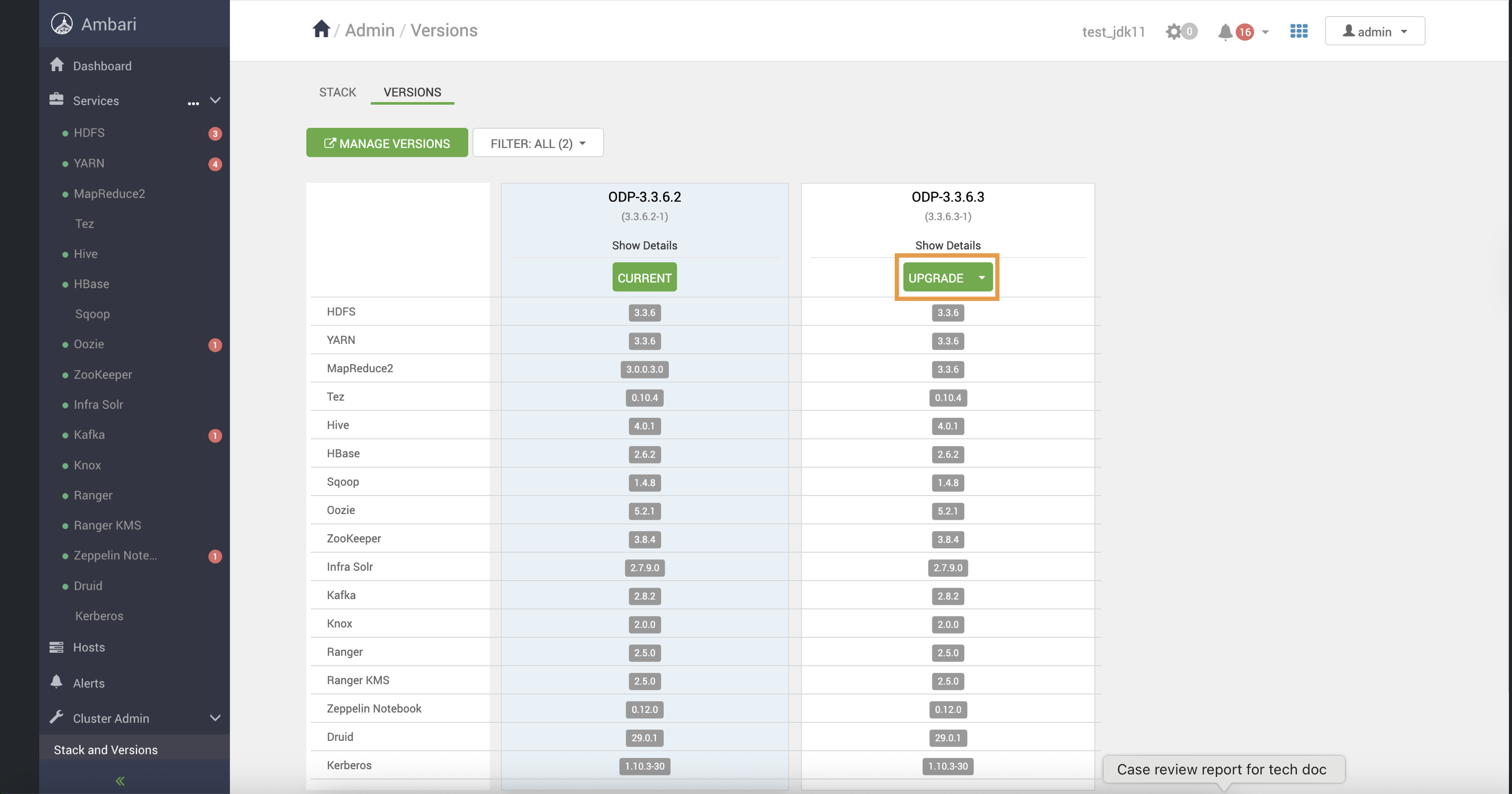
- After the installation packages step is completed, you can see the Upgrade option. Click Upgrade to proceed further.
- Upon clicking on Upgrade, you can see the two upgrade options: Rolling and Express. Choose the Rolling Upgrade option to continue with the upgrade process.
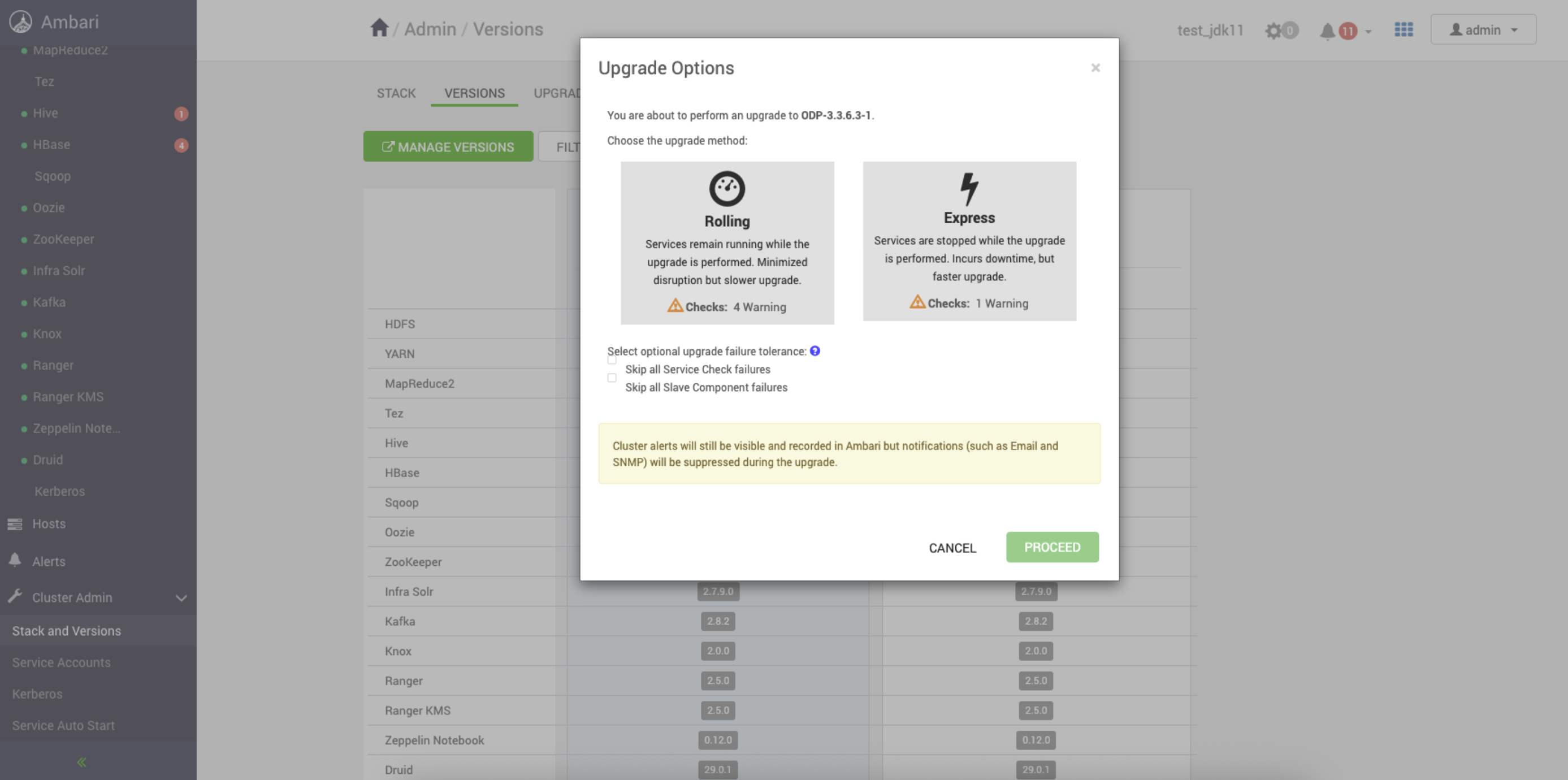
- Select YES to confirm the Rolling Upgrade to ODP-3.3.6.3-1.
The screenshots below show the progress of the Rolling Upgrade.
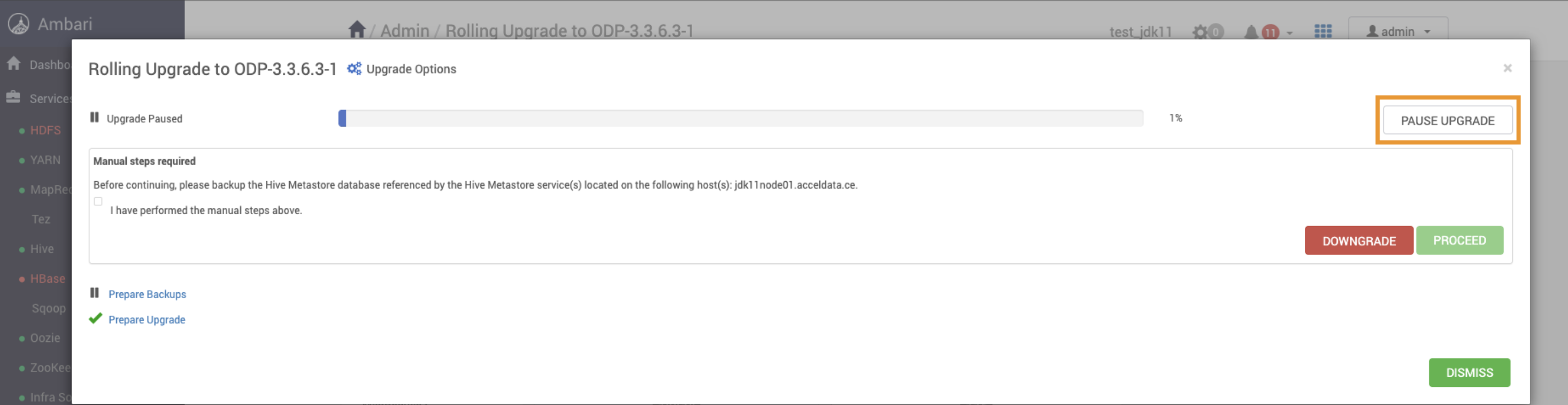
Important Step
Before accepting Perform Backups, pause the upgrade and proceed to next Ambari Upgrade section