ODP Stack Upgrade
Before upgrading the ODP stack, follow the below pre-requisites:
- The ODP-3.3.6.1-1 upgrade does not support the Spark2 and Oozie services. Ensure to stop and remove these services before performing the ODP stack upgrade.
- Ambari checks that your cluster has met the required prerequisites. A dialogue displays the following results:
- If any required prerequisites are not met, the result displays an error. You cannot proceed with the upgrade until you make the appropriate corrections and return to Perform Upgrade again.
- Ambari displays a list of configuration changes that occur during the upgrade.
- Follow the below steps to take effect of the Mpack services deletion from the cluster.
- On the Amabri UI, stop all the mpack services.
- Take a backup of the Mpack services configurations mentioned here: Pre-requisites for Configuration Backup.
- Delete the Mpack services from the Ambari UI.
- Uninstall the Mpack services from the Ambari server host.
- Restart the ambari-server.
Databases Backup
Ensure to take a backup of all backend databases for all required services. In this case, the backend database is MySQL, and the provided commands are for MySQL.
mkdir /tmp/ODP-server_db_bckp/
cd /tmp/ODP-server_db_bckp/
# for ambari
mysqldump --databases ambari > /tmp/ODP-server_db_bckp/ambari_mysql_bckp.sql
# for hive
mysqldump --databases hive > /tmp/ODP-server_db_bckp/hive_mysql_bckp.sql
# for rangerkms
mysqldump --databases rangerkms > /tmp/ODP-server_db_bckp/rangerkms_mysql_bckp.sql
# for rangerkms
mysqldump --databases ranger > /tmp/ODP-server_db_bckp/ranger_mysql_bckp.sql
# for hue
mysqldump --databases hue > /tmp/ODP-server_db_bckp/hue_mysql_bckp.sql
# for rangerkms
mysqldump --databases nifi > /tmp/ODP-server_db_bckp/nifi_mysql_bckp.sql
# please take backup for all required services
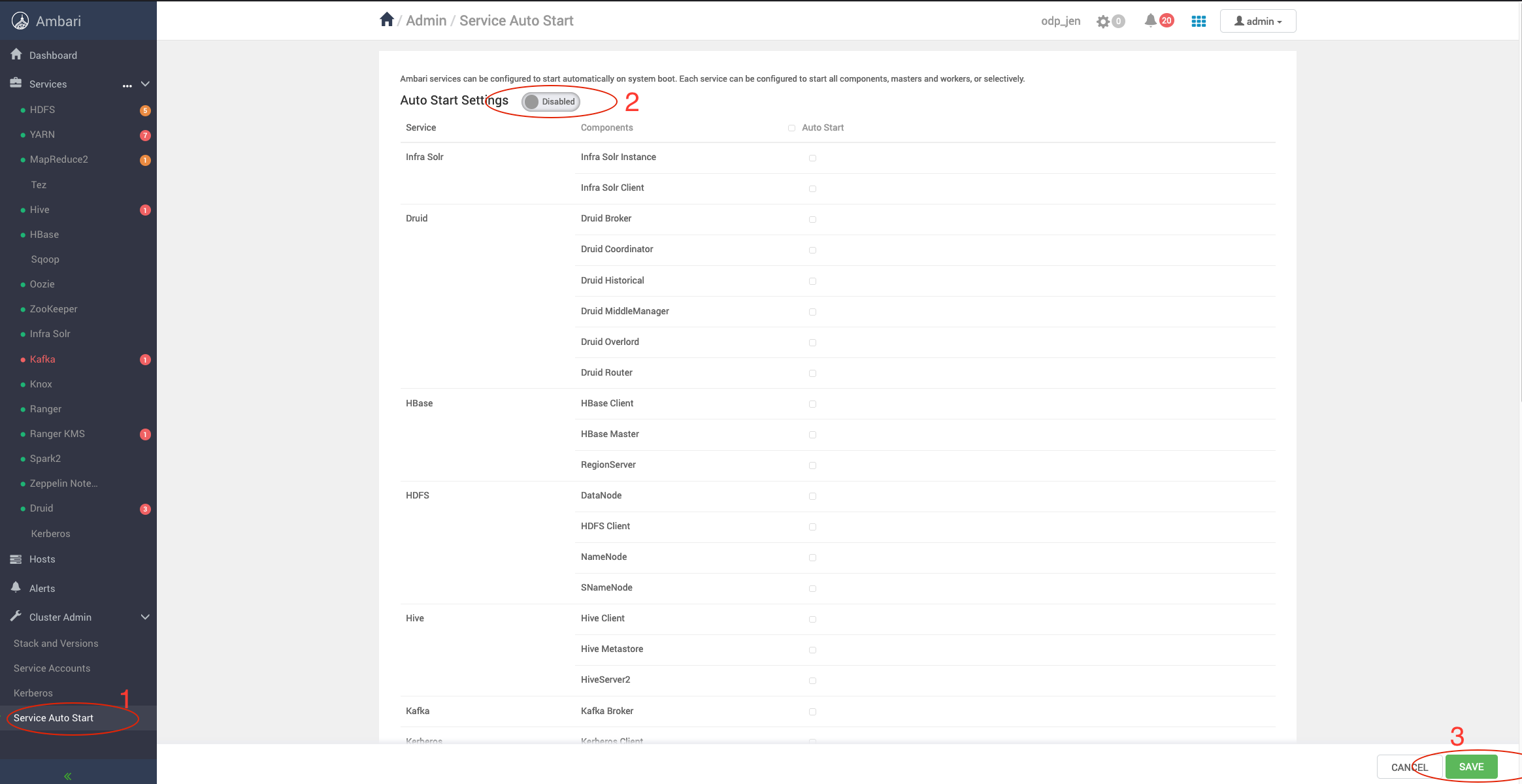
Disable Service Auto Start
Ensure to turn off Service Auto Start and disable Auto Start Settings.
Info
Ensure that no Ambari Metrics are running. If running, Stop the service and keep it on the maintenance mode.
Update the VDF file from Ambari UI
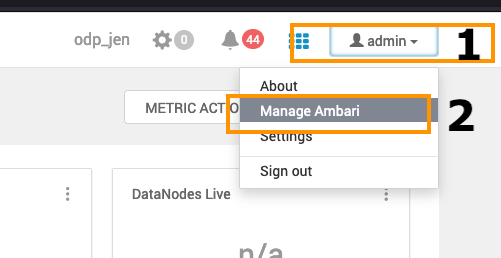
- Add the VDF file: Go to Admin section on top right and click on Manage Ambari option in the menu.
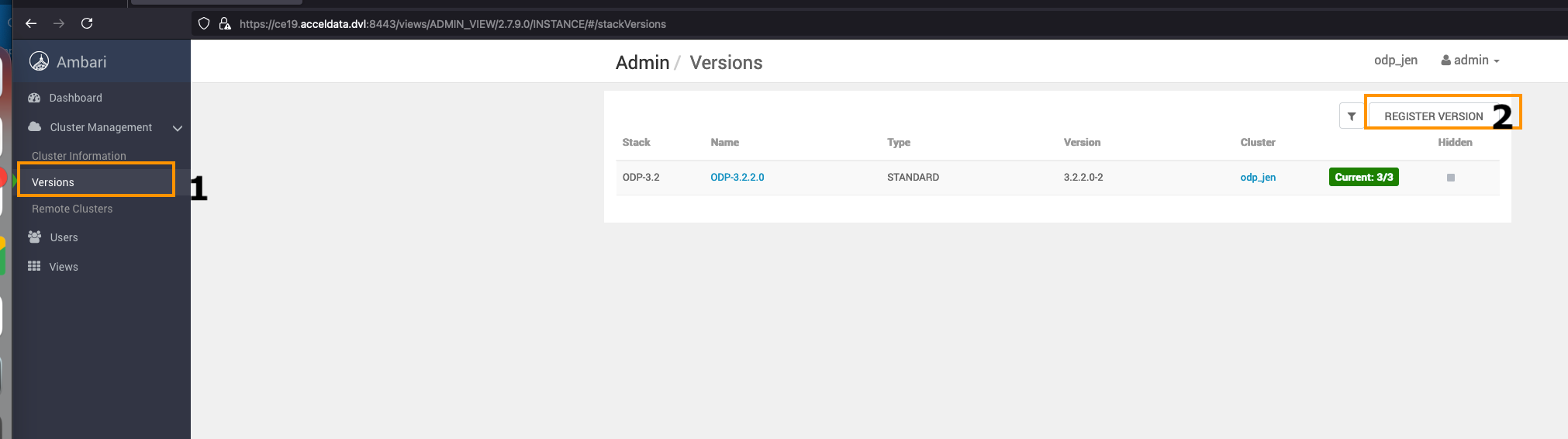
- Navigate to the Versions option on the left side and click REGISTER VERSION to add a new ODP Release.
- Add a new ODP version.
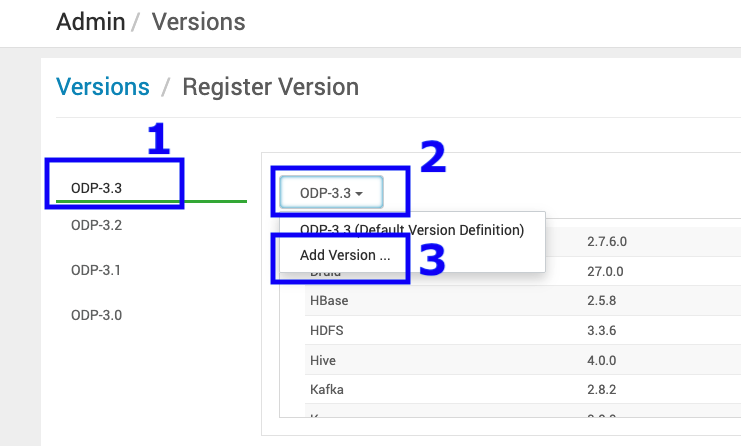
Sample VDF file
Refer the sample VDF file and copy it to a local machine to proceed further.
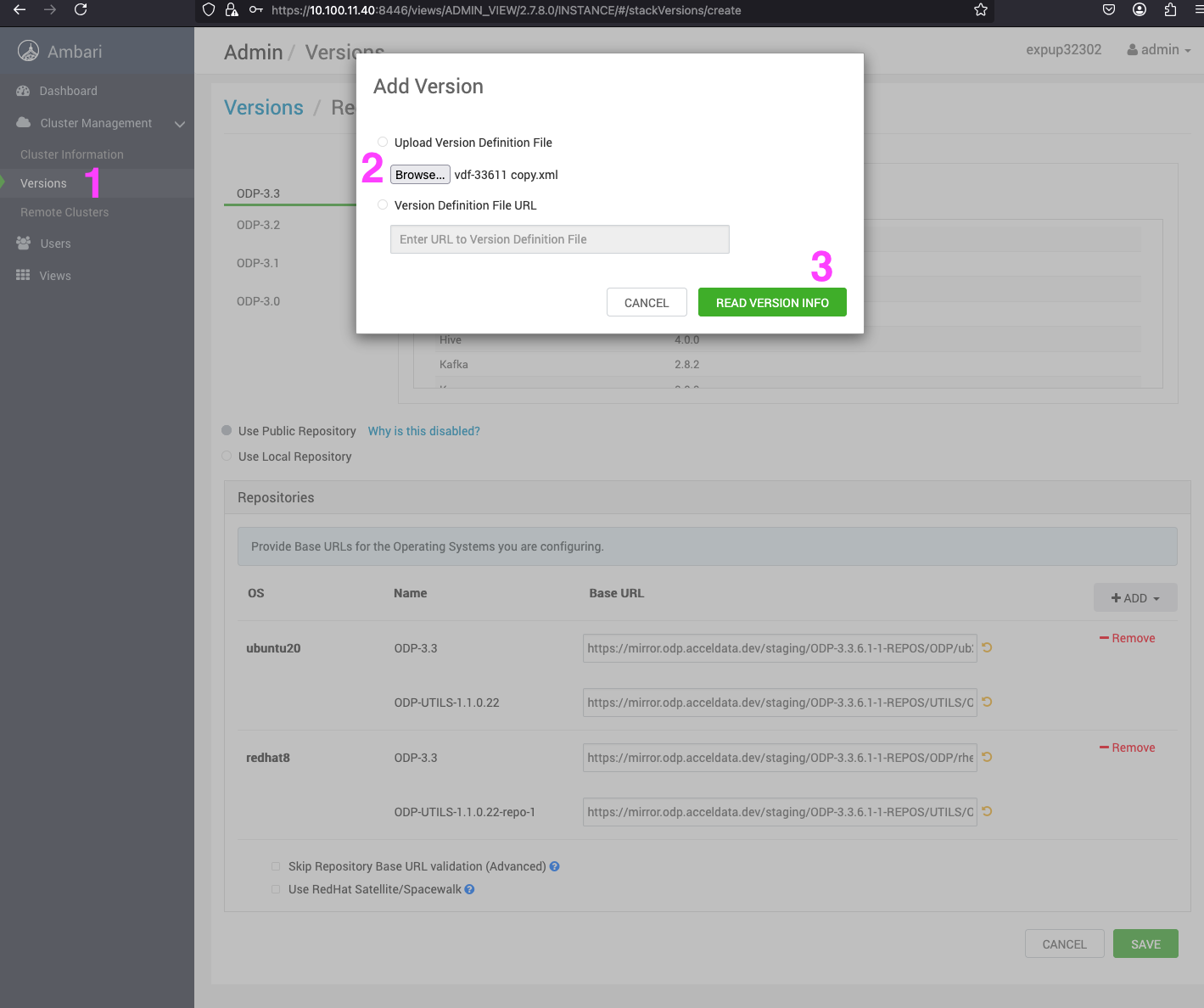
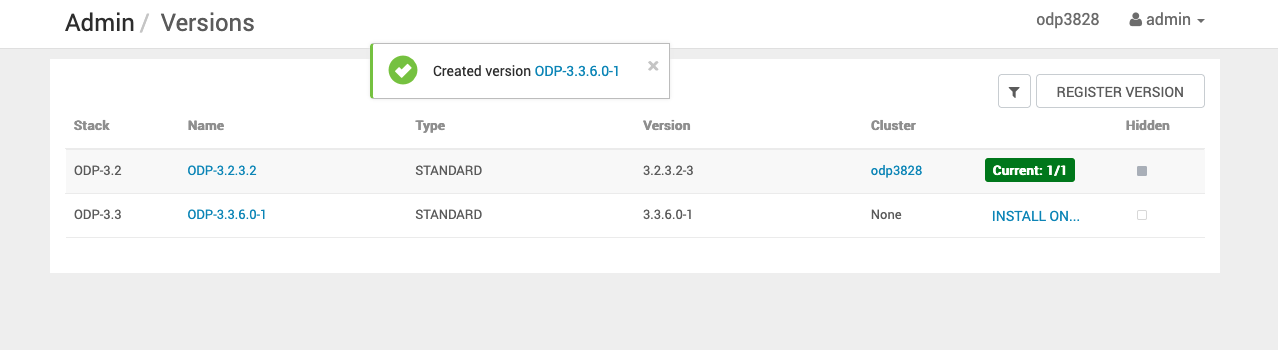
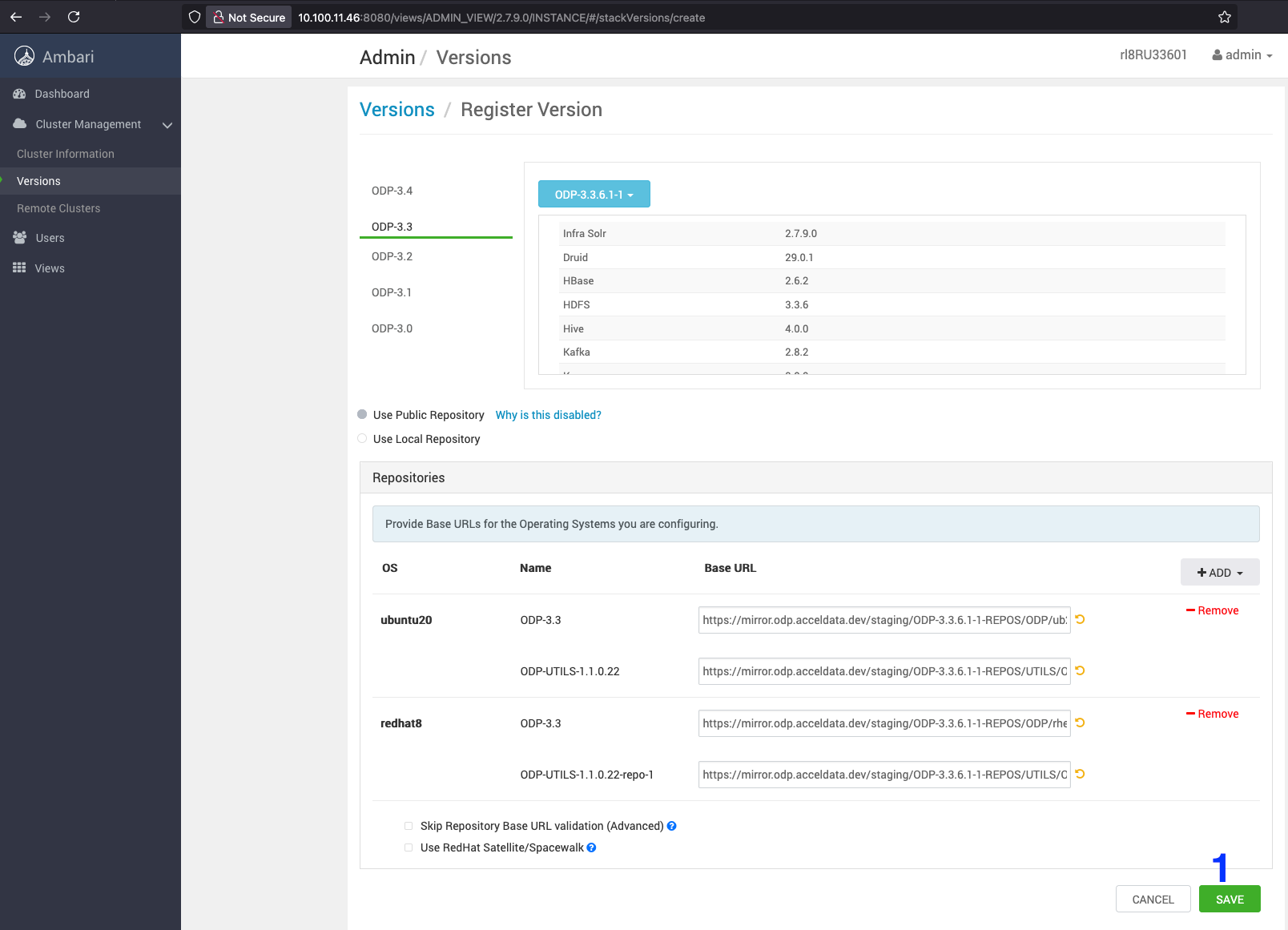
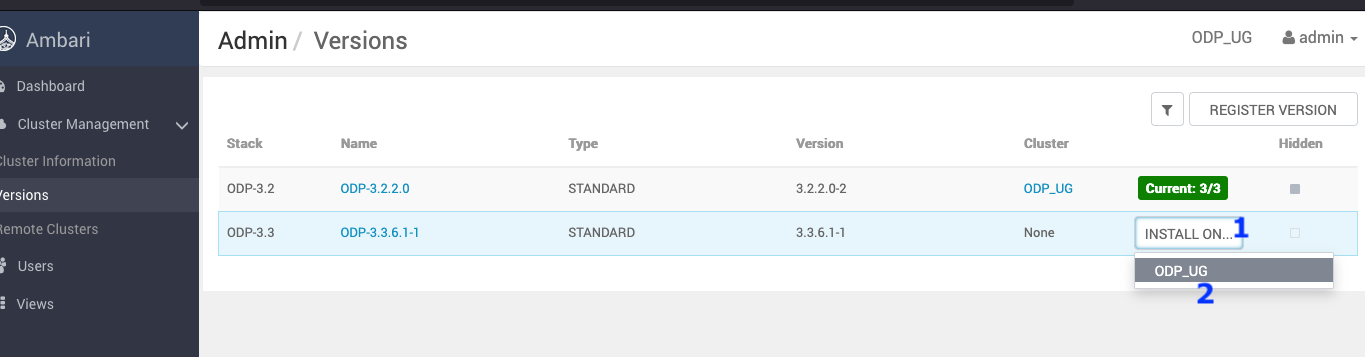
Install the Packages
- On the Stack and Versions page, click on the Install Packages to download the latest packages on the cluster.
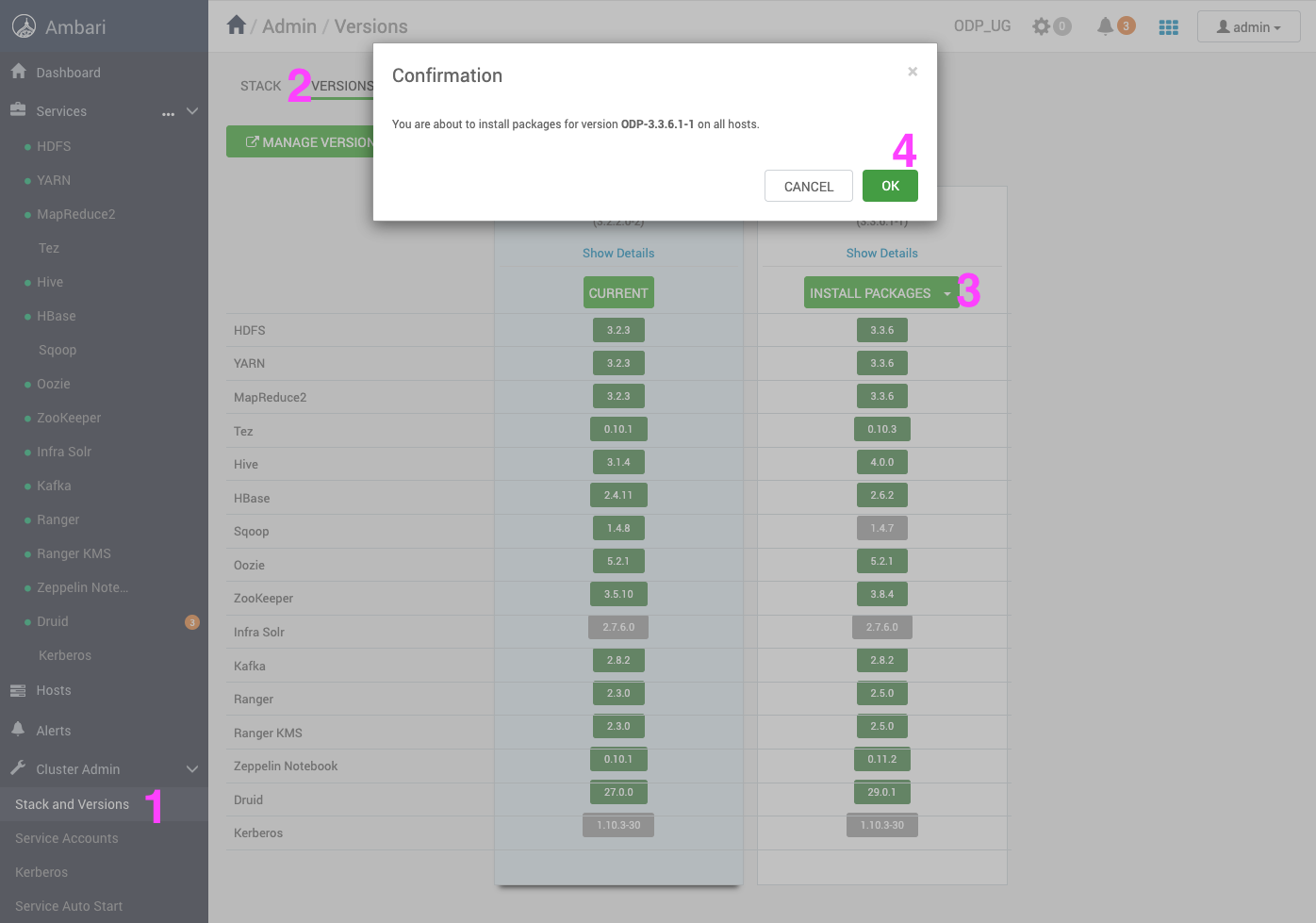
- Click OK to proceed.
- Verify the installation progress.
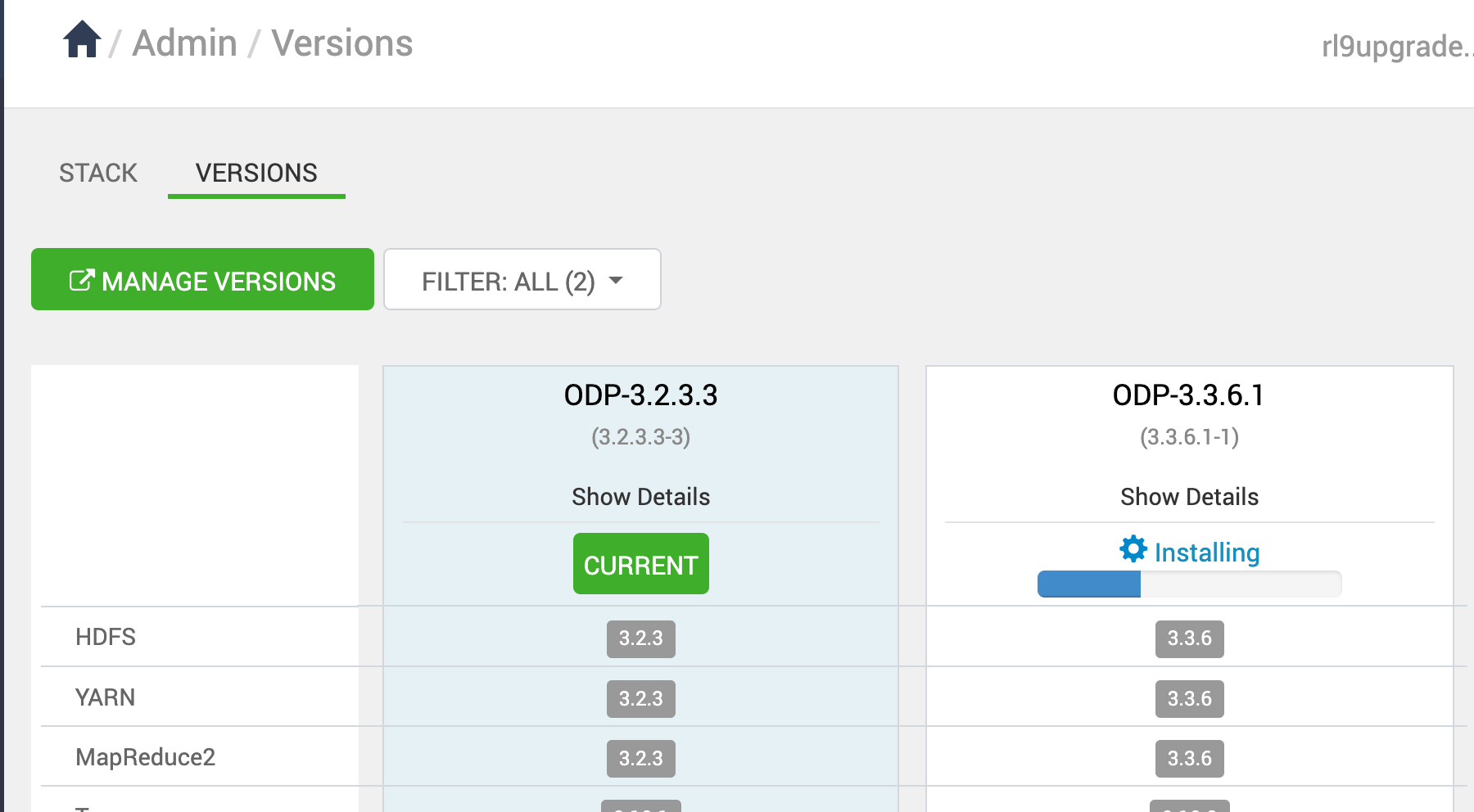
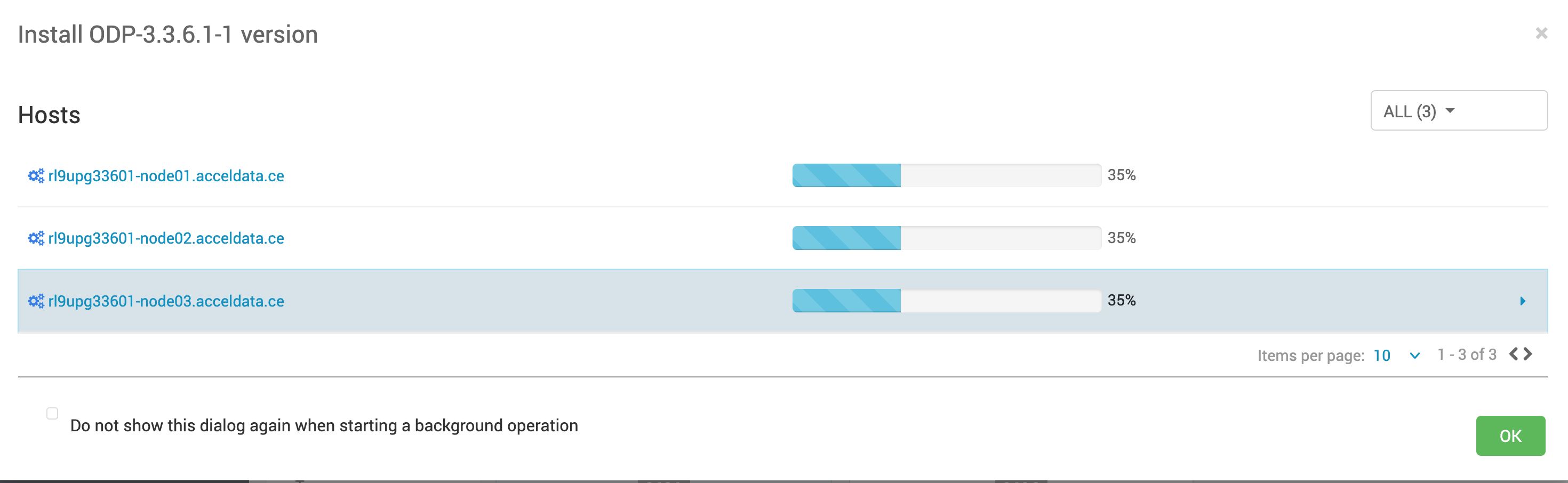
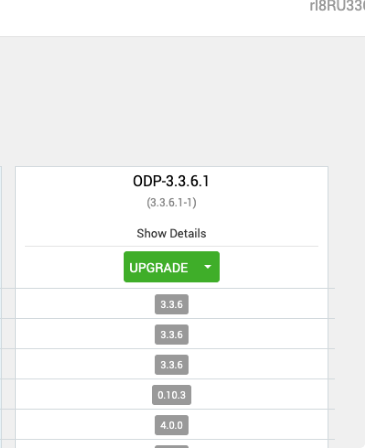
- After the installation packages step is completed, you can see the Upgrade option. Click Upgrade to proceed further.
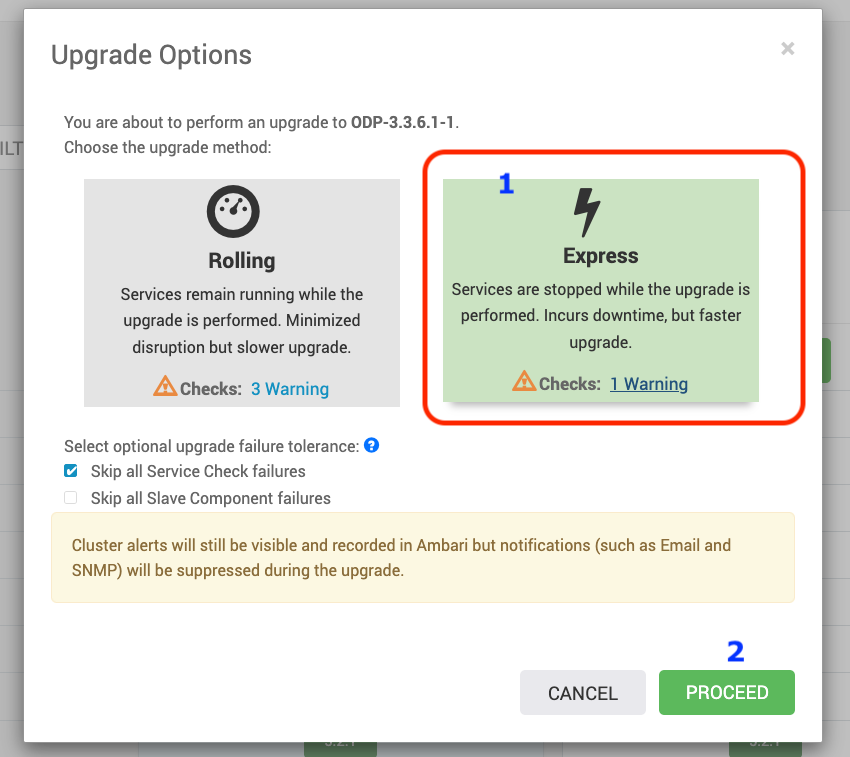
- Upon clicking on Upgrade, you can see the two upgrade options: Rolling and Express. Choose the Express Upgrade option to continue with the upgrade process.
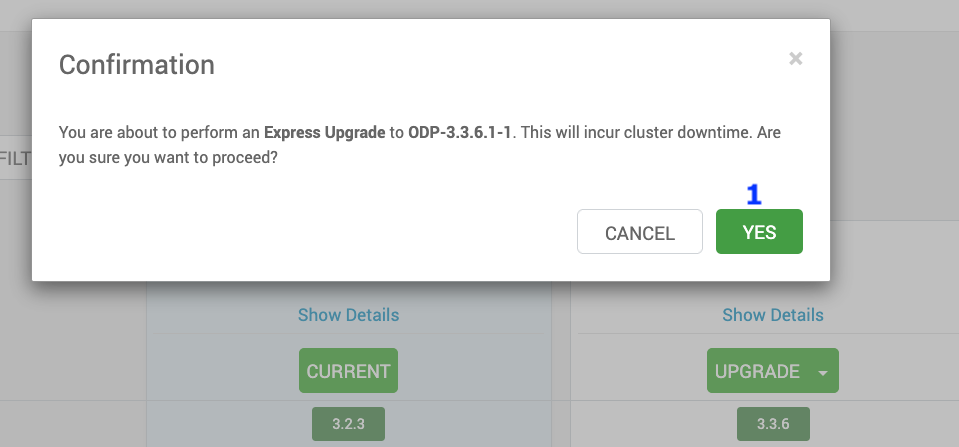
- Click YES to continue with the Express Upgrade to ODP-3.3.6.1-1.
Important
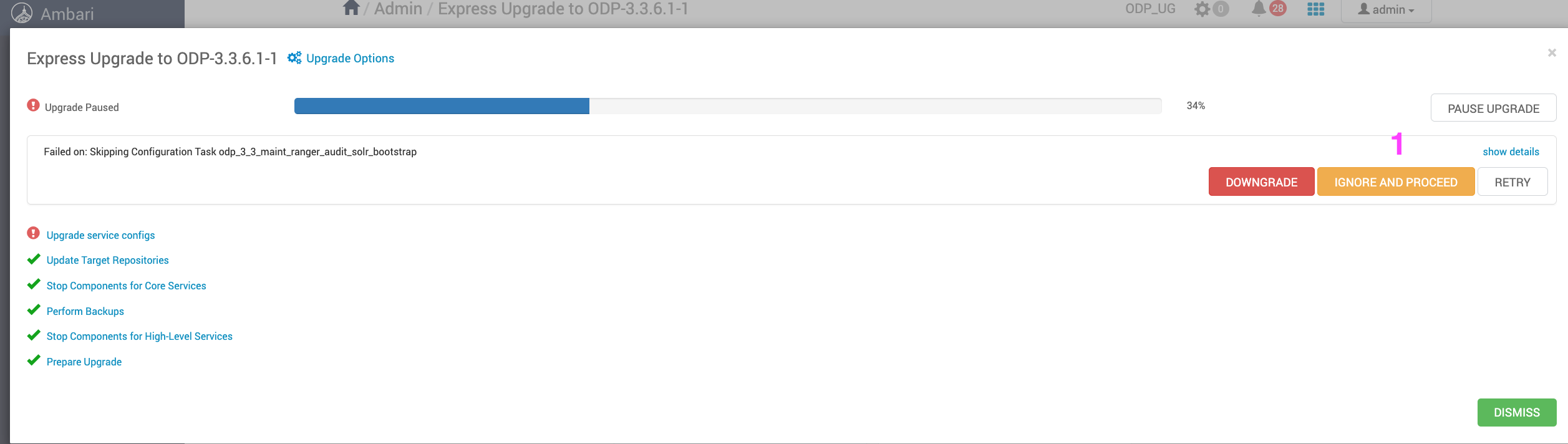
In this process, some of the services are expected to be fail, but you can ignore and please proceed further.
The ODP upgrade progresses with some service failures.
- Make sure to take all the Database backups.
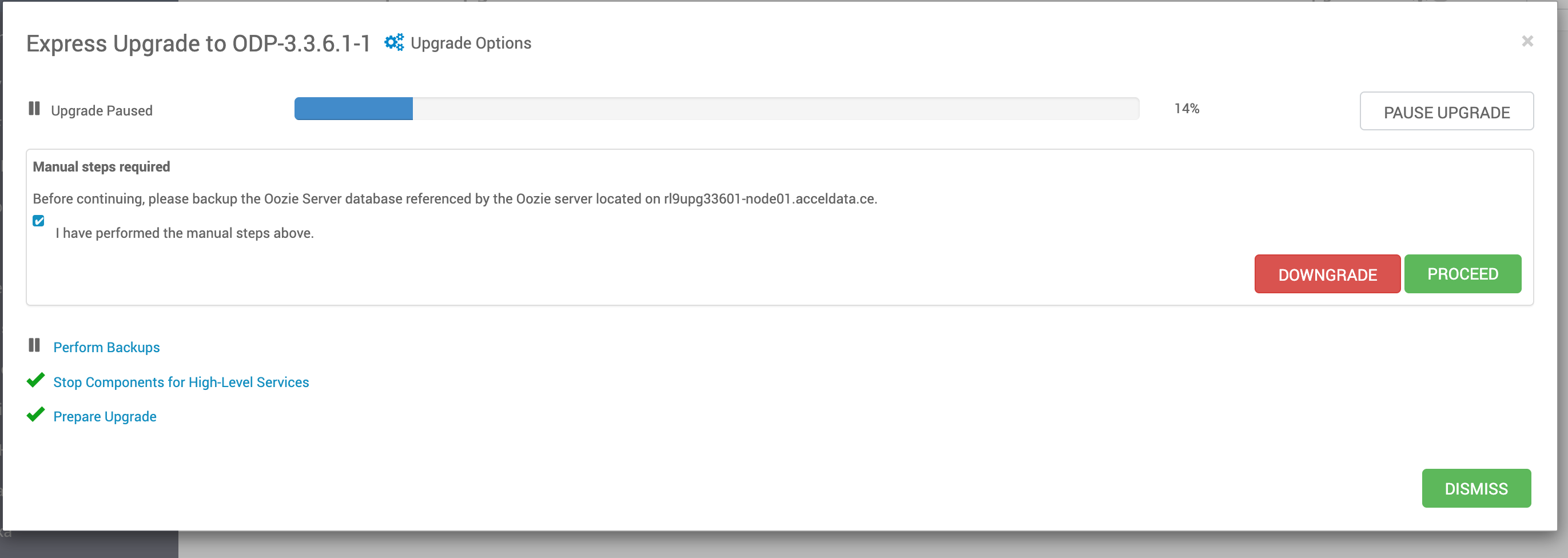
- Resume the upgrade, complete, and finalize it.
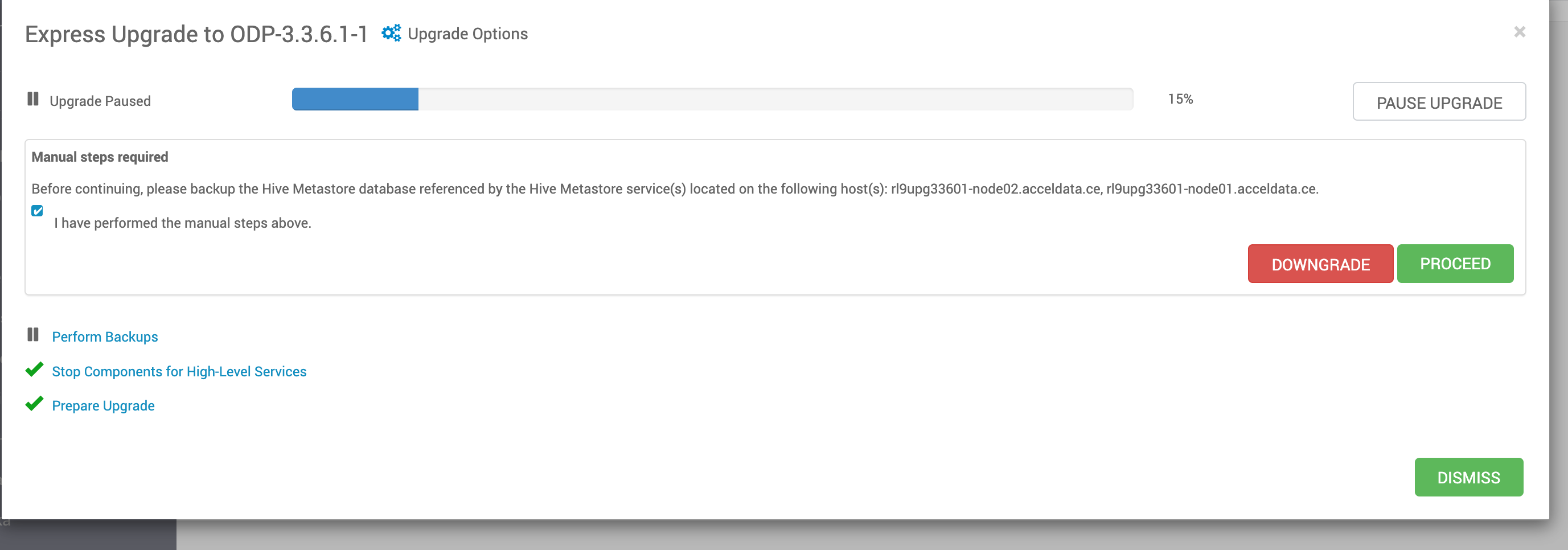
- If an error occurs that can safely be ignored, proceed to the next step.