
Namespace
The Namespace page provides detailed insights into Kubernetes namespaces, including CPU and memory usage trends, along with a comprehensive namespace summary.
In the Pulse UI, select the Kubernetes cluster. Then, from the left-side menu, navigate to Kubernetes Dashboard > Namespace.
Charts
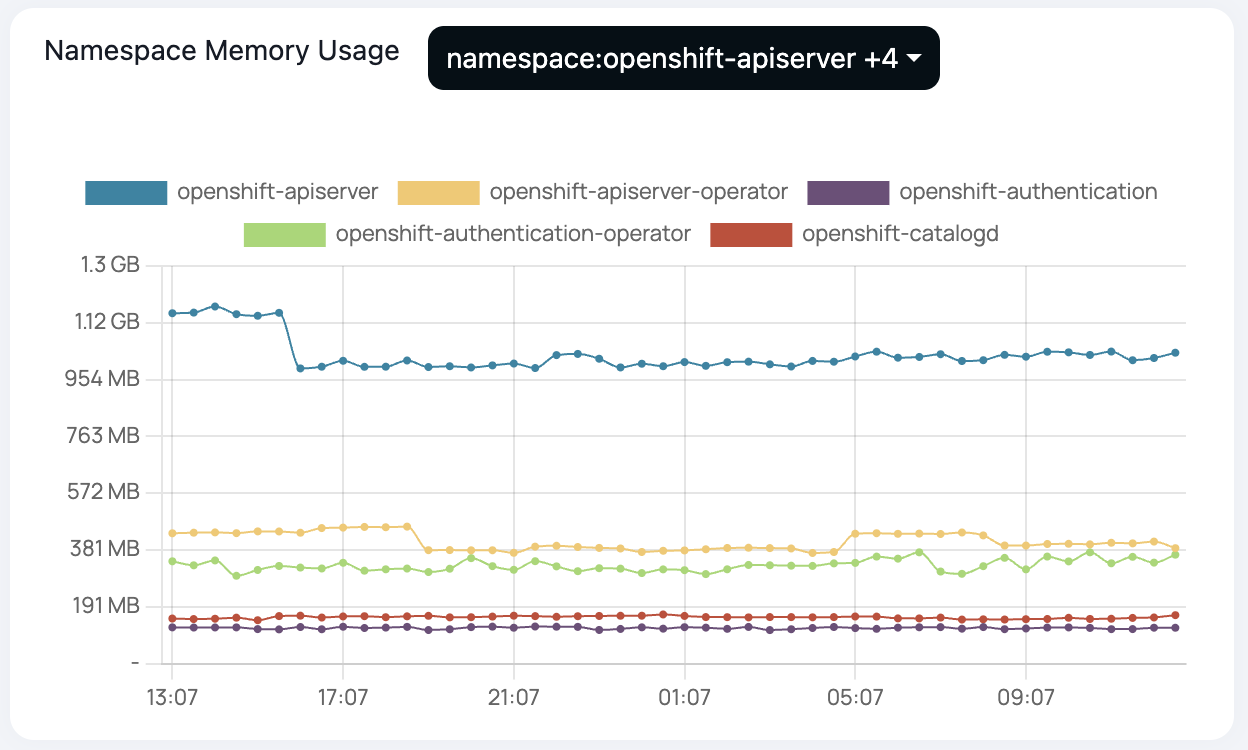
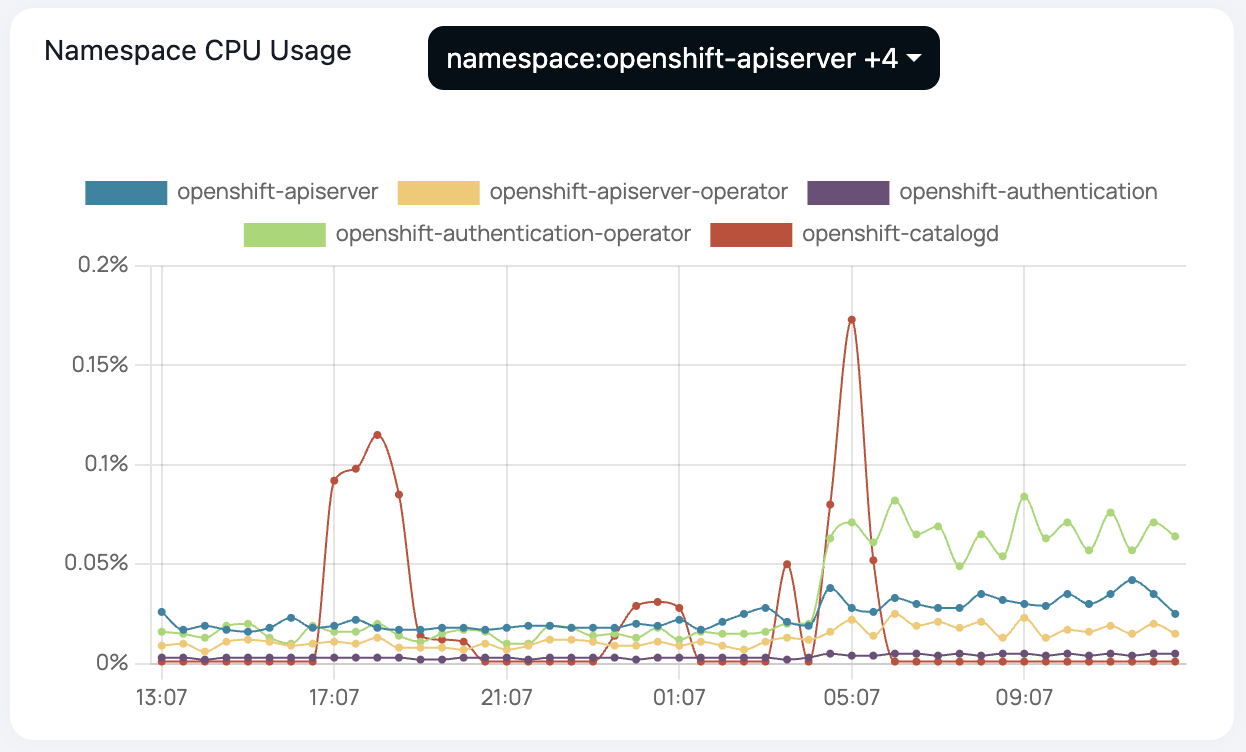
The charts display memory and CPU usage for each namespace.
Metric | Description |
|---|---|
Namespace Memory Usage | Shows memory consumption per namespace. In the example below, openshift-apiserver consistently consumes the most memory, while openshift-authentication uses the least.
|
Namespace CPU Usage | Shows CPU usage trends across different OpenShift namespaces. In the below example, the openshift-catalogd namespace shows the highest CPU spikes, while openshift-authentication consistently records the lowest usage.
|
Namespace Summary
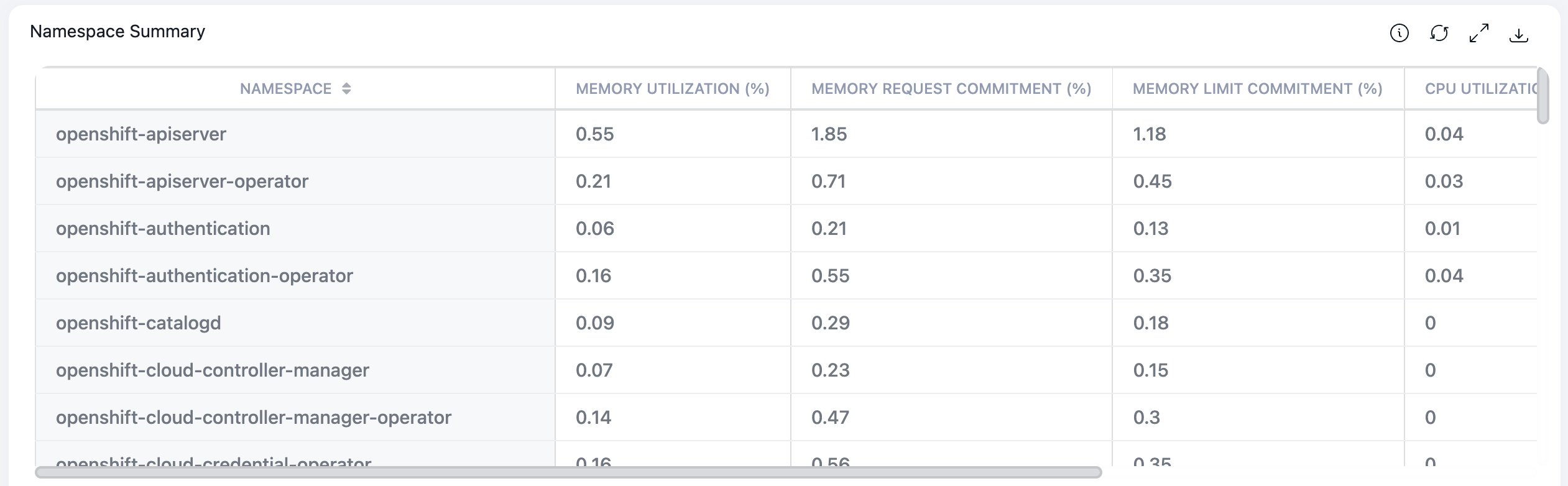
The namespace summary displays a list of namespaces along with their CPU and memory usage percentages.
Metric | Description |
|---|---|
Namespace | The name of the namespace. |
Memory Utilization (%) | The percentage of memory being utilized by the namespace. |
Memory Request Commitment (%) | The percentage of memory requested by pods in the namespace. |
Memory Limit Commitment (%) | The maximum percentage of total memory the pods are allowed to use in the namespace. |
CPU Utilization (%) | The percentage of CPU being utilized by the namespace. |
CPU Request Commitment (%) | The percentage of CPU requested by pods in the namespace. |
CPU Limit Commitment (%) | The maximum percentage of total CPU the pods are allowed to use in the namespace. |