
Native SSL/TLS Support for Pulse Web UI
This document explains how to enable SSL/TLS support for Pulse Web UI without using ad-proxy (Traefik) container.
SSL Configurations/Options Table
Variable Name | Default Name | Mandatory? | Description |
|---|---|---|---|
SSL_ENFORCED | True | Yes | Allows you to enforce the use of HTTPS for the UI port inside the container, (This implies that the HTTP port would be disabled). |
SSL_ENABLED | False | Yes | Allows you to enable the HTTPS for the UI port inside the container along with the HTTP port. |
SSL_KEYDIR | /etc/acceldata/ssl/ | Yes | Directory inside the container to look for the SSL/TLS key file. |
SSL_KEYFILE | ssl.key | Yes | Name of the SSL/TLS key file inside the container. |
SSL_CERTDIR | /etc/acceldata/ssl/ | Yes | Directory inside the container to look for the SSL/TLS cert file. |
SSL_CERTFILE | ssl.crt | Yes | Name of the SSL/TLS cert file inside the container. |
SSL_PASSPHRASE | Optional | Specify the passphrase for the SSL/TLS key file. | |
SSL___SERVER_PORT | 8443 | Yes | The Docker port has to be set to 8443 as this is the only port that is exposed from Docker. |
Configuration Steps
- Generate the ad-core services configuration if not available.
- Check for the existing ad-core services config file by executing the following command.
ls -lha $AcceloHome/config/docker/ad-core.yml
b. If the above file is available navigate to step 2.
c. If the above file is not available, generate one using the following command.
accelo admin makeconfig ad-core
- Edit the ad-core.yml file that's generated by the above command. You should see the path once the file is generated.
- Look for the section ad-graphql and find for the subsection environment as shown below:
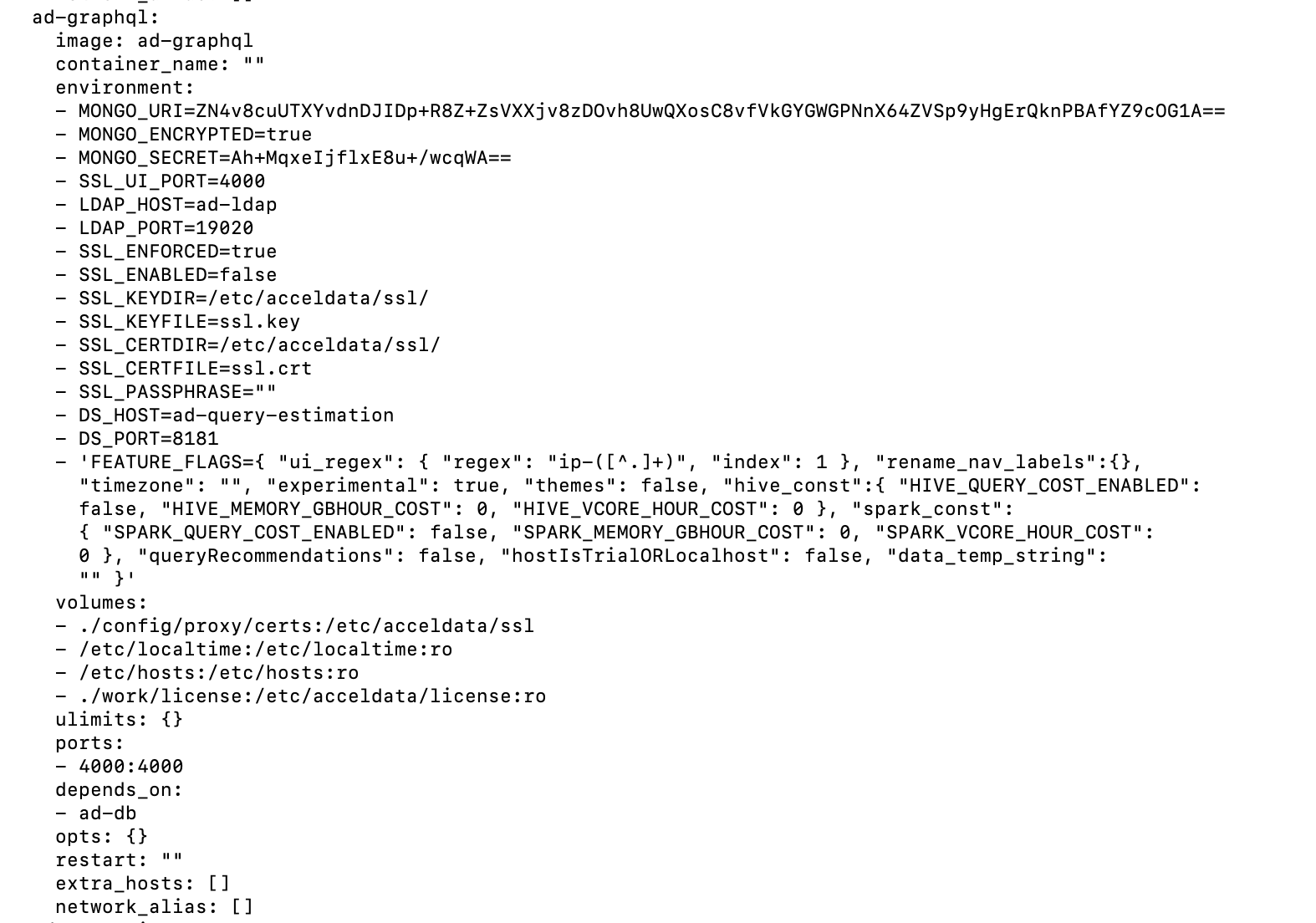
- Save and close the ad-core.yml file.
- Restart the ad-graphql service by executing the following command.
accelo restart ad-graphql
- Check if there are any errors in the ad-graphql service container logs.
docker logs -f ad-graphql_default
- If there aren’t any visible errors logged, the service is successfully launched.
- Access the Pulse Web UI URL with https protocol via your browser.