ODP Express Upgrade
Follow the steps below for the ODP rolling upgrade.
Pre-requisite
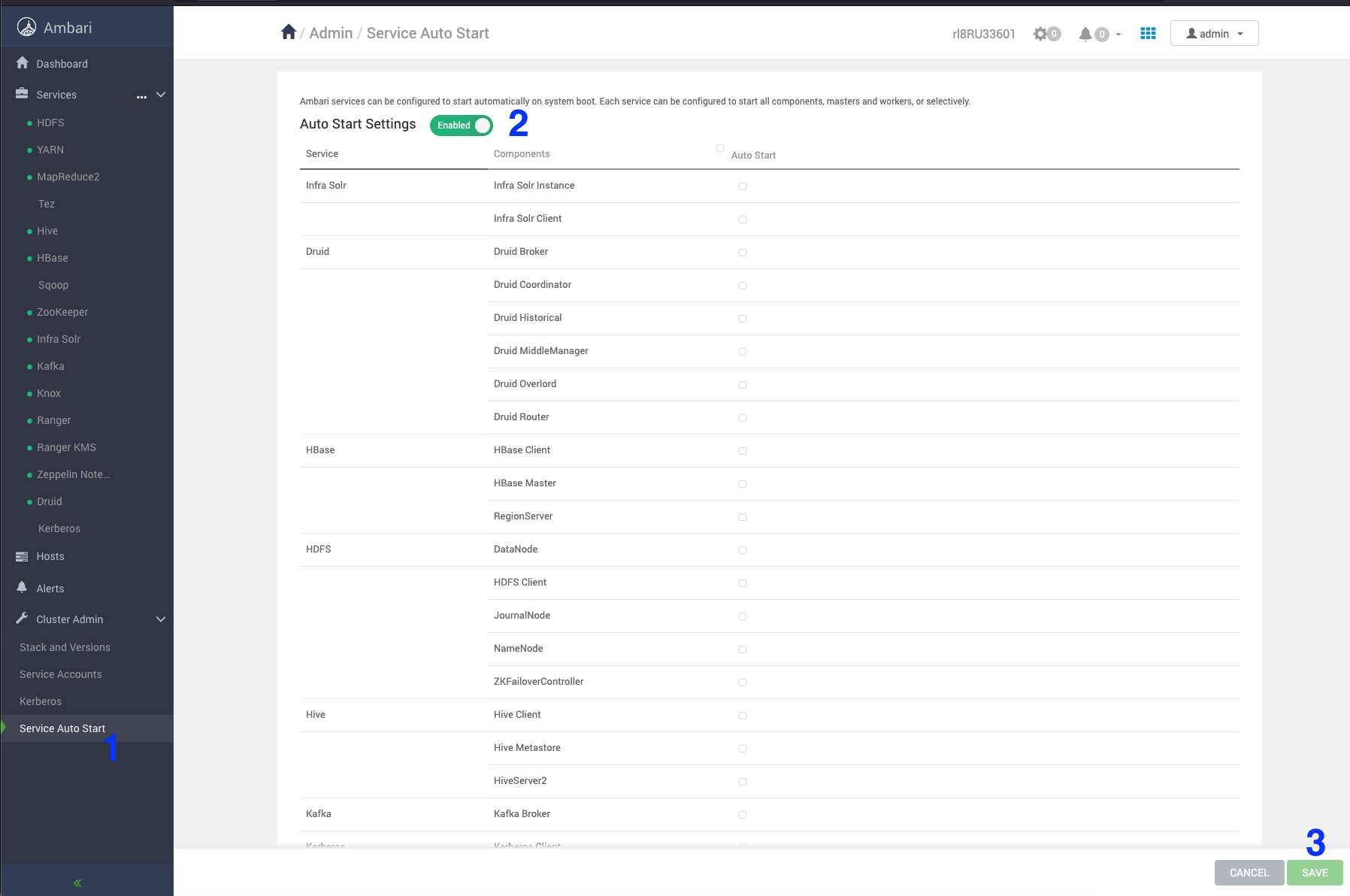
Stop the service auto-restart
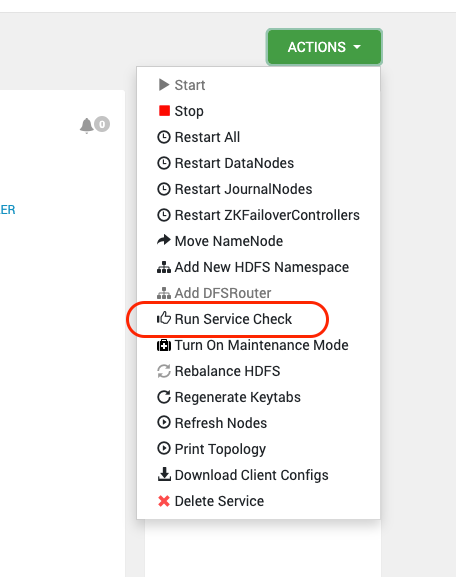
Perform Service check for all the installed services

In case of Zookeeper service check failure, perform the following workaround.
16:06:04,811 |-ERROR in ch.qos.logback.core.FileAppender[TRACEFILE] - openFile(/var/log/zookeeper/zookeeper_trace.log,true) call failed. java.io.FileNotFoundException: /var/log/zookeeper/zookeeper_trace.log (Permission denied) at java.io.FileNotFoundException: /var/log/zookeeper/zookeeper_trace.log (Permission denied) 16:06:04,813 |-ERROR in ch.qos.logback.core.rolling.RollingFileAppender[RFAAUDIT] - openFile(/var/log/zookeeper/zookeeper_audit.log,true) call failed. java.io.FileNotFoundException: /var/log/zookeeper/zookeeper_audit.log (Permission denied) at java.io.FileNotFoundException: /var/log/zookeeper/zookeeper_audit.log (Permission denied) 16:06:05,789 |-ERROR in ch.qos.logback.core.FileAppender[TRACEFILE] - openFile(/var/log/zookeeper/zookeeper_trace.log,true) call failed. java.io.FileNotFoundException: /var/log/zookeeper/zookeeper_trace.log (Permission denied) at java.io.FileNotFoundException: /var/log/zookeeper/zookeeper_trace.log (Permission denied) 16:06:05,791 |-ERROR in ch.qos.logback.core.rolling.RollingFileAppender[RFAAUDIT] - openFile(/var/log/zookeeper/zookeeper_audit.log,true) call failed. java.io.FileNotFoundException: /var/log/zookeeper/zookeeper_audit.log (Permission denied) at java.io.FileNotFoundException: /var/log/zookeeper/zookeeper_audit.log (Permission denied)
Workaround
File Location zookeeper → configs → Advanced zookeeper-logback
Comment out the TRACEFILE and RFAAUDIT blocks.
<!--
<property name="zookeeper.tracelog.dir" value="{{zk_log_dir}}" />
<property name="zookeeper.tracelog.file" value="zookeeper_trace.log" />
<appender name="TRACEFILE" class="ch.qos.logback.core.FileAppender">
<File>${zookeeper.log.dir}/${zookeeper.tracelog.file}</File>
<encoder>
<pattern>%d{ISO8601} - %-5p [%t:%C{1}@%L] - %m%n</pattern>
</encoder>
<filter class="ch.qos.logback.classic.filter.ThresholdFilter">
<level>TRACE</level>
</filter>
</appender>
<property name="zookeeper.auditlog.file" value="zookeeper_audit.log" />
<property name="zookeeper.auditlog.threshold" value="INFO" />
<property name="audit.logger" value="INFO, RFAAUDIT" />
<appender name="RFAAUDIT" class="ch.qos.logback.core.rolling.RollingFileAppender">
<File>${zookeeper.log.dir}/${zookeeper.auditlog.file}</File>
<encoder>
<pattern>%d{ISO8601} %p %c{2}: %m%n</pattern>
</encoder>
<filter class="ch.qos.logback.classic.filter.ThresholdFilter">
<level>${zookeeper.auditlog.threshold}</level>
</filter>
<rollingPolicy class="ch.qos.logback.core.rolling.FixedWindowRollingPolicy">
<maxIndex>${zookeeper.log.maxbackupindex}</maxIndex>
<FileNamePattern>${zookeeper.log.dir}/${zookeeper.auditlog.file}.%i.%i</FileNamePattern>
</rollingPolicy>
<triggeringPolicy class="ch.qos.logback.core.rolling.SizeBasedTriggeringPolicy">
<MaxFileSize>${zookeeper.log.maxfilesize}</MaxFileSize>
</triggeringPolicy>
</appender>
<logger name="org.apache.zookeeper.audit.Slf4jAuditLogger" additivity="false" level="${audit.logger}">
<appender-ref ref="RFAAUDIT" />
</logger>
-->
Restart Zookeeper and verify the service check.
Install the Upgrade Packages and Register the VDF file
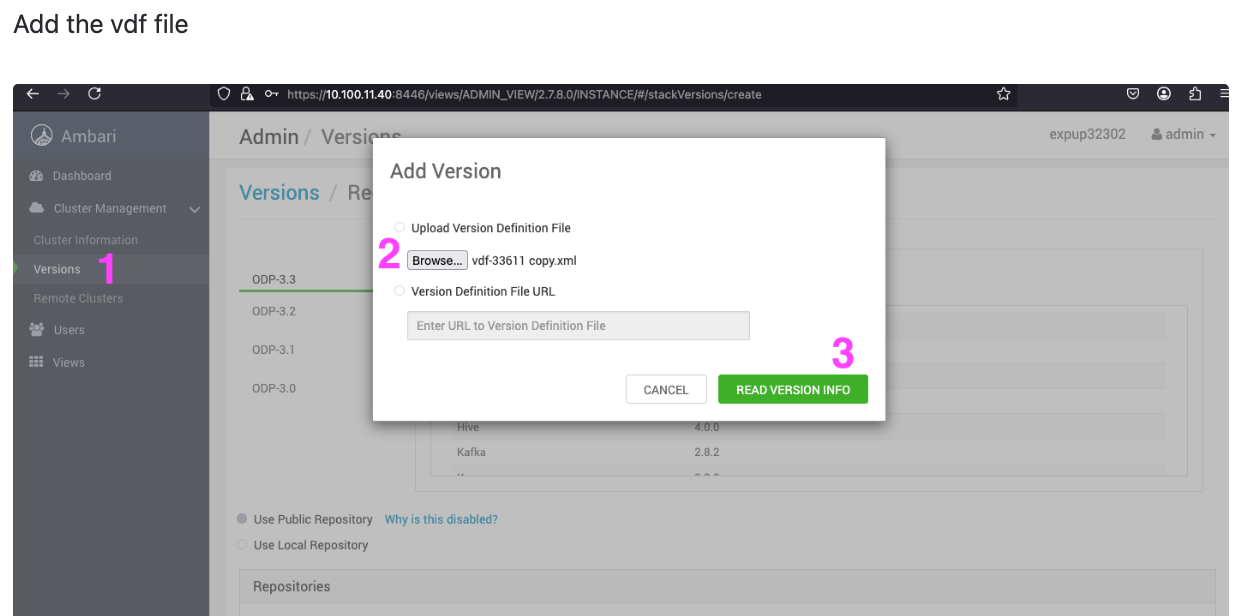
- On the Ambari UI, navigate to Admin > Versions > select ODP 3-3.
- Click ODP 3-3 and select the Add Version from the drop-down.
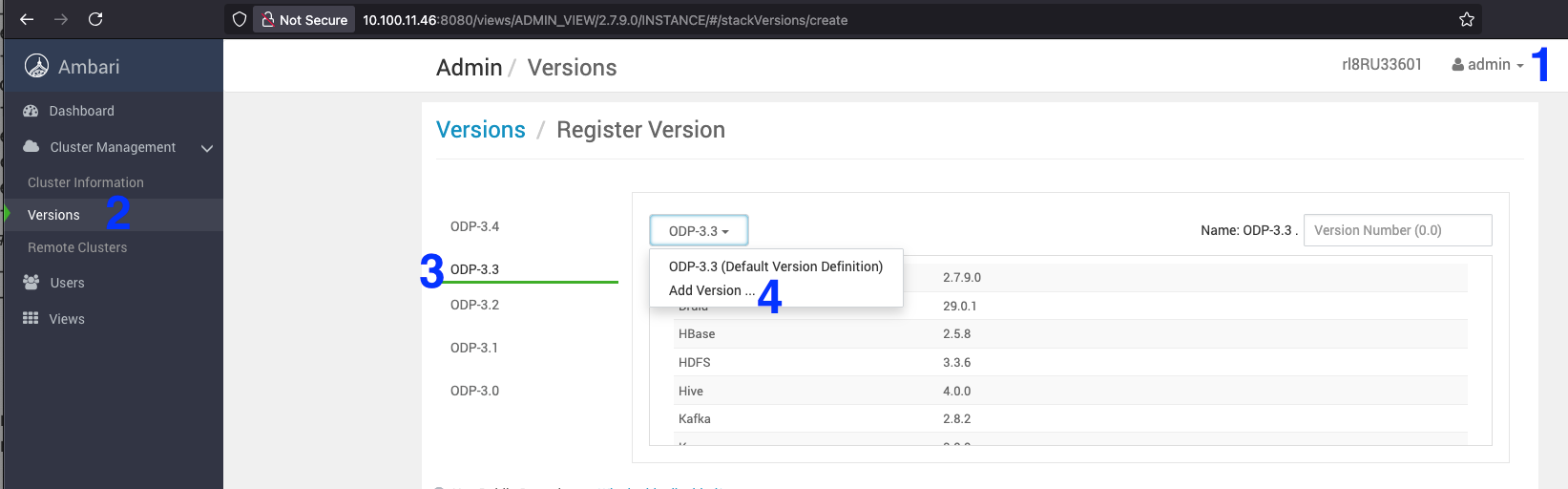
- Upload the 3.3.6.1-1 VDF ODP file and click Read Version Info.
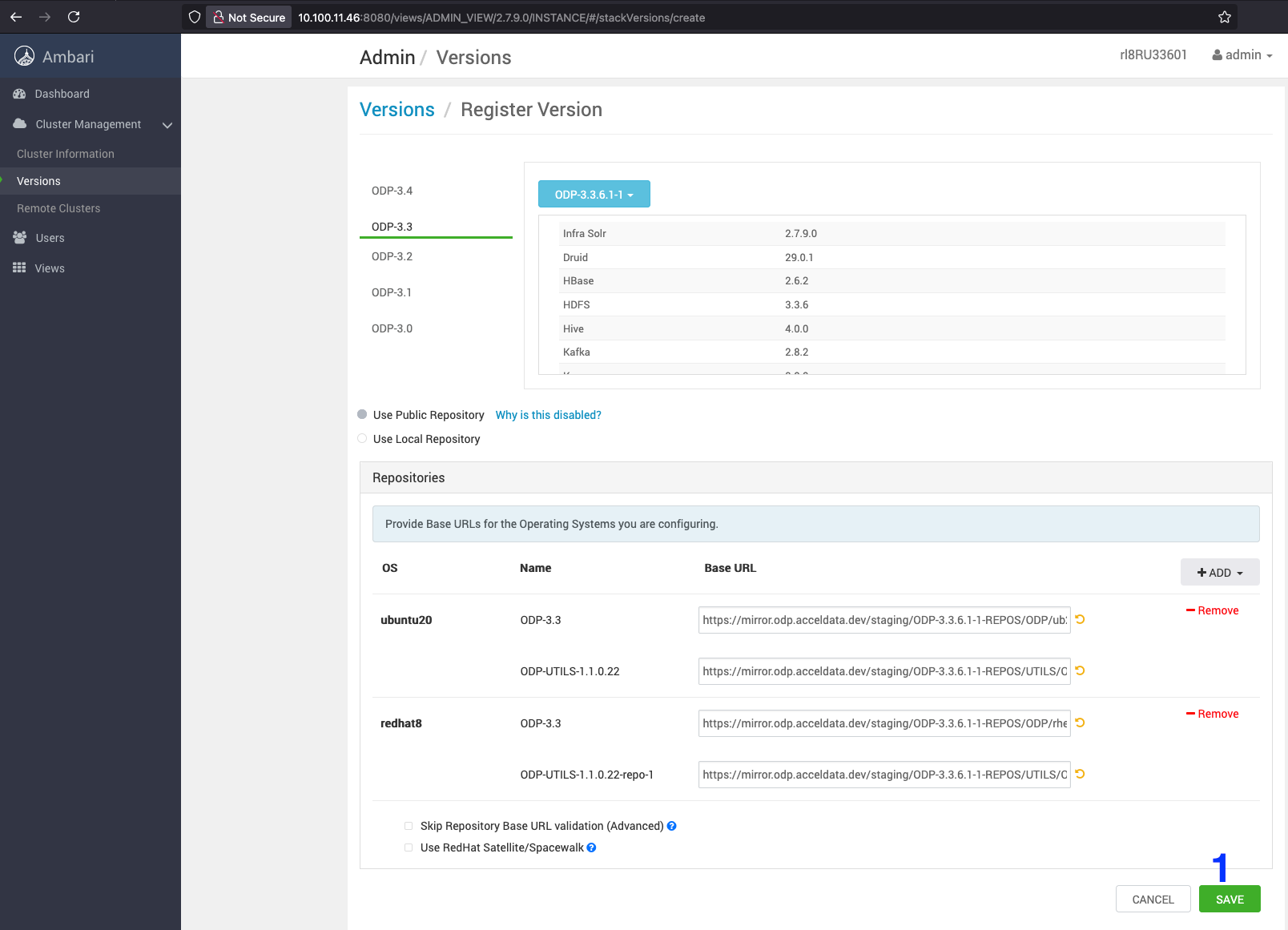
- Save the ODP-3.3.6.1-1 details appearing on the screen.
Install the 3.3.6.1-1 packages
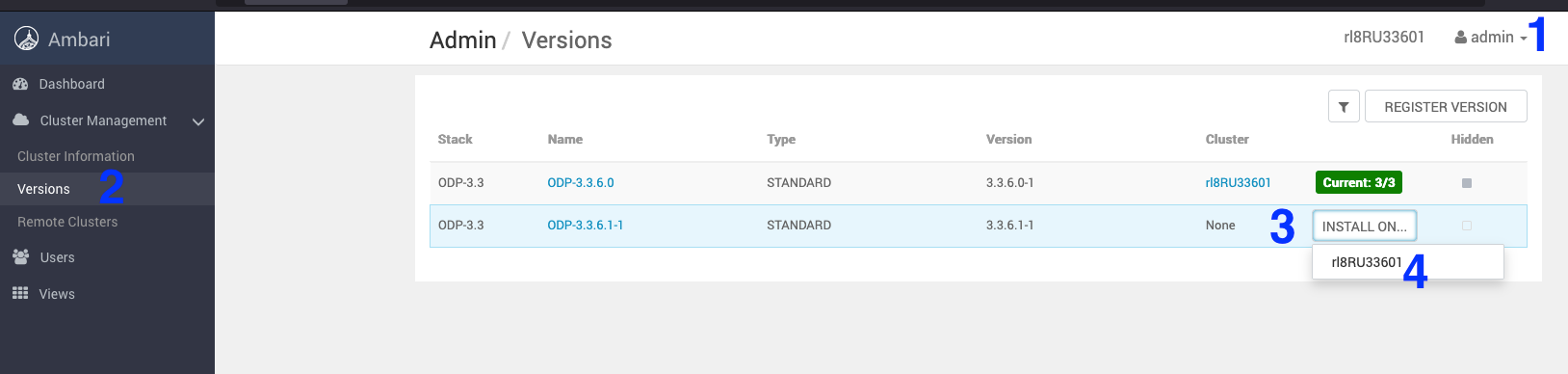
- Navigate to Admin > Versions. On the Versions page, click install for ODP-3.3.6.1-1.
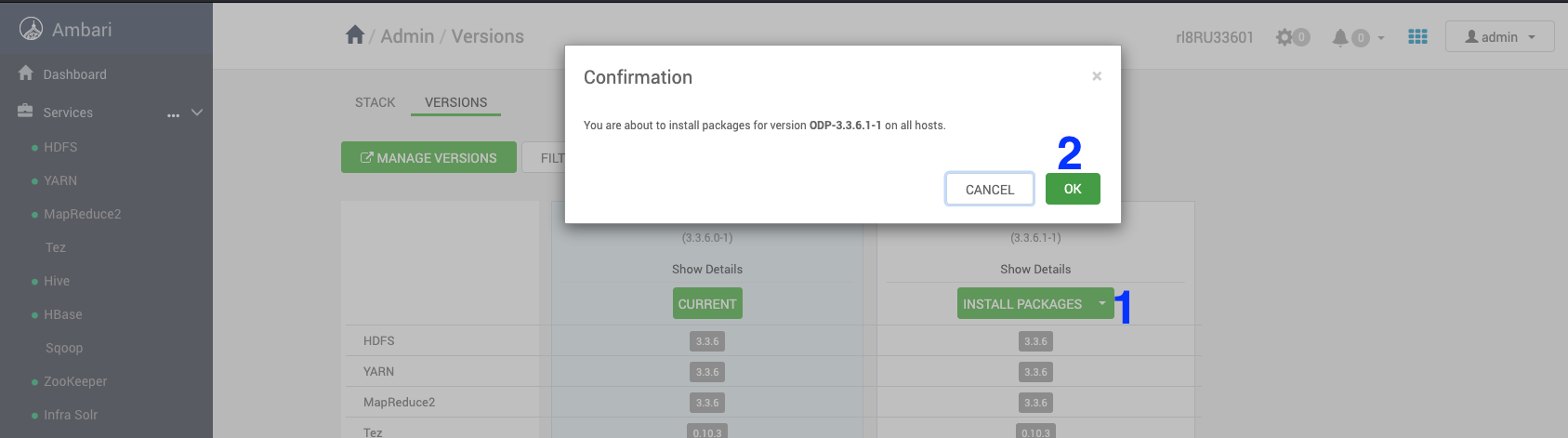
- On the Versions page, click Install Packages for the version 3.3.6.1-1.
- Click OK and confirm the installation package.
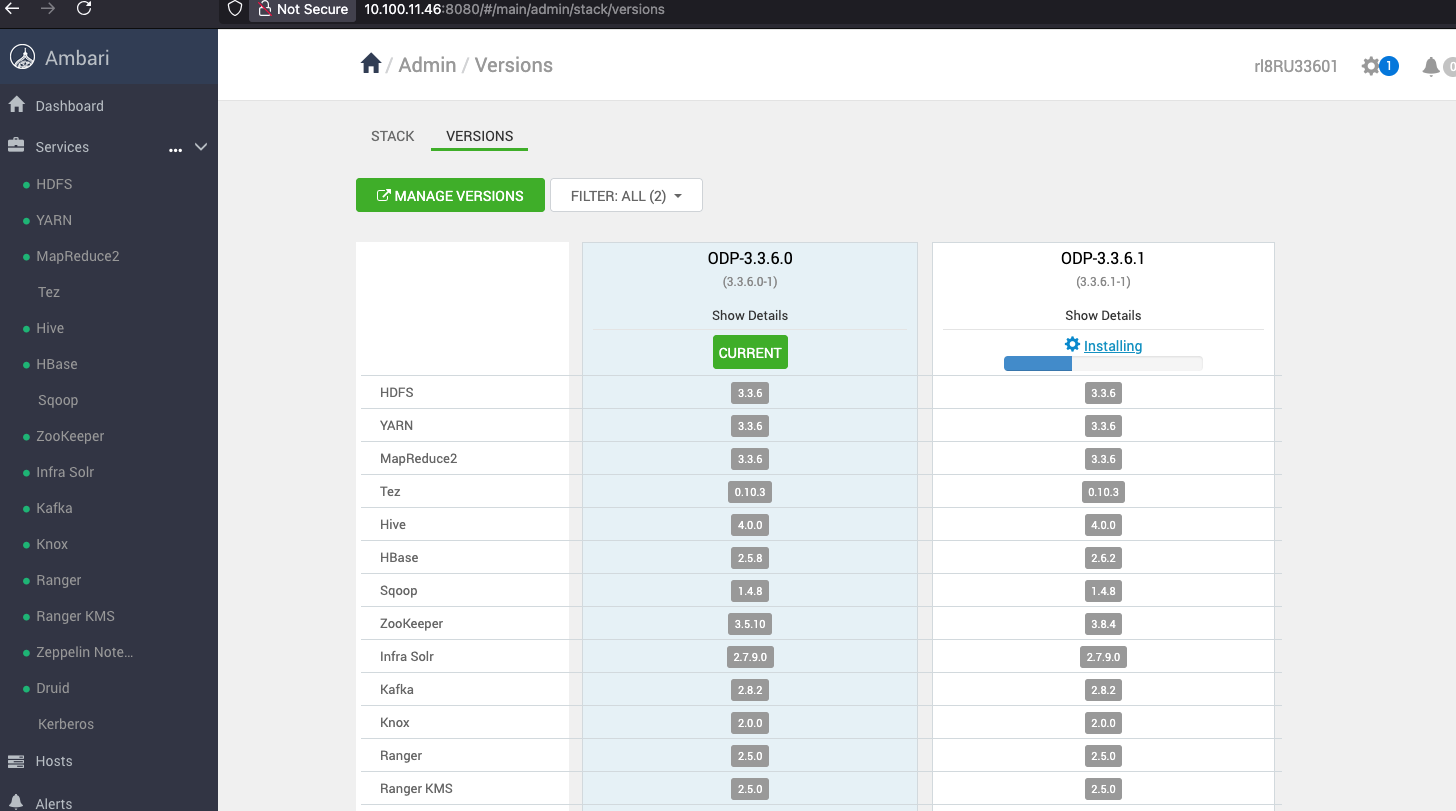
The below screen shows that the ODP-3.3.6.1-1 installation is in progress.
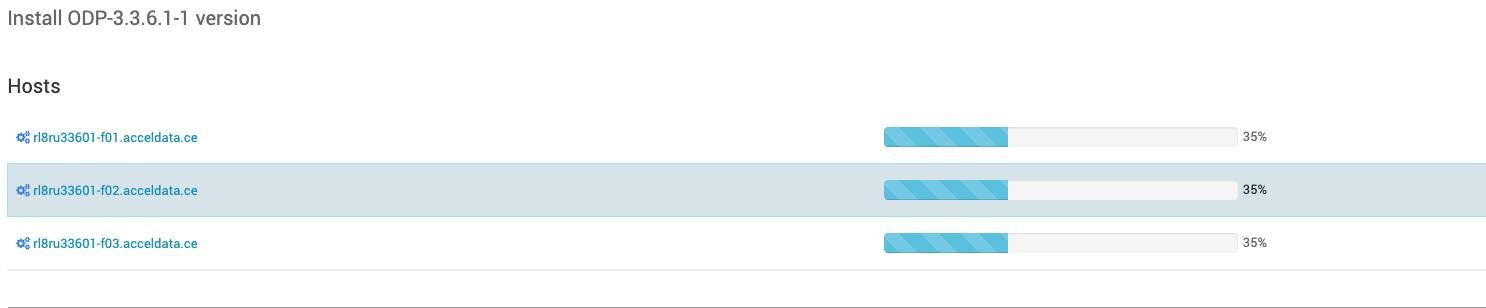
The below screen shows that the ODP-3.3.6.1-1 installation is in progress for the following hosts.
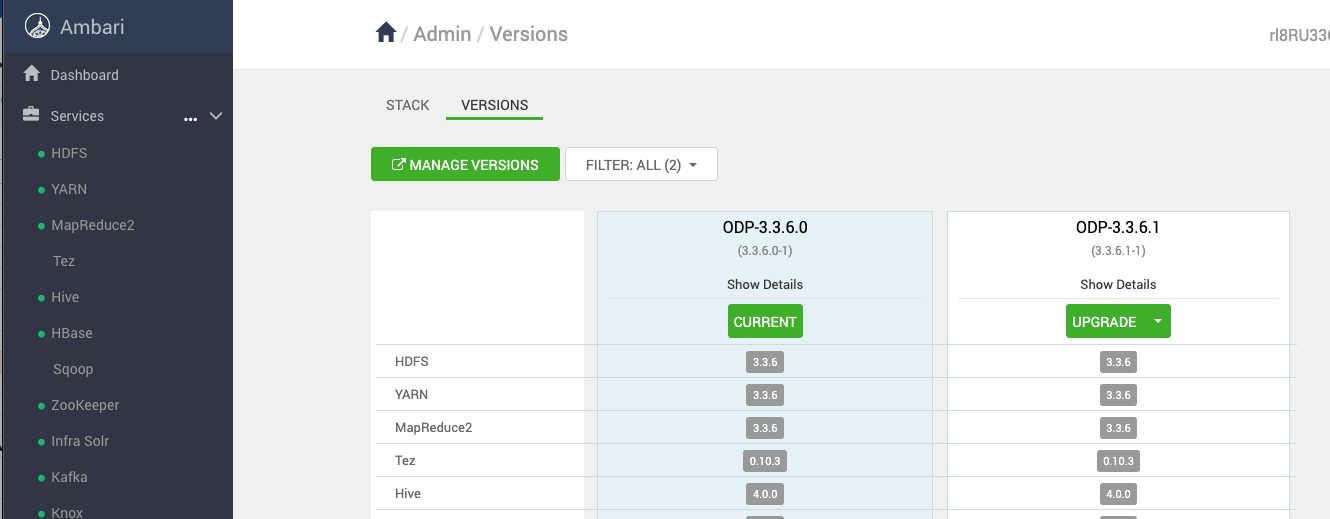
Once the installation of the ODP-3.3.6.1-1 package is complete, proceed with the upgrade process.
- On the Ambari UI, navigate to the Admin > Versions page and click Upgrade.
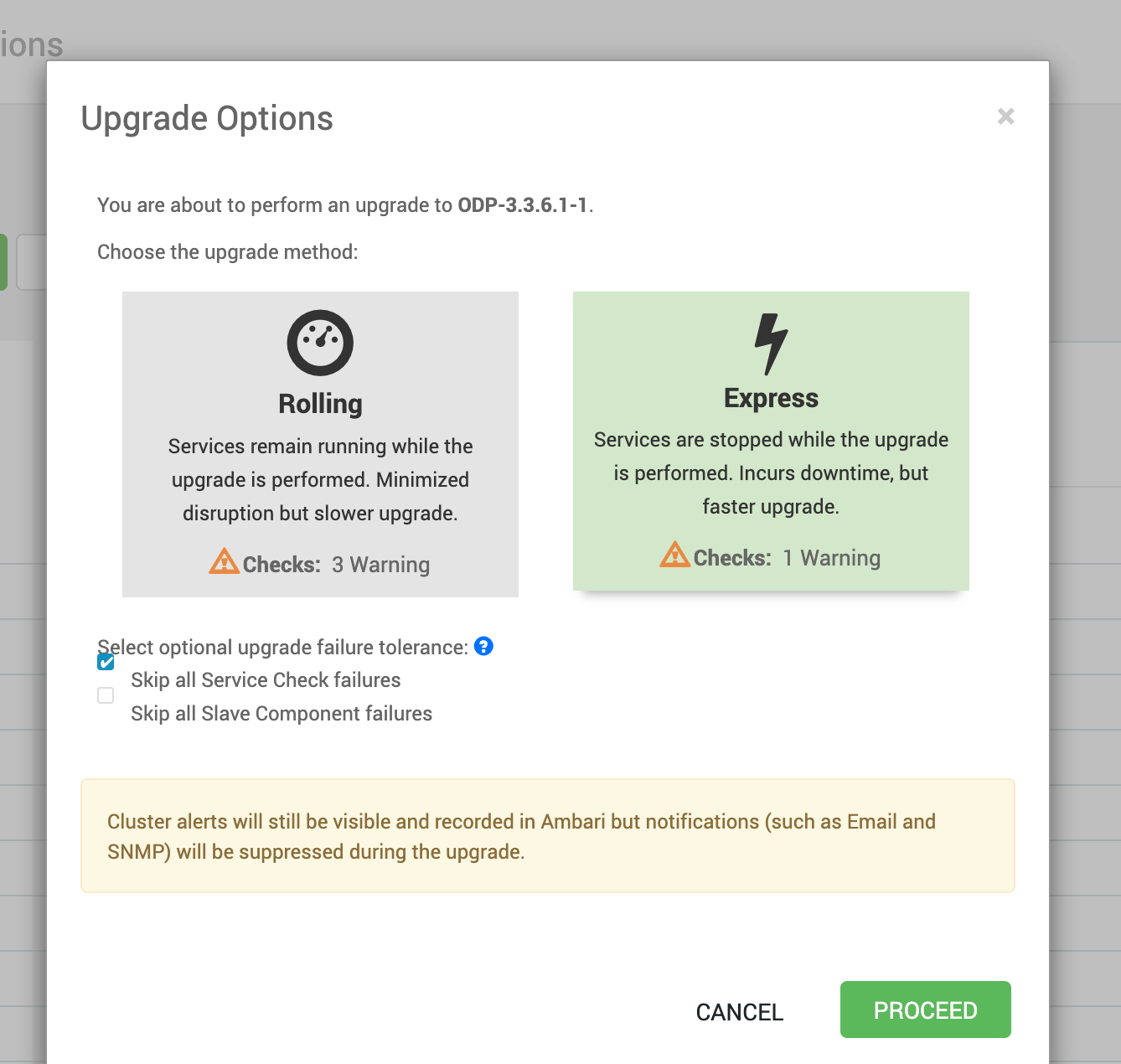
- Upon clicking Upgrade, the Upgrade Options such as Rolling and Express appear on the screen. In the Upgrade Options, select Express and click Proceed.
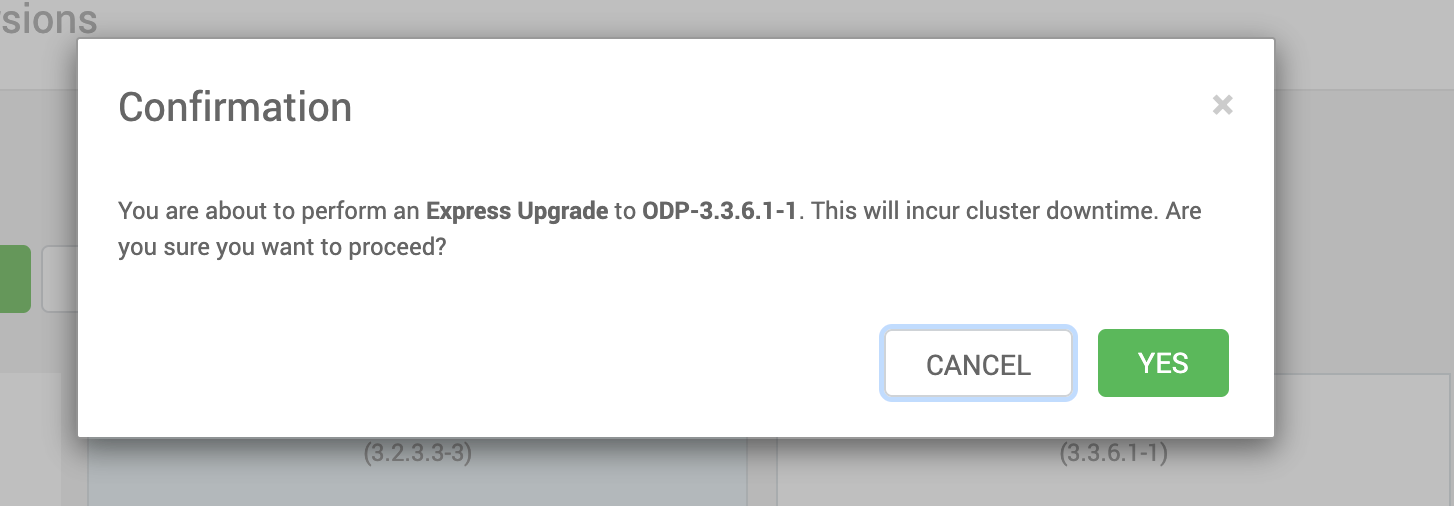
- Select YES to confirm the Express Upgrade to ODP-3.3.6.1-1.
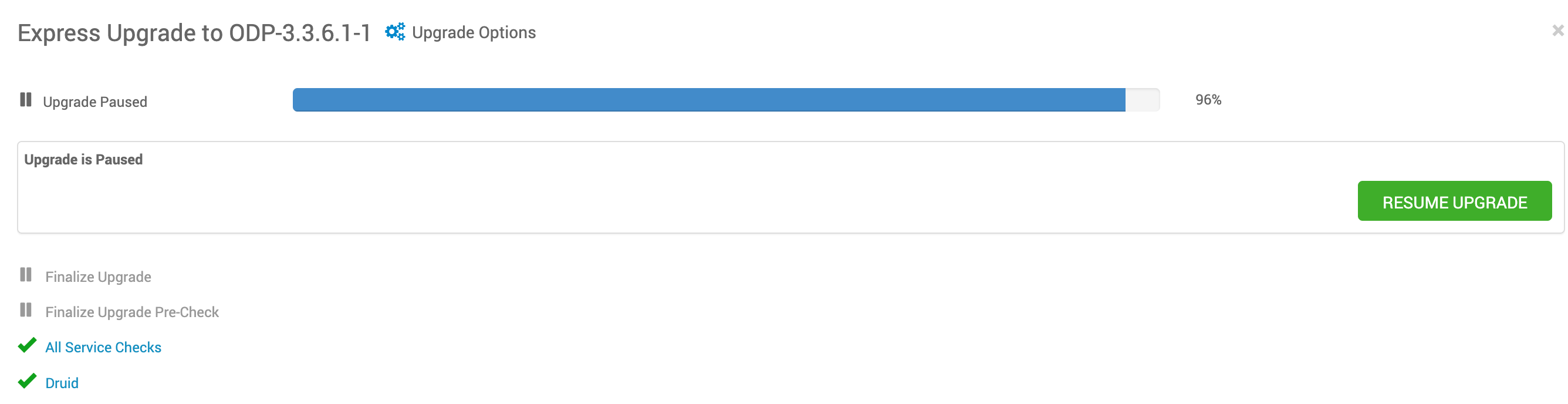
In case the upgrade is stuck due to zeppelin unable to restart, pause the upgrade, start it from the terminal manually and resume the upgrade.
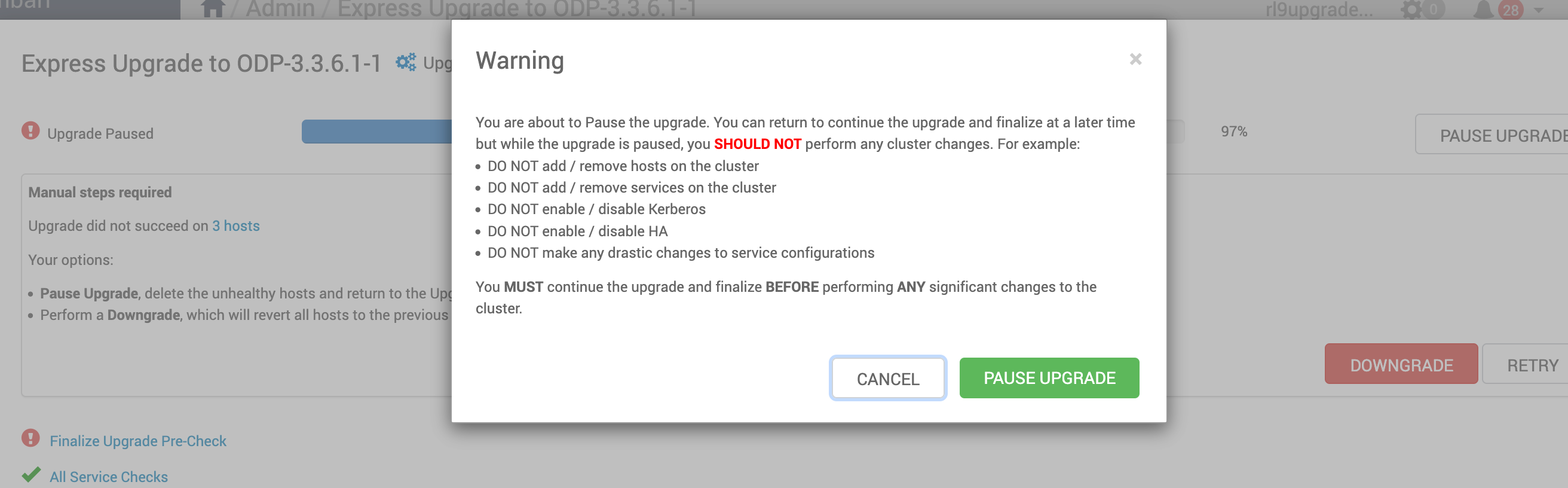
/usr/odp/current/zeppelin-server/bin/zeppelin-daemon.sh restart >> /var/log/zeppelin/zeppelin-setup.log
- Resume the Express upgrade, complete, and finalize it.
The below screenshot shows the progress of the Express Upgrade.
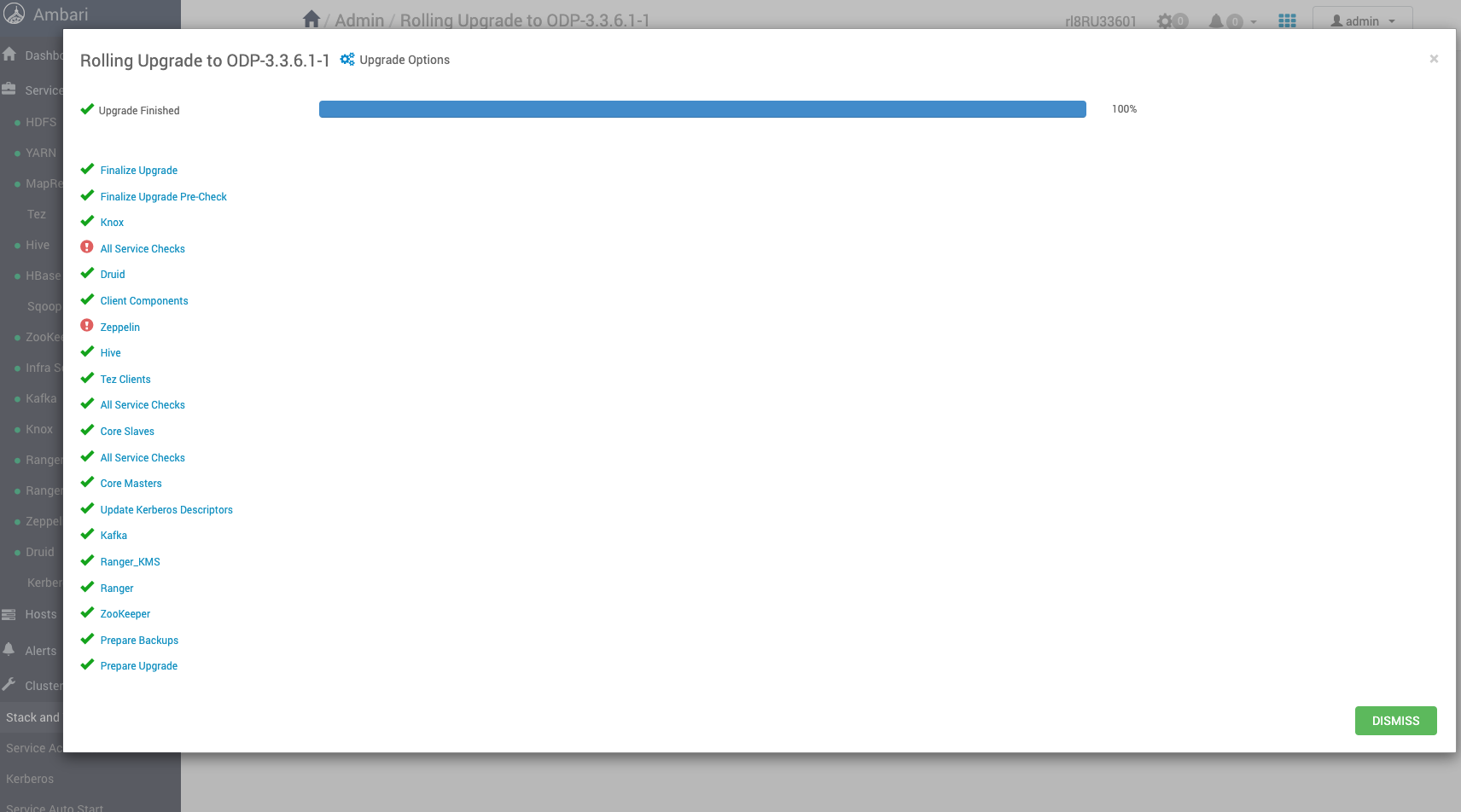
The screenshot below confirms the successful completion of the express upgrade to ODP version 3.3.6.1-1.
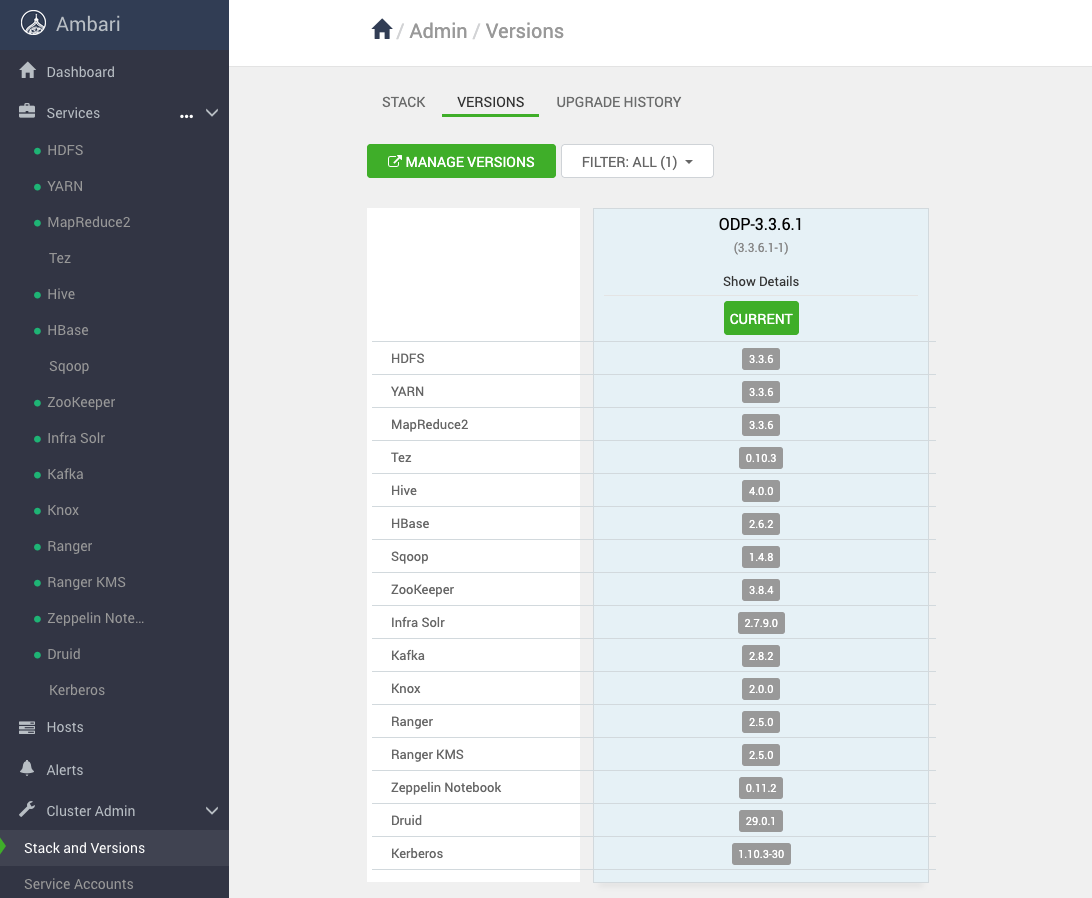
The screenshot below displays the current version of ODP, which is ODP-3.3.6.1-1.