
Monitor NiFi
Apache NiFi is a data integration and processing platform used to automate data flows between systems. It provides a visual interface to design, manage, and monitor data pipelines, supporting real-time data ingestion, transformation, and routing across distributed environments.
Observability with xObserve
Monitor NiFi applications deployed on your xCompute cluster through xObserve to:
- Monitor JVM memory usage, threads, and garbage collection.
- Track process group activity and performance.
- Monitor FlowFile counts and processing durations.
- Analyze data ingestion, transfer, and queue metrics.
- Identify processing delays and performance bottlenecks.
- Troubleshoot resource utilization and data flow issues.
Prerequisites
To enable NiFi observability:
- In the XDP UI, navigate to Infrastructure > Apps.
- Locate the NiFi application.
- Enable the xObserve Integration toggle. You can enable this option:
- During NiFi installation.
- By clicking Edit on an existing NiFi application.
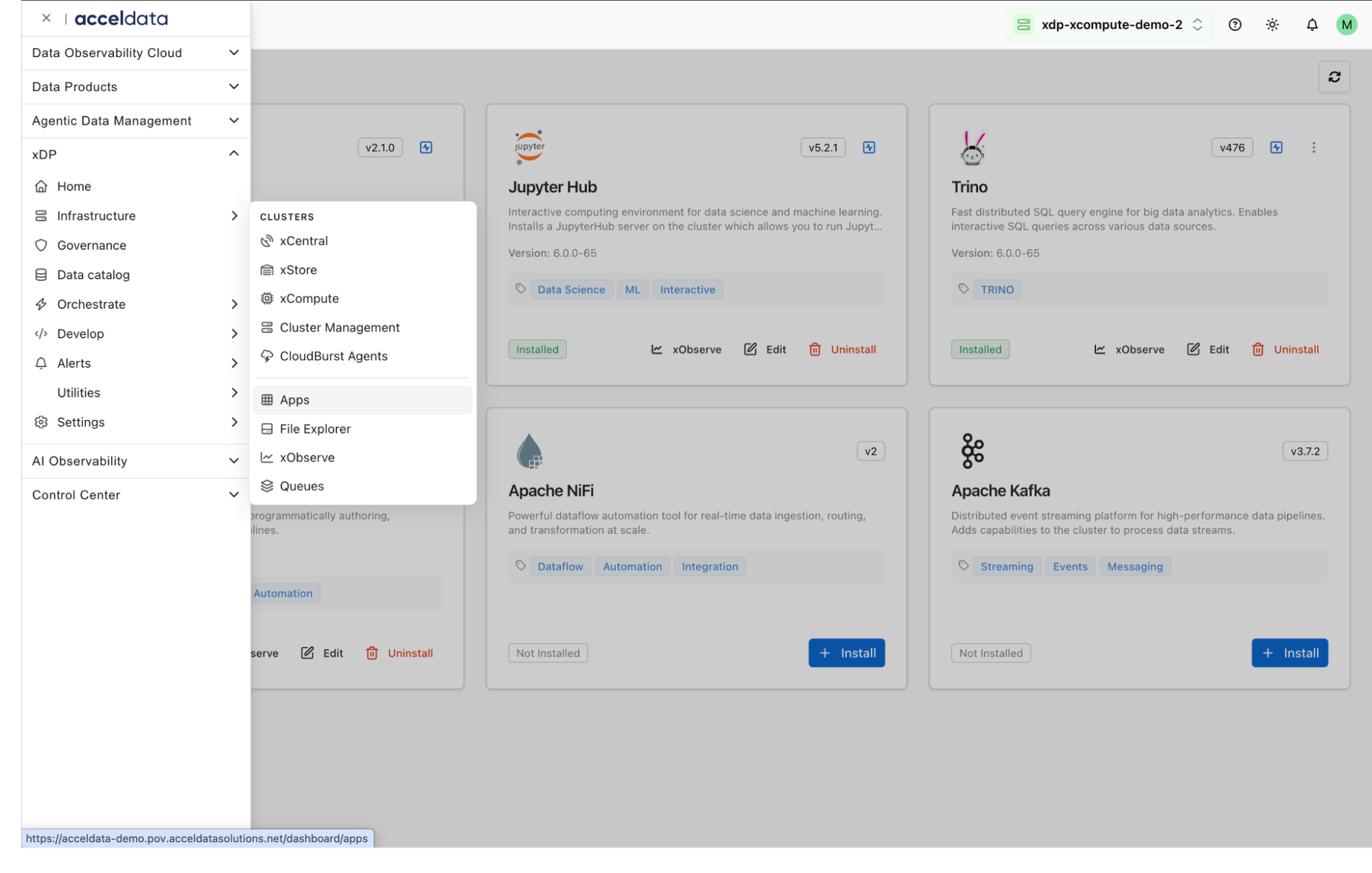
Once enabled and metrics collection is configured, NiFi metrics become available in xObserve.
Have a suggestion?