ODP Stack Upgrade
This page describes the details of the ODP stack rolling and express upgrade.
Info
Consider the versions shown in the screenshot as a reference. During the upgrade, you can see the target version you’re upgrading to.
- Run Service Checks for Components
- Ensure that you run service checks for all installed stack services by navigating to Actions > Service Check in the UI Ambari UI.
For example:
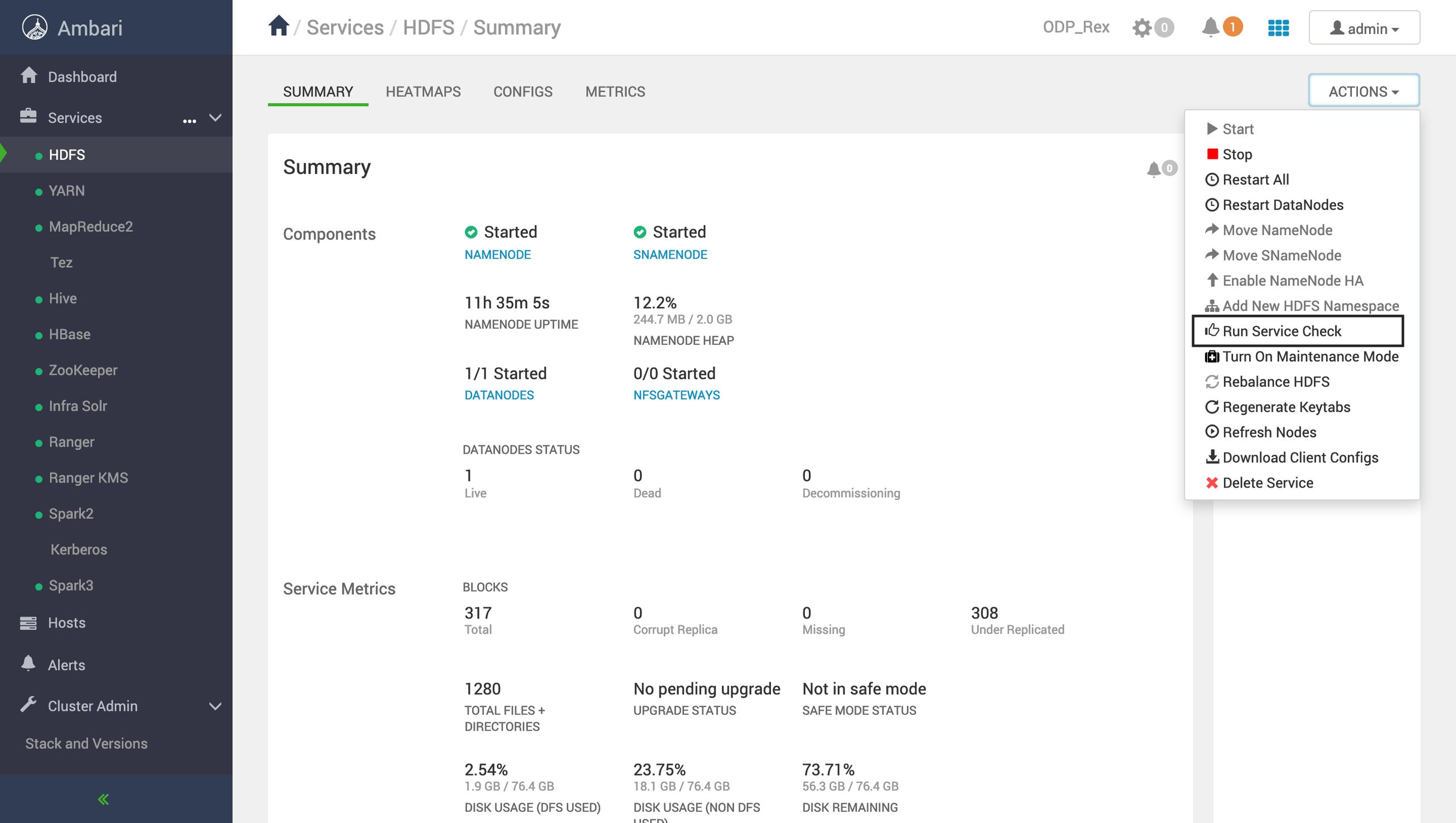
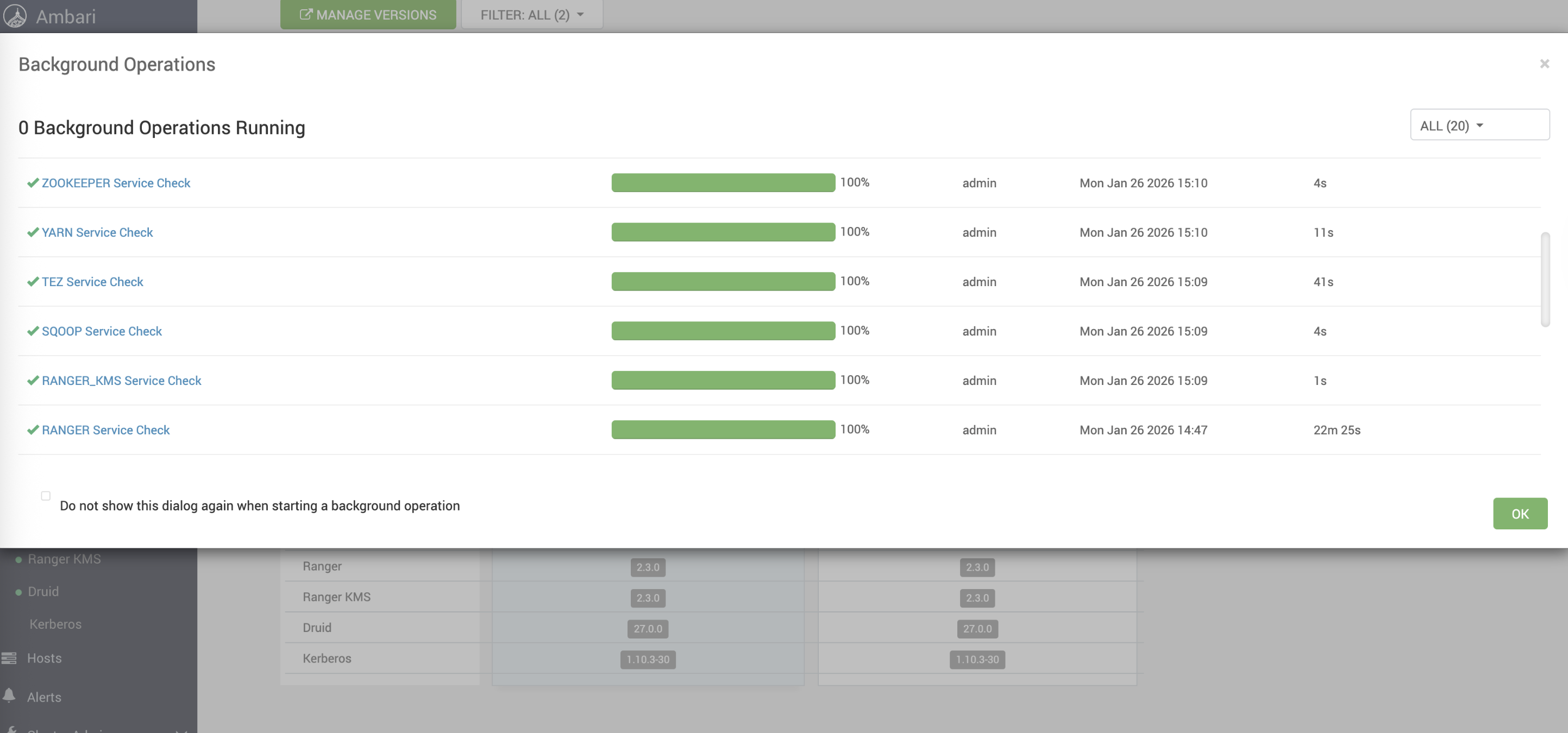
Similarly, run the service check for the services. Ensure that all run successfully.
For example, the success status must be shown as follows.
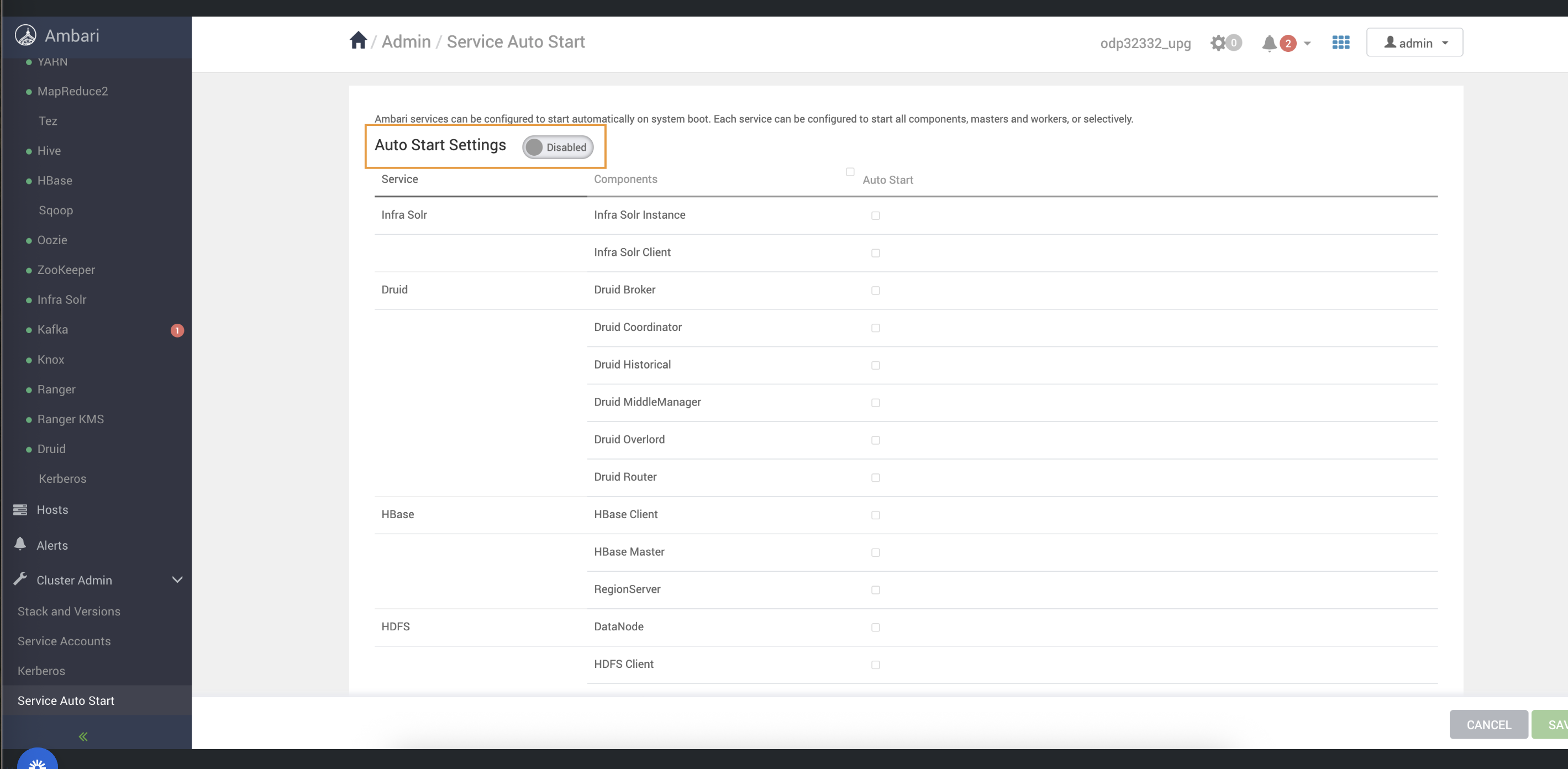
- Disable Service Auto-Start
- Create and Update the VDF File.
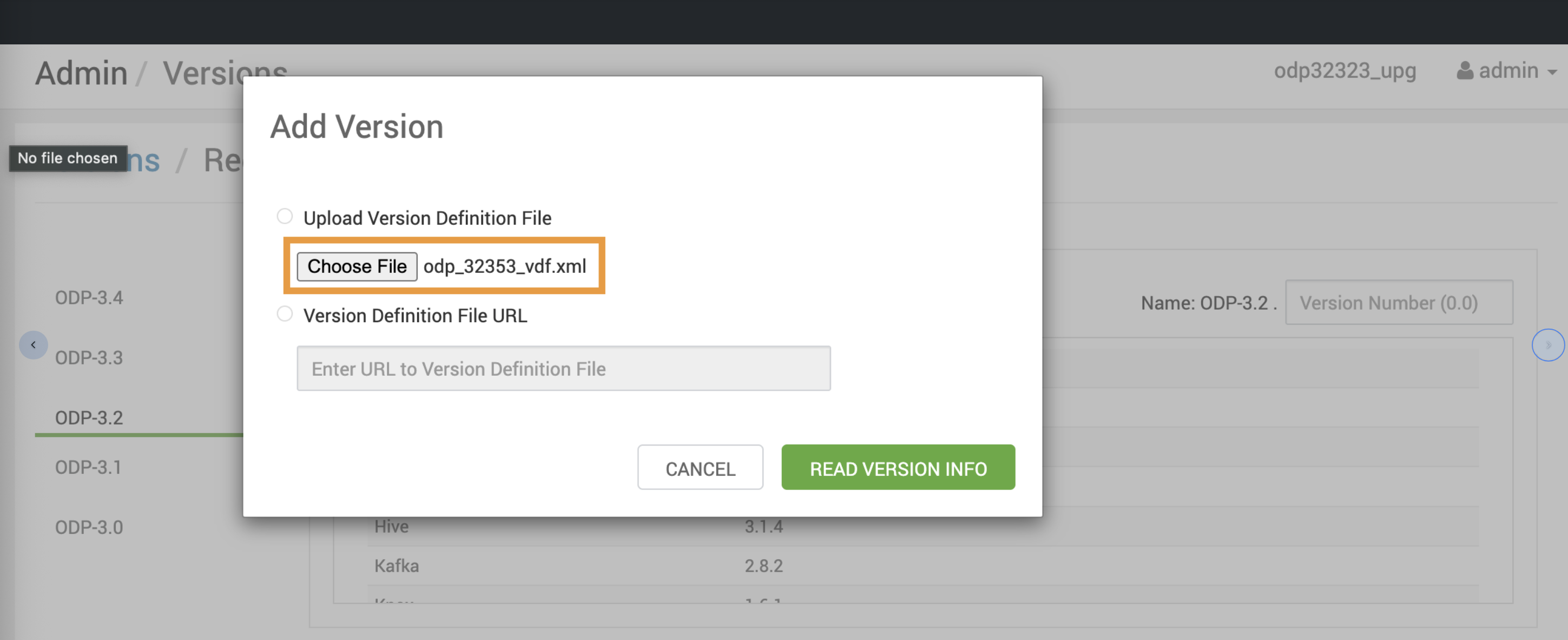
- Create a local VDF file with the odp_32352_ vdf.xml file.
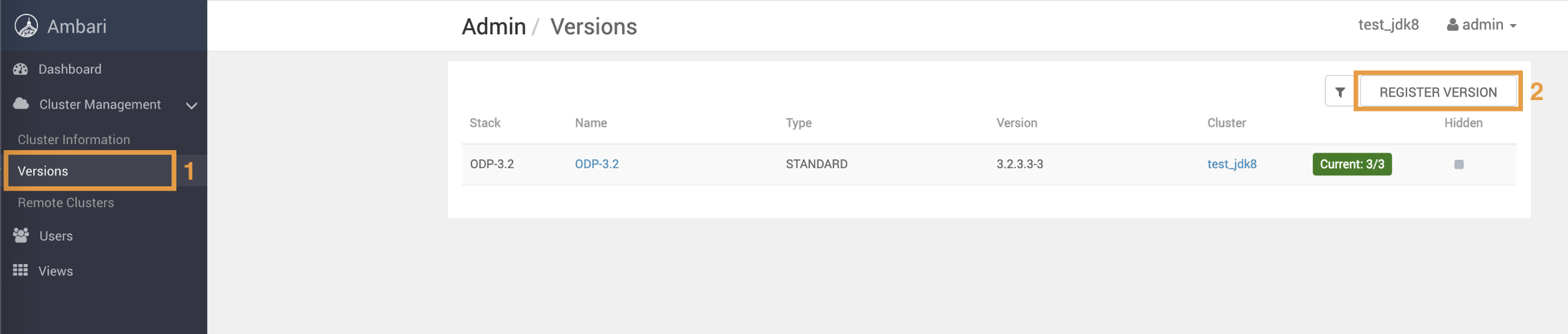
- Navigate to Versions > Register Version
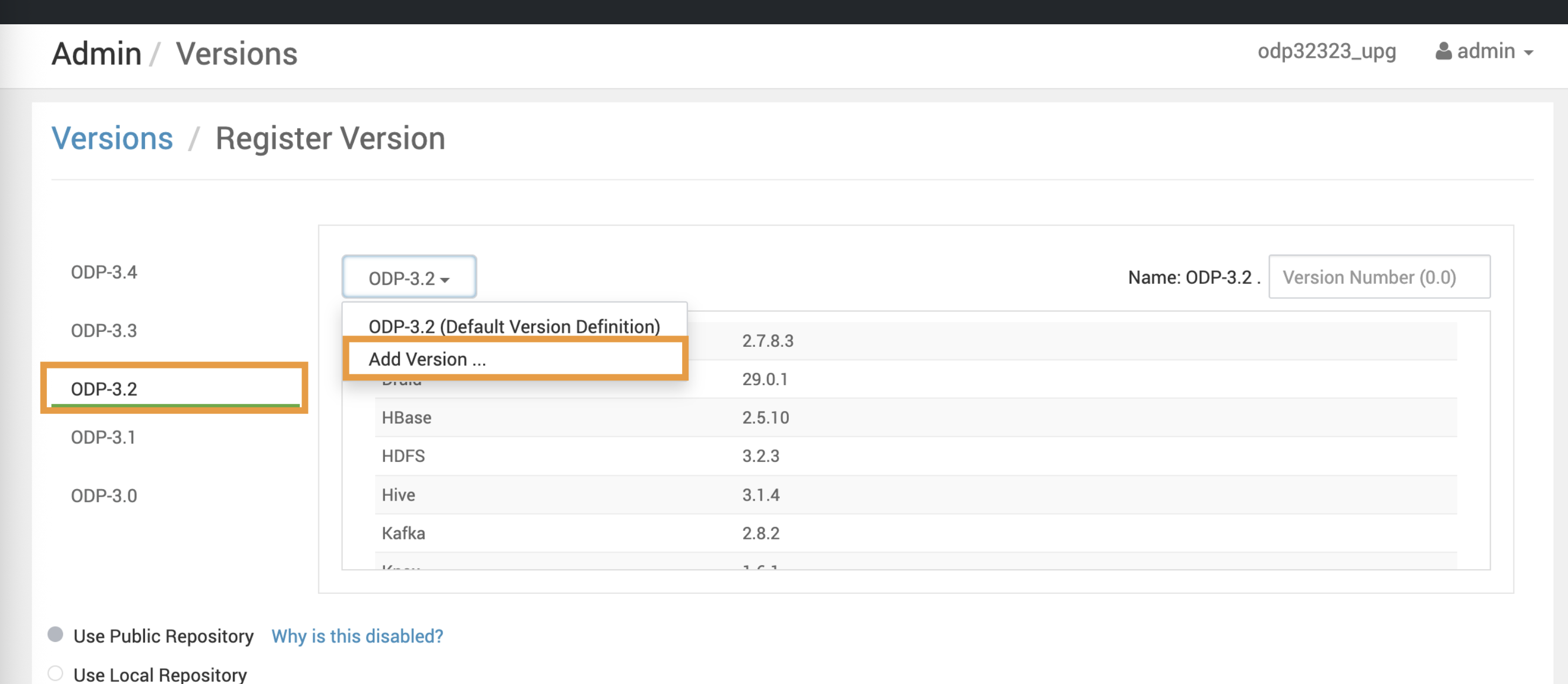
- Upload the VDF file to register the upgraded ODP version.
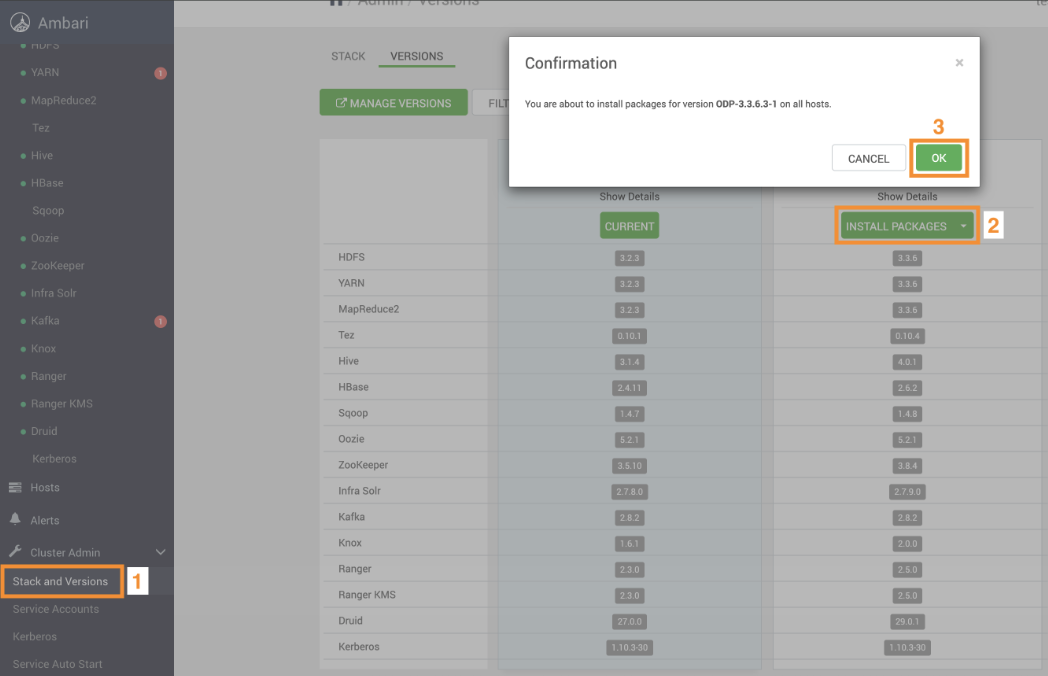
- Install the ODP Packages
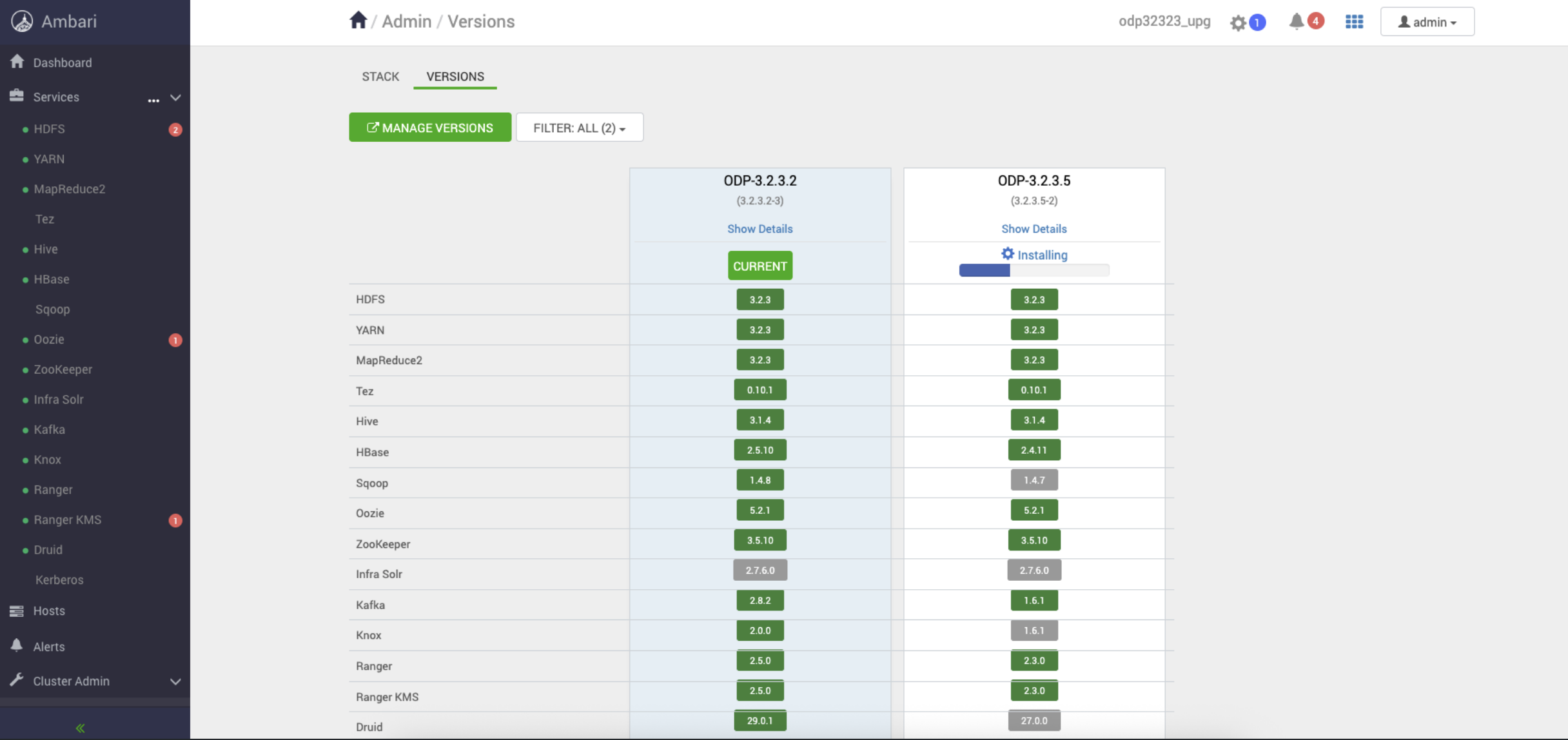
Steps
- In the Ambari UI, navigate to the Admin -> Versions page and click Upgrade.
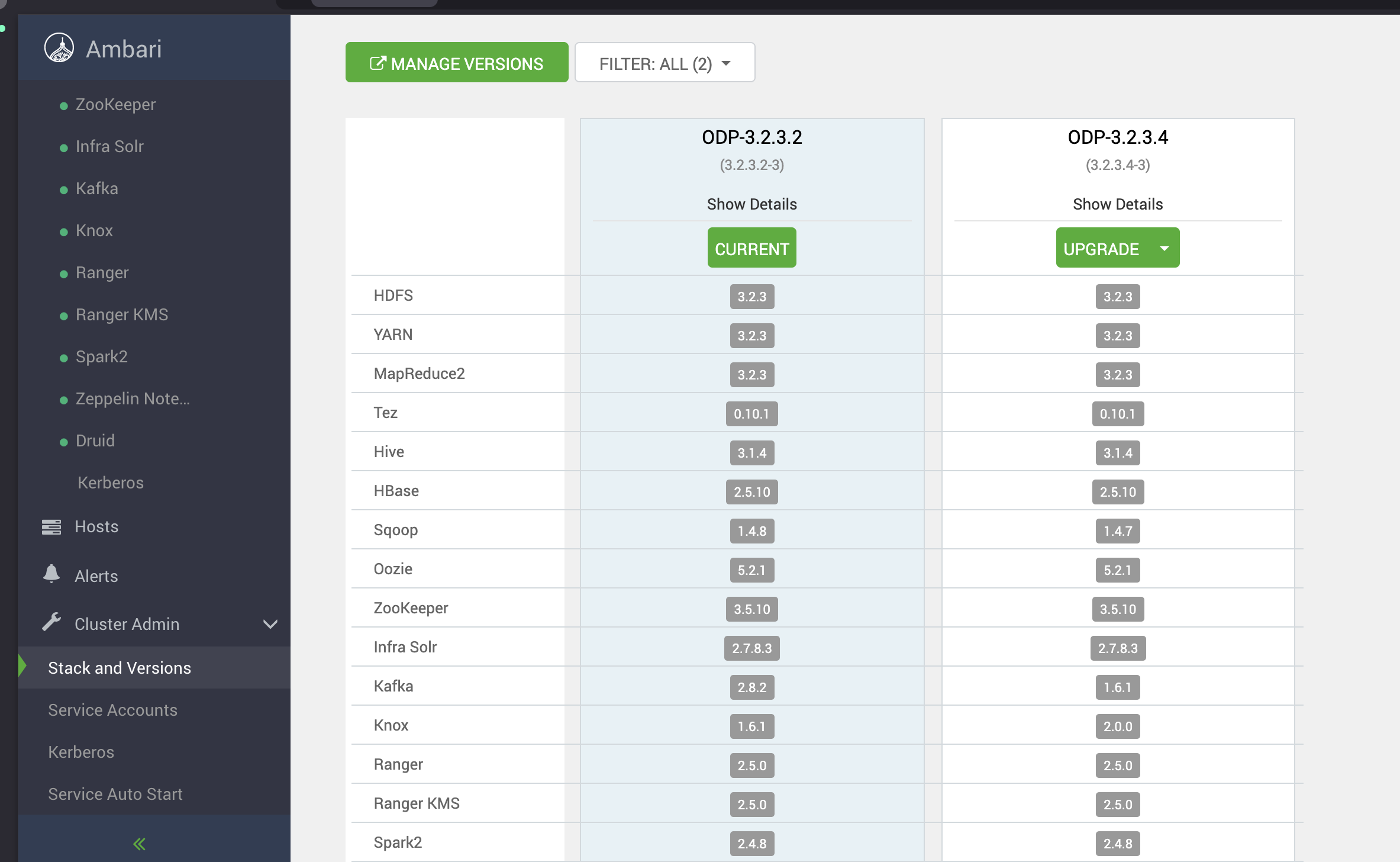
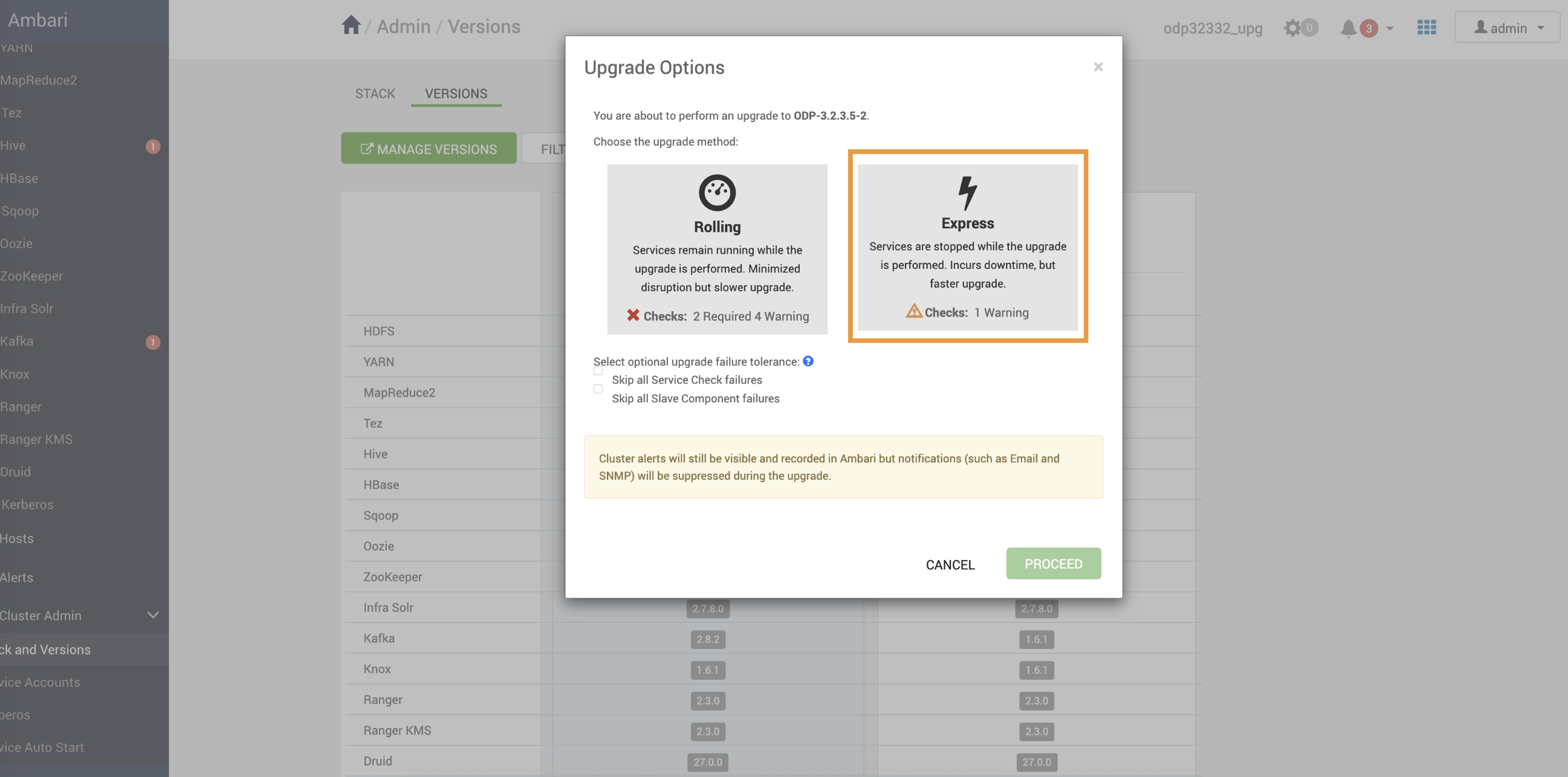
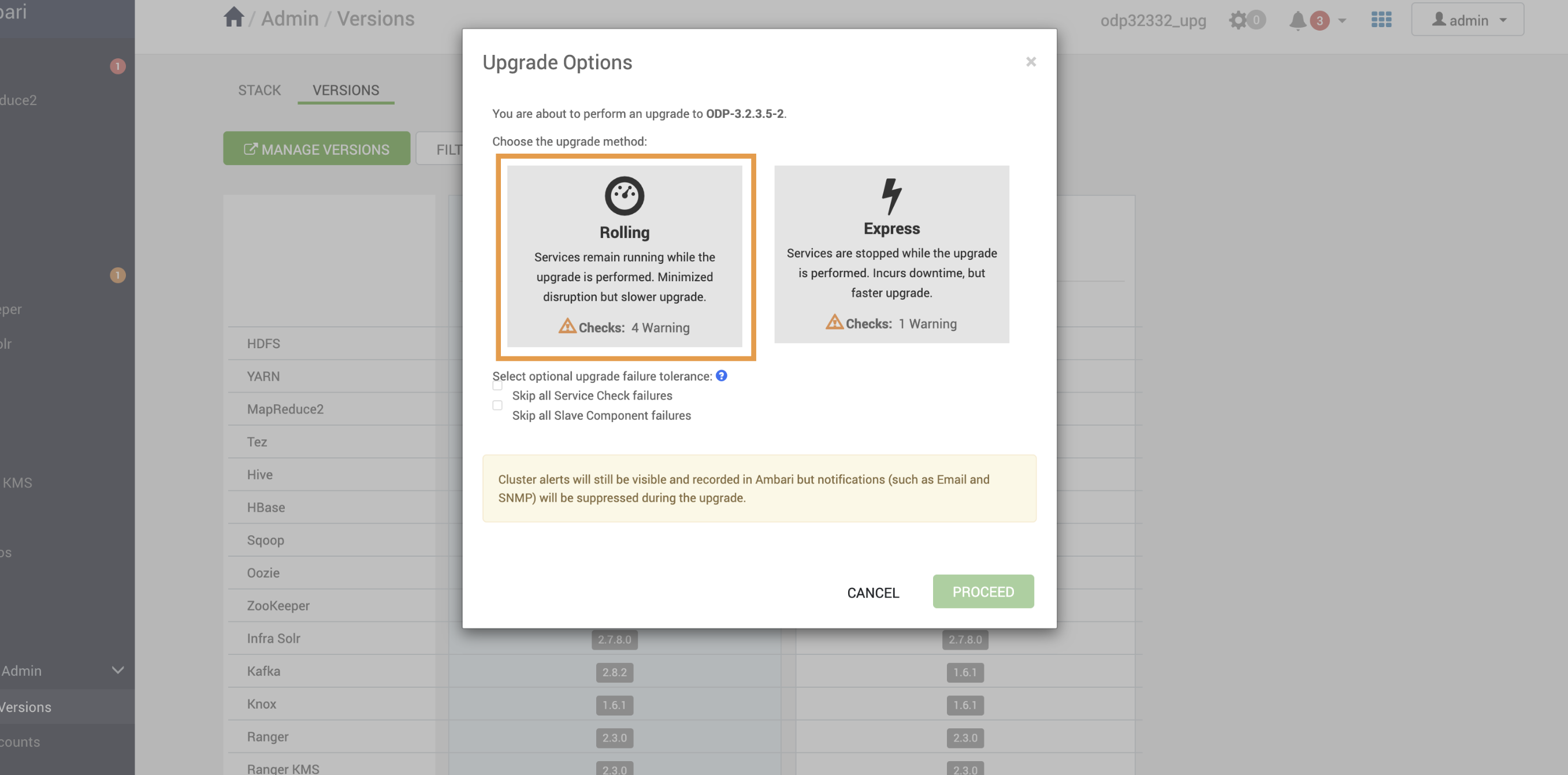
- Upon selecting the Upgrade option:
- The Rolling and Express options appear on the screen.
- Select Rolling/Express and click Proceed.
Info
Make sure to take all the Database backups before proceeding with next step
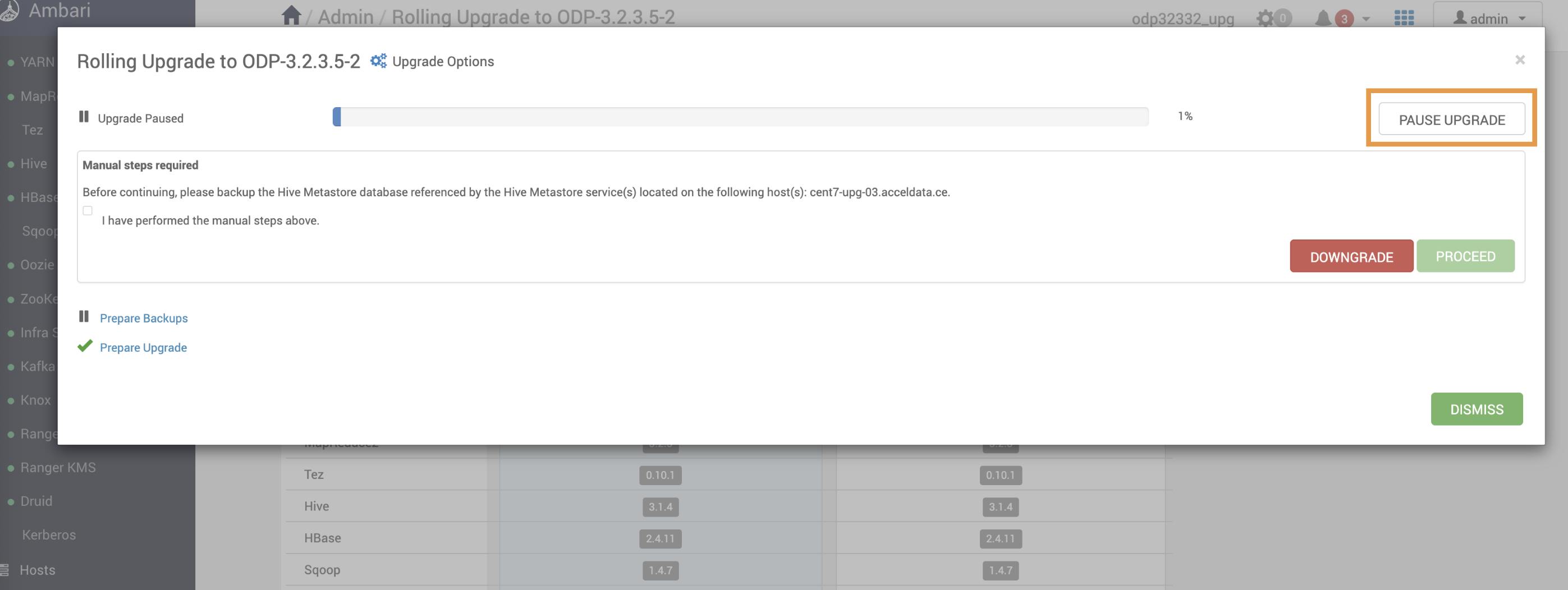
- Pause the upgrade before accepting perform backups.
Info
Pause the ODP Upgrade and proceed to the Ambari upgrade.