
Deploy Pulse Core Services
After reviewing your cluster configurations, apply the configurations and deploy the Pulse Core services directly from the Admin UI.
Steps
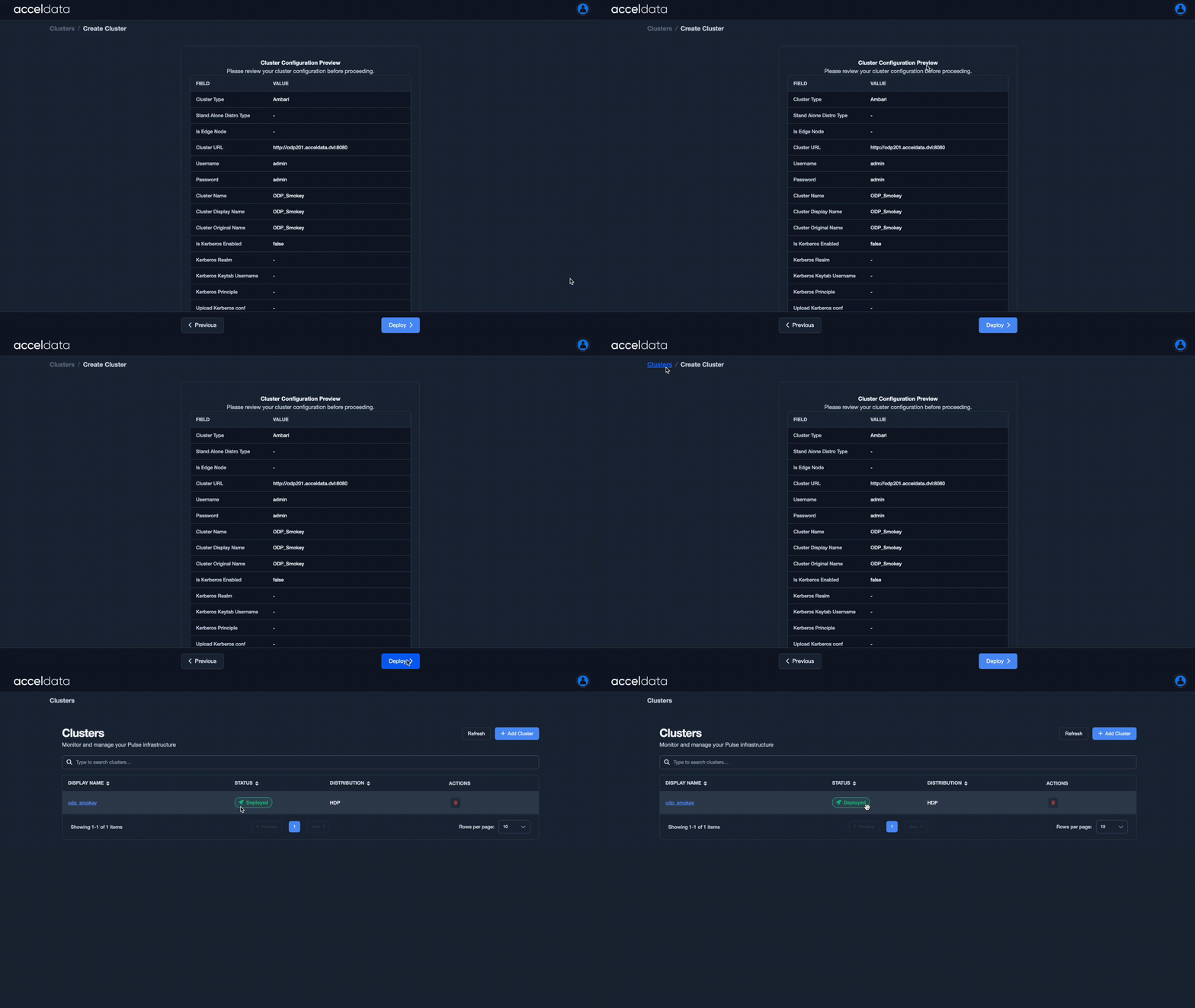
- In the Admin UI, on the Cluster Configurations Preview page > click Deploy to apply the cluster configurations to Pulse.
- Also, Pulse automatically starts deploying the Core Services based on the applied configurations.
After you click Deploy:
- The cluster appears on the Home page with its name
- The status changes to “Deployed” on the Cluster Home page in the Admin UI once the deployment is successful.
Key Notes
- Ensure that all cluster configurations and host details are correct before clicking Deploy.
- A successful deployment ensures that Pulse Core services are fully connected to the configured cluster for data collection, monitoring, and metric visualization.