
ODP Stack Upgrade
In this document, you are provided with complete walk through required for the process of upgrading your stack using Ambari, a comprehensive Hadoop management and monitoring tool.
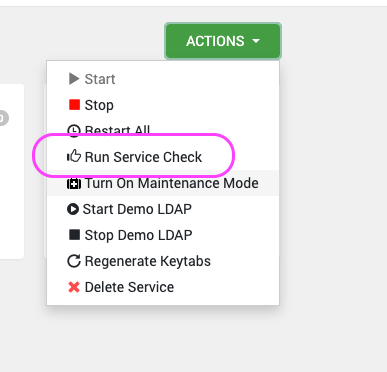
Run Service check for All Services
Perform the sanity test for each individual services.
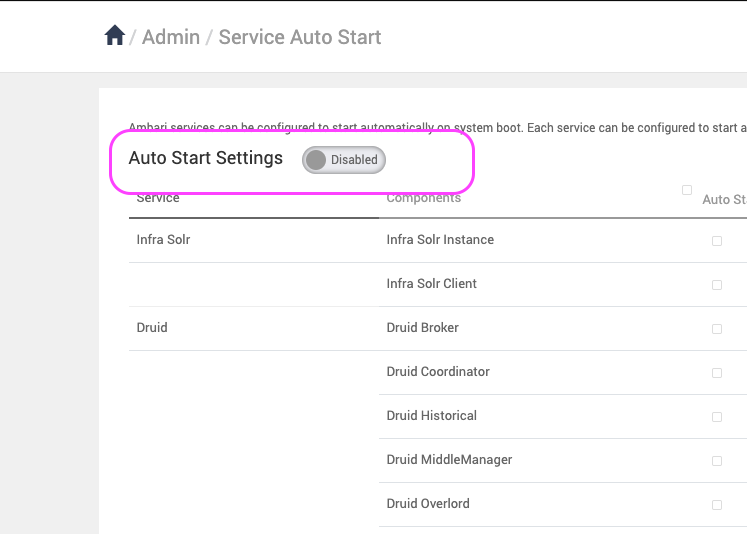
Disable the Service Auto Restart
To prevent automatic restarts during the upgrade, disable the service auto-restart in Ambari:
Back Up Databases
Before proceeding with the upgrade, ensure that all backend databases are backed up. Since MySQL is the backend database in this case, use the following commands to create a backup:
mkdir /tmp/ODP-server_db_bckp/
cd /tmp/ODP-server_db_bckp/
# for ambari
mysqldump --databases ambari > /tmp/ODP-server_db_bckp/ambari_mysql_bckp.sql
# for hive
mysqldump --databases hive > /tmp/ODP-server_db_bckp/hive_mysql_bckp.sql
# for rangerkms
mysqldump --databases rangerkms > /tmp/ODP-server_db_bckp/rangerkms_mysql_bckp.sql
# for rangerkms
mysqldump --databases ranger > /tmp/ODP-server_db_bckp/ranger_mysql_bckp.sql
# please take backup for all required services
Add VDF File from Ambari UI
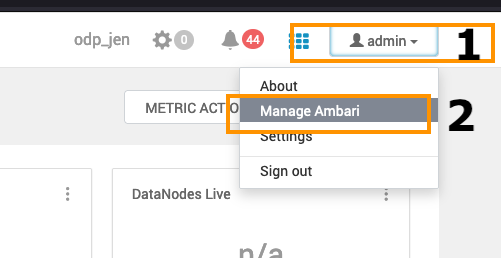
- Navigate to the Admin section on the top right and click the Manage Ambari option in the menu.
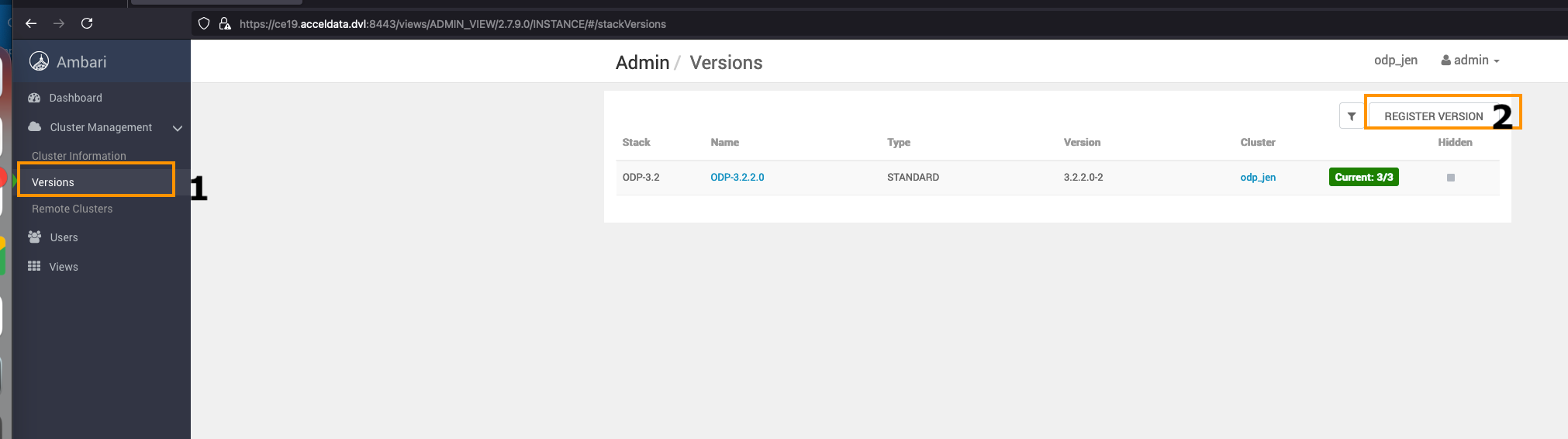
- Navigate to the Versions option on the left side and click REGISTER VERSION to add a new ODP Release.
The sample vdf file is available in the ODP VDF Repositories section on the Accessing Acceldata Repositories page.
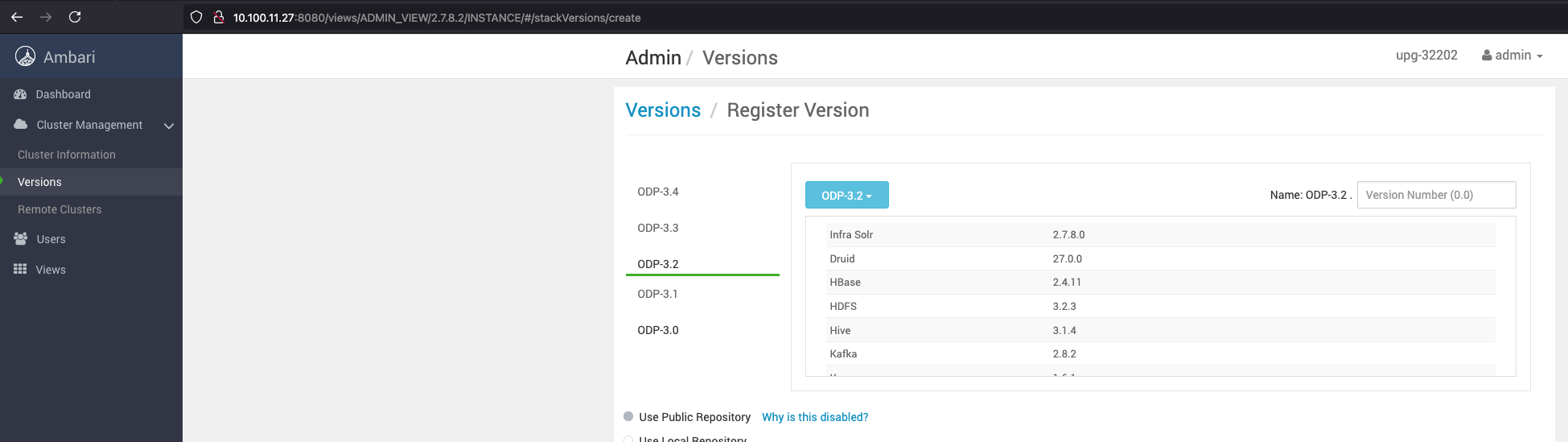
The sample vdf file is available in the ODP VDF Repositories section on the Accessing Acceldata Repositories page.
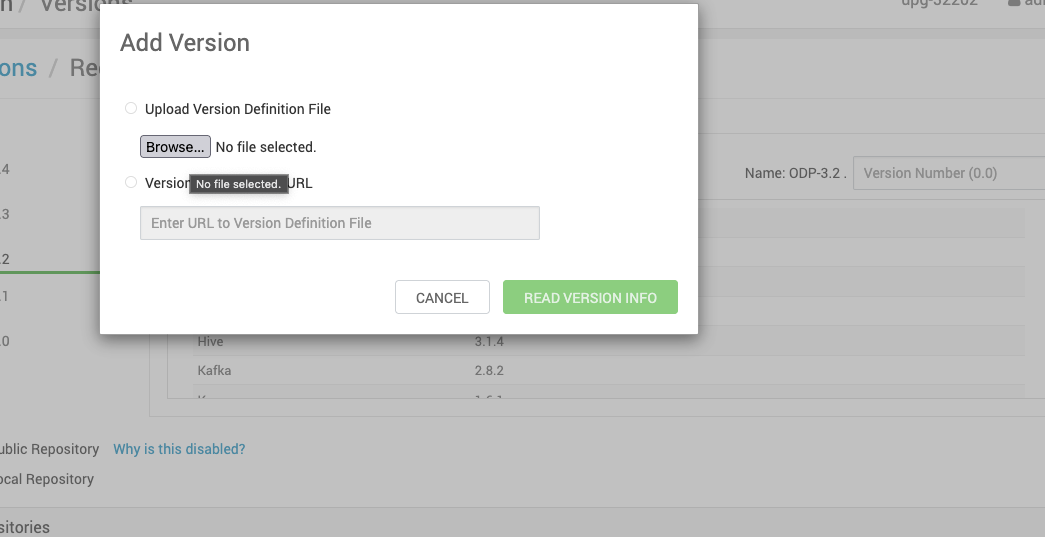
Info
The above provided base URLs are only for reference. For the actual URLs, access the VDF file from the Accessing Acceldata Repositories page.
- Save the repository details.
- Install the packages.
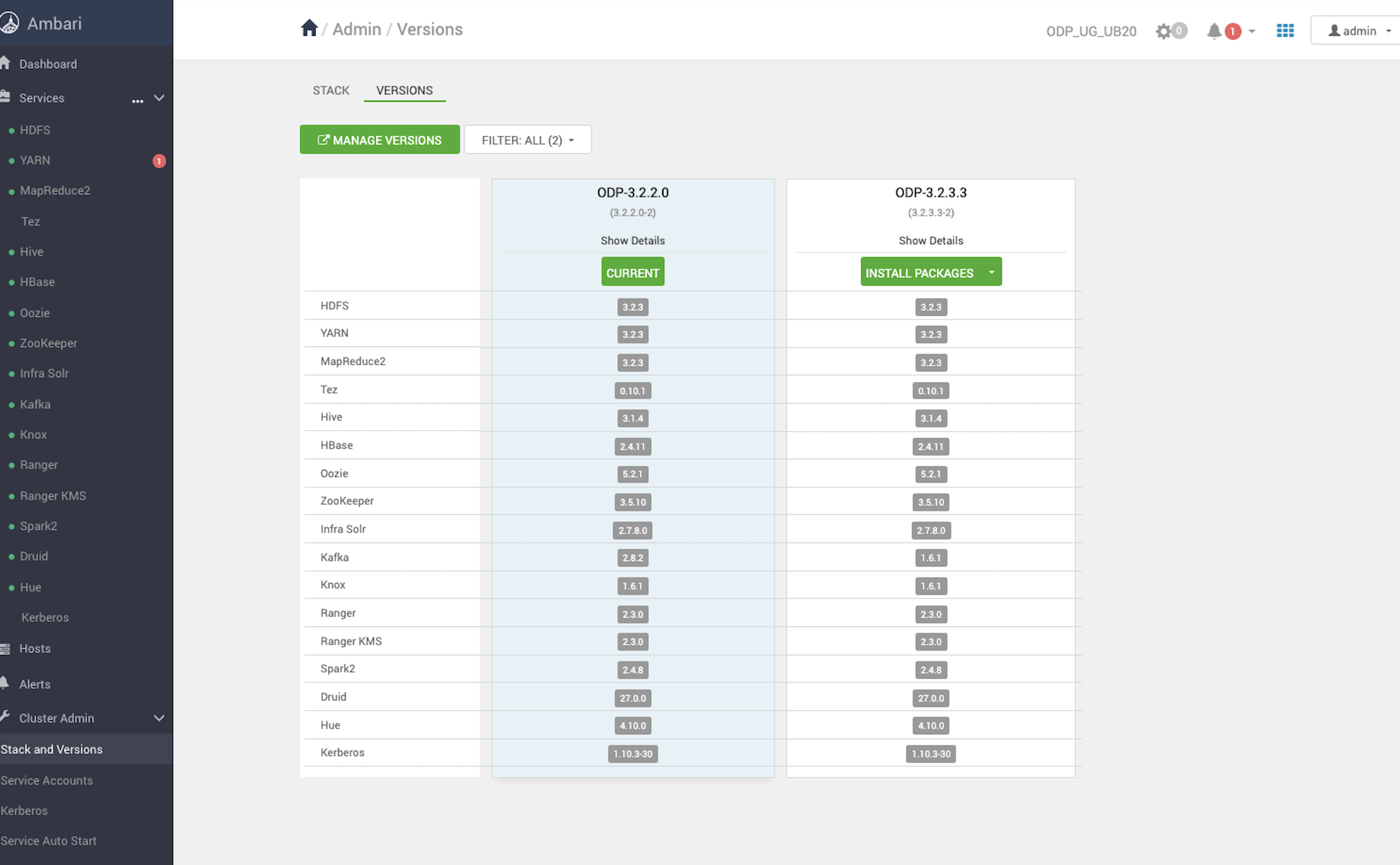
- Verify the status.
- After successfully completing the service checks, you can proceed with the ODP upgrade based on your choice: Rolling Upgrade or Express Upgrade.