
Handle HDFS and YARN Permissions
To enable seamless interaction between JupyterHub, HDFS, and YARN in a Hadoop cluster, certain configurations must be applied.
- Update core-site.xml: Modify the Hadoop configuration file core-site.xml to allow the JupyterHub user to act as a proxy. Add the following properties.
Info
These properties are auto-populated if you are using newer mpack.
<property>
<name>hadoop.proxyuser.jupyterhub.groups<_name>
<value>*<_value>
<_property>
<property>
<name>hadoop.proxyuser.jupyterhub.hosts<_name>
<value>*<_value>
<_property>
<property>
<name>hadoop.proxyuser.jupyterhub.users<_name>
<value>*<_value>
<_property>

- Configure permissions for YARN
If you are using YarnSpawner, configure YARN to allow JupyterHub to submit applications. Use one of the following options:
- If the Ranger plugin for YARN is not enabled or Ranger is not installed: Configure the YARN queue ACLs to grant the JupyterHub user permission to submit jobs. You can set these permissions in the YARN ResourceManager settings or in the queue configuration files.
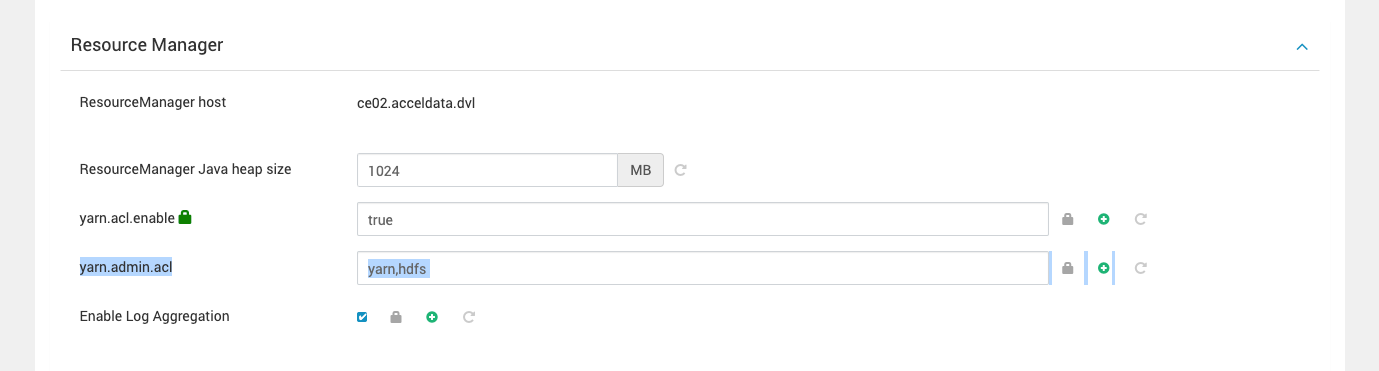
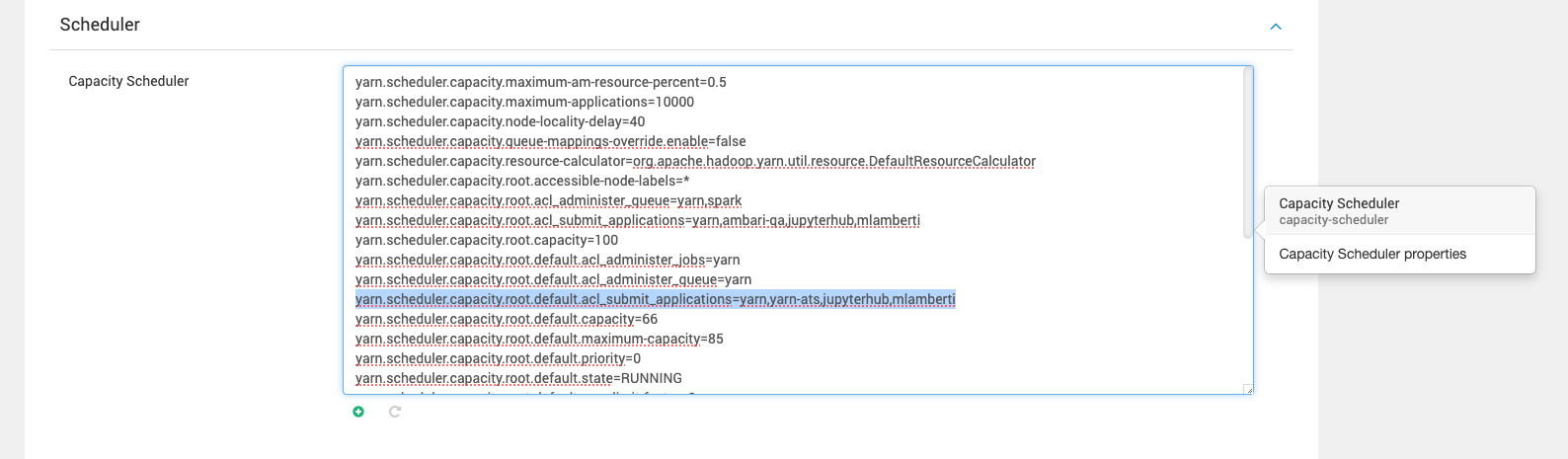
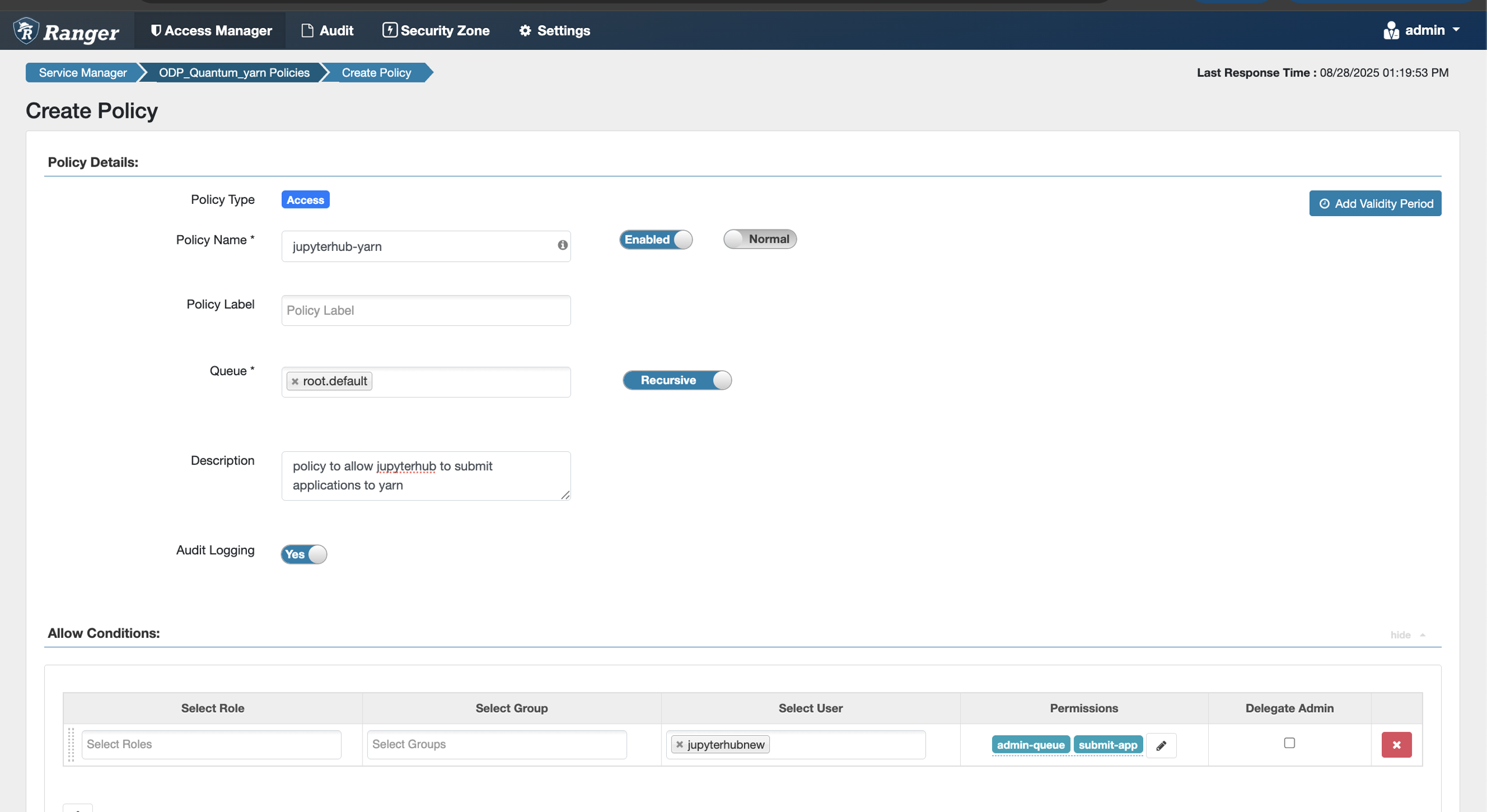
- ** If Ranger is installed: **Create a Ranger policy that allows the JupyterHub user to submit applications to YARN. Select the target queue and assign permissions according to your requirements.
Why are these steps important?
- Access Control:
- Configuring proxy permissions in core-site.xml allows JupyterHub to interact with HDFS on behalf of its users.
- YARN ACLs ensure users can submit jobs through YarnSpawner without encountering permission issues.
- Seamless Execution:
- These configurations eliminate interruptions when users access files stored in HDFS or submit Spark jobs via YARN.
- Streamlined permissions simplify the setup and improve the user experience.
This document serves as a foundation for setting up JupyterHub in a distributed Hadoop environment. Following these steps ensures scalability, security, and smooth integration with essential components like HDFS and YARN.