
Ozone Installation
Perform the following steps:
- Obtain the Ozone integration with ODP Ambari Mpack by downloading the ozone-mpack tar file onto your ambari-server node. Proceed to install the mpack using the following command:
ambari-server install-mpack --mpack=ambari-mpacks-ozone.tar.gz --verbose
After installation, restart the Ambari server:
ambari-server restart
Important
The Mpack currently supports Ozone service in HA mode only, as SCM HA can only be initiated on fresh installations. The capability to upgrade SCM from non-HA to HA is currently in development within the community. Choose three nodes for OM, SCM, and Datanode to maintain high availability.
- Navigate to the Ambari UI and follow the steps below:
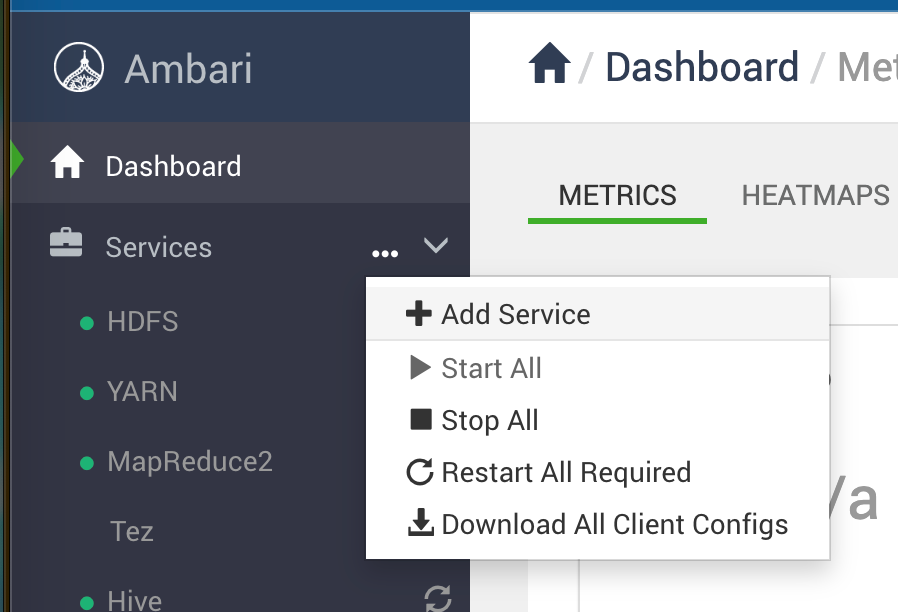
- Go to Ambari UI > Services > Add Service.
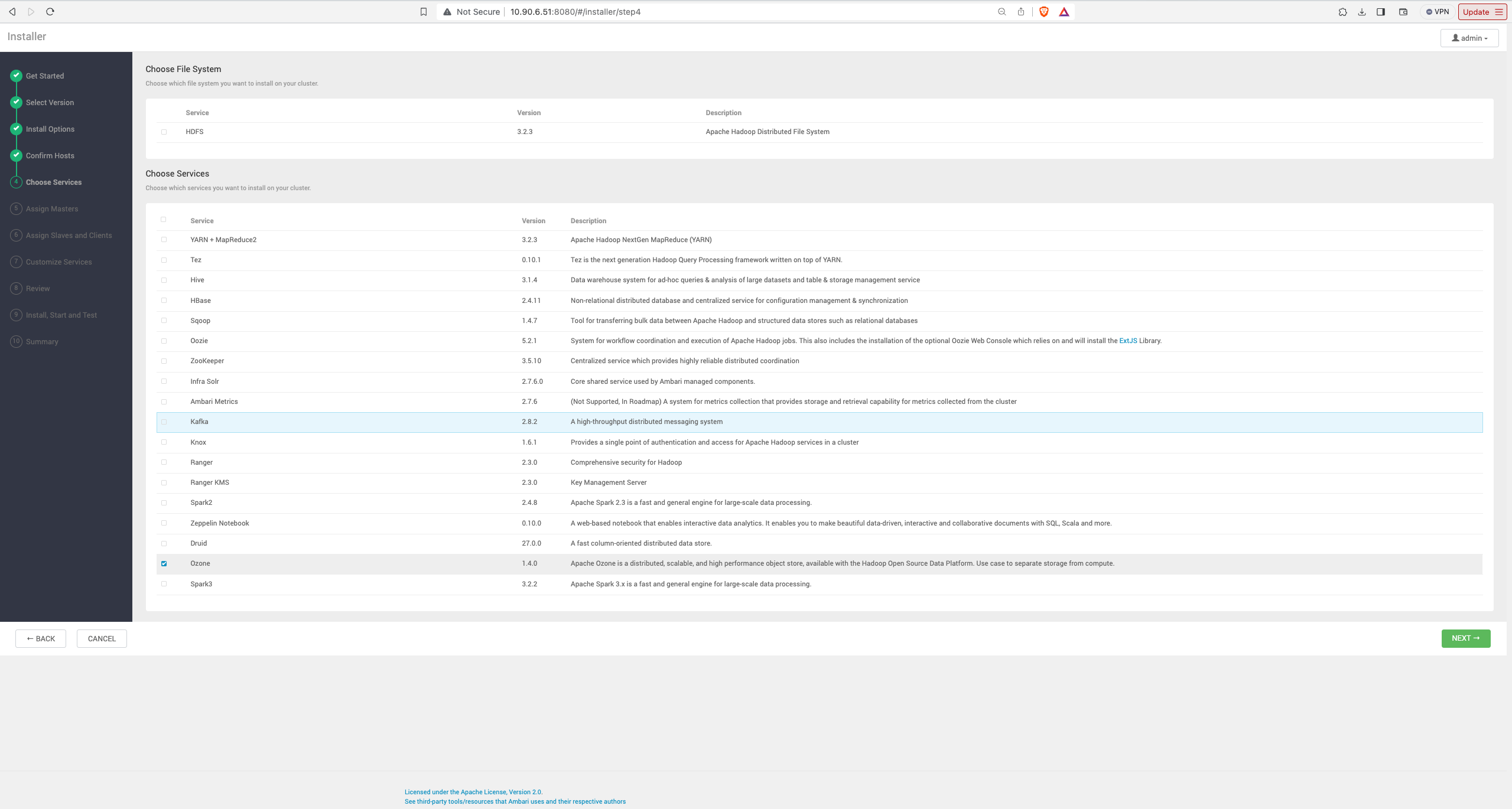
- In the Service Wizard, select Ozone.
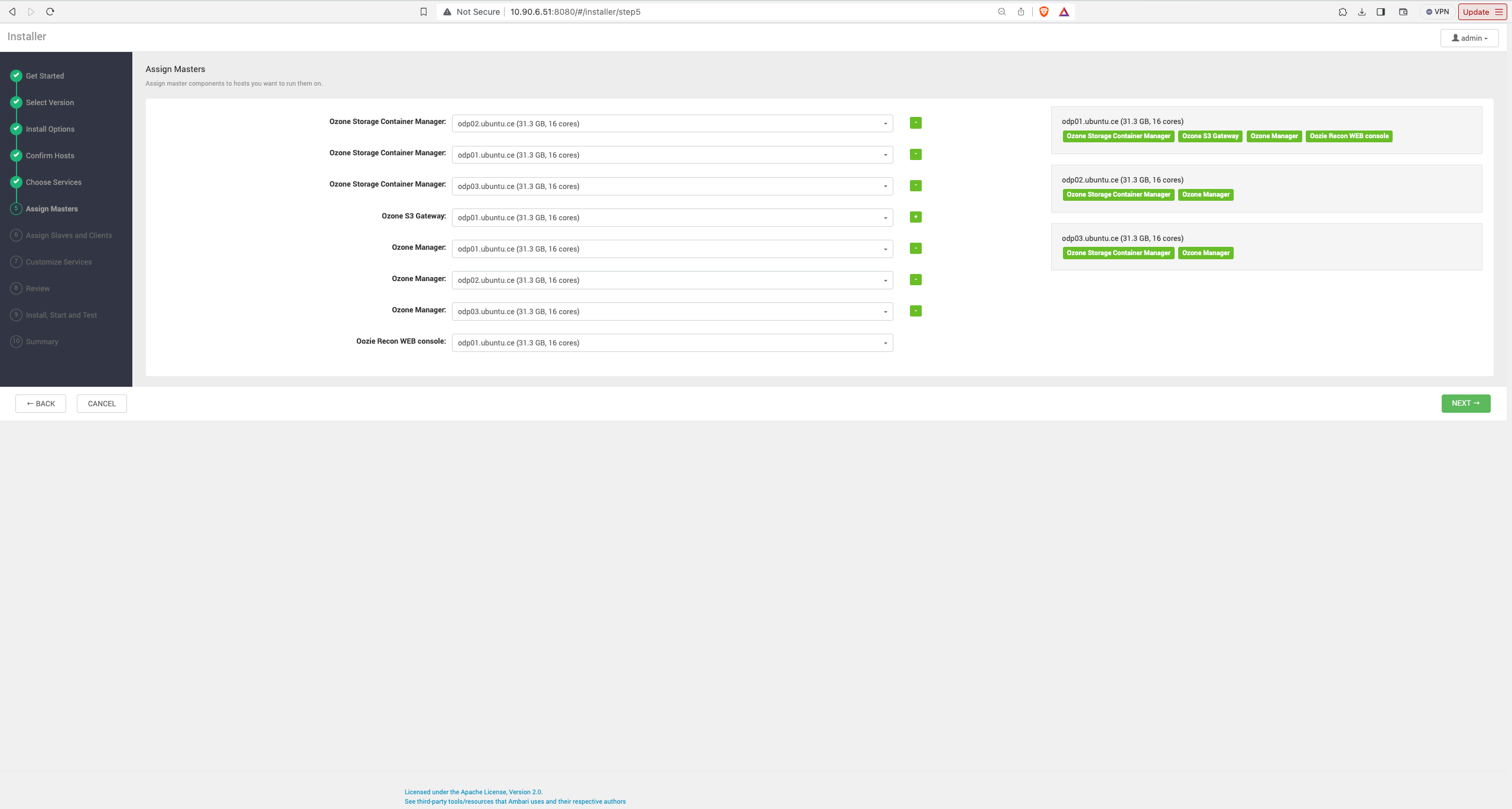
- Click Next and configure the Ozone component nodes and properties according to your specific use case. Choose three nodes for OM, SCM, and Datanode to maintain high availability.
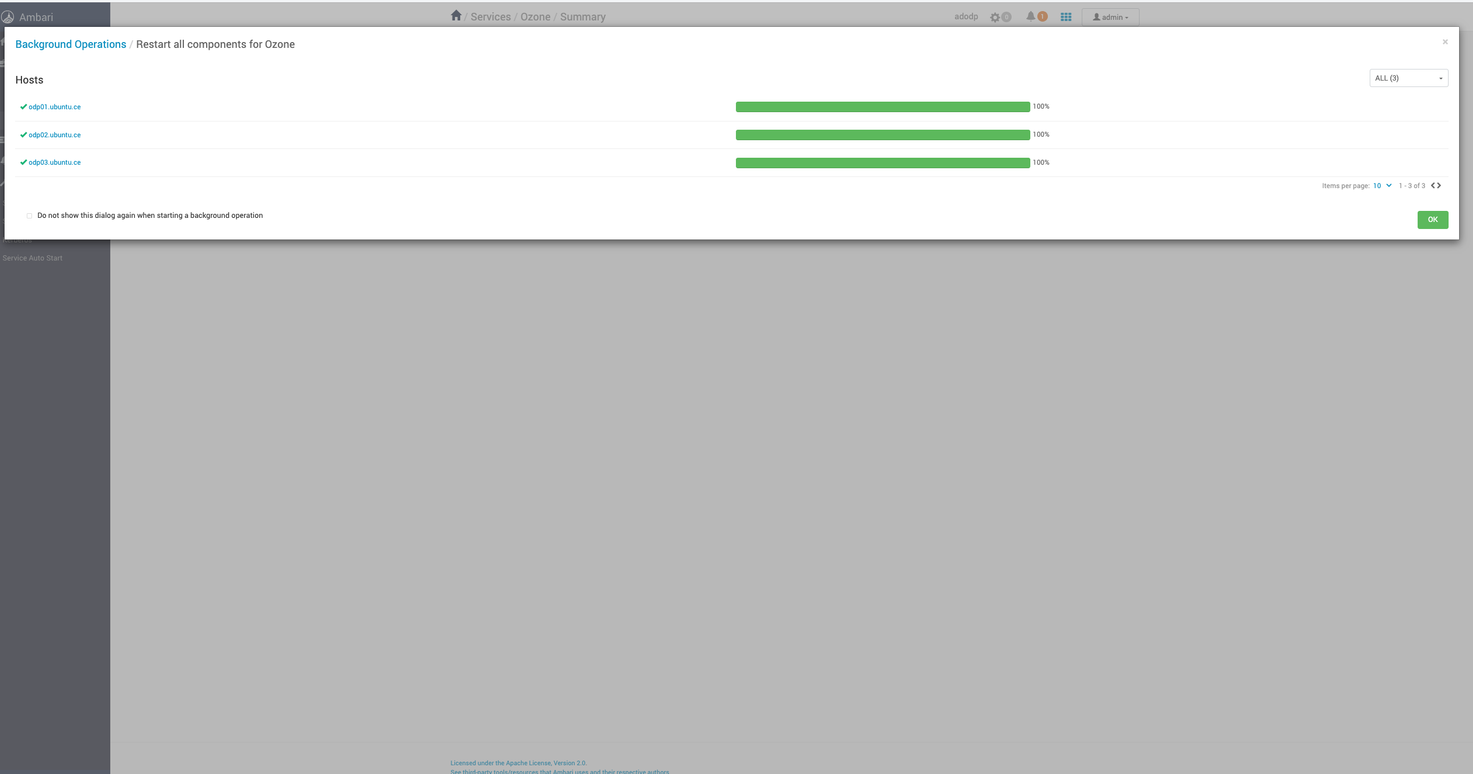
Check Ozone Manager Java Heap size and re-configure the value as per your requirement.
For secure clusters with Kerberos, Ozone enables Kerberos authentication by default during installation. To enable SSL on Ozone, configure the properties as described below.
SSL Enablement
Update the following properties to align with your SSL configurations for respective hosts and components:
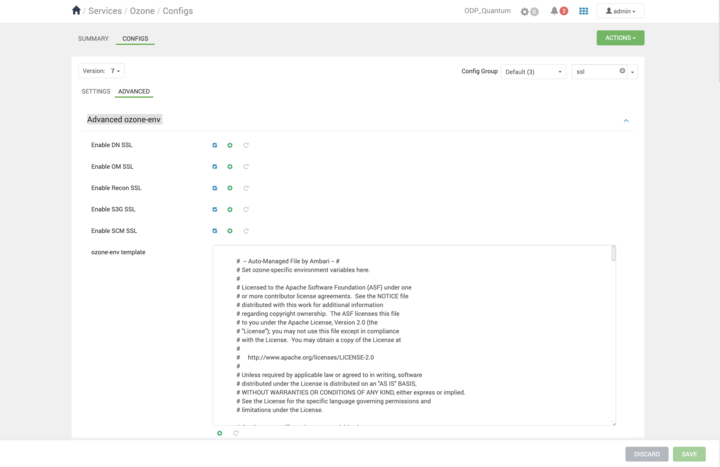
- Navigate to Ambari UI > Ozone > Configurations > Advanced ozone-env and check the following properties:
- Add the following configurations to ozone-site:
Property | Value |
|---|---|
ozone.http.policy | HTTPS_ONLY |
ozone.https.client.keystore.resource | ssl-client.xml |
ozone.https.server.keystore.resource | ssl-server.xml |
- Configure truststore and keystore in the Advanced ozone-ssl-client and related SSL configurations for various components such as Advanced ozone-ssl-client, Advanced ssl-client-datanode, Advanced ssl-client-om, Advanced ssl-client-recon, Advanced ssl-client-s3g, Advanced ssl-client-scm, Advanced ssl-server-datanode, Advanced ssl-server-om, Advanced ssl-server-recon, Advanced ssl-server-s3g, Advanced ssl-server-scm.
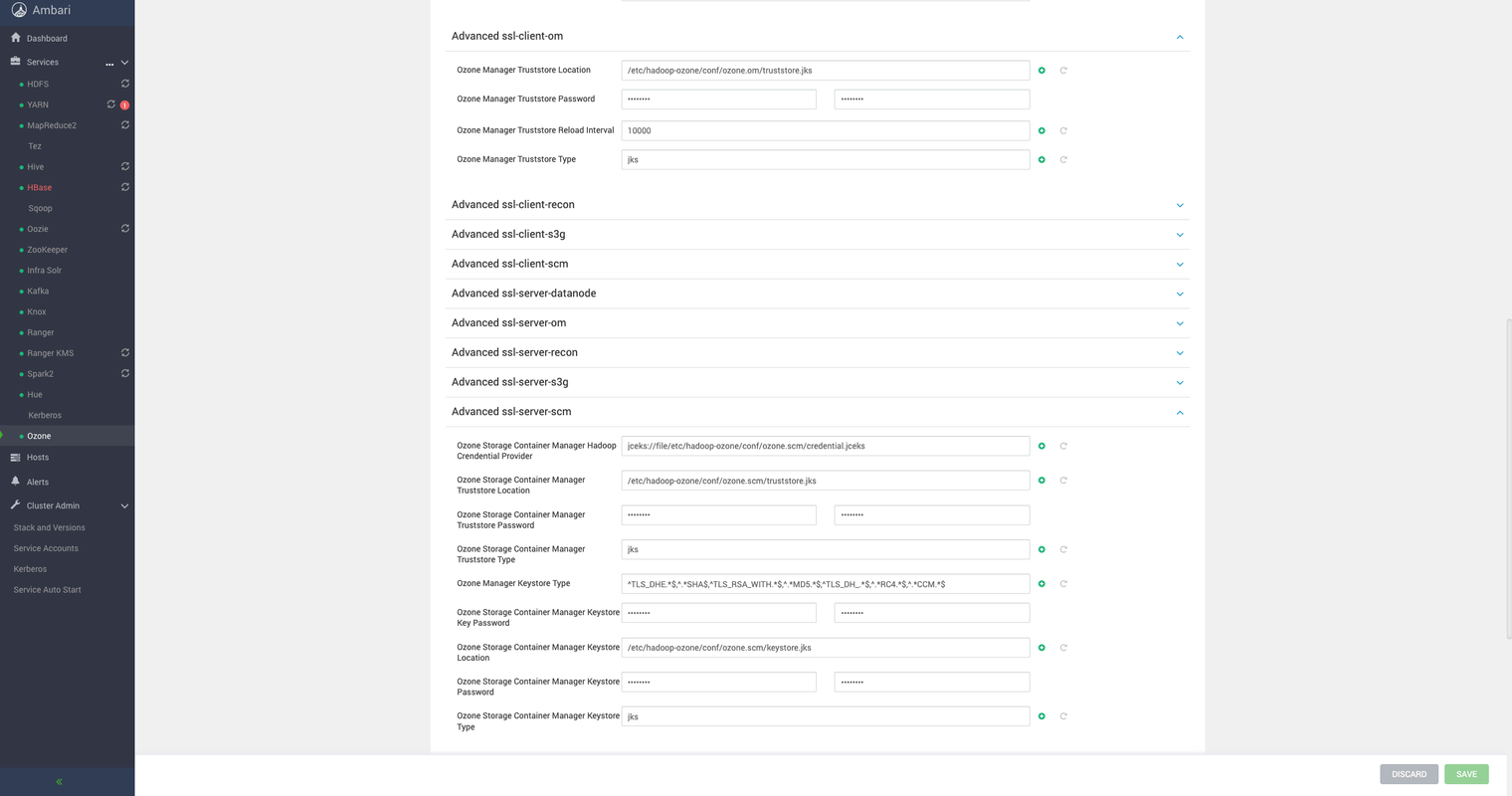
Default values are provided, but you can store respective keystores and truststores in any directories and update it in the respective properties.
Kerberos Configuration
Ozone service principal and keytab for service, along with SPNEGO for UI, will be configured automatically with Ambari automation. To disable SPNEGO for all Ozone components in an SPNEGO-enabled Ozone cluster, update the following properties:
Property | Value |
|---|---|
ozone.security.http.kerberos.enabled | false |
ozone.http.filter.initializers |
Info
This Mpack supports Ozone with Kerberos security only on fresh installations of Ozone in a kerberized ODP cluster, considering current development limitations.
Ranger Configuration
Enable or disable Ranger authorization from Ambari UI > Ranger > Configs > Ozone Ranger Plugin, followed by a service restart to implement changes.
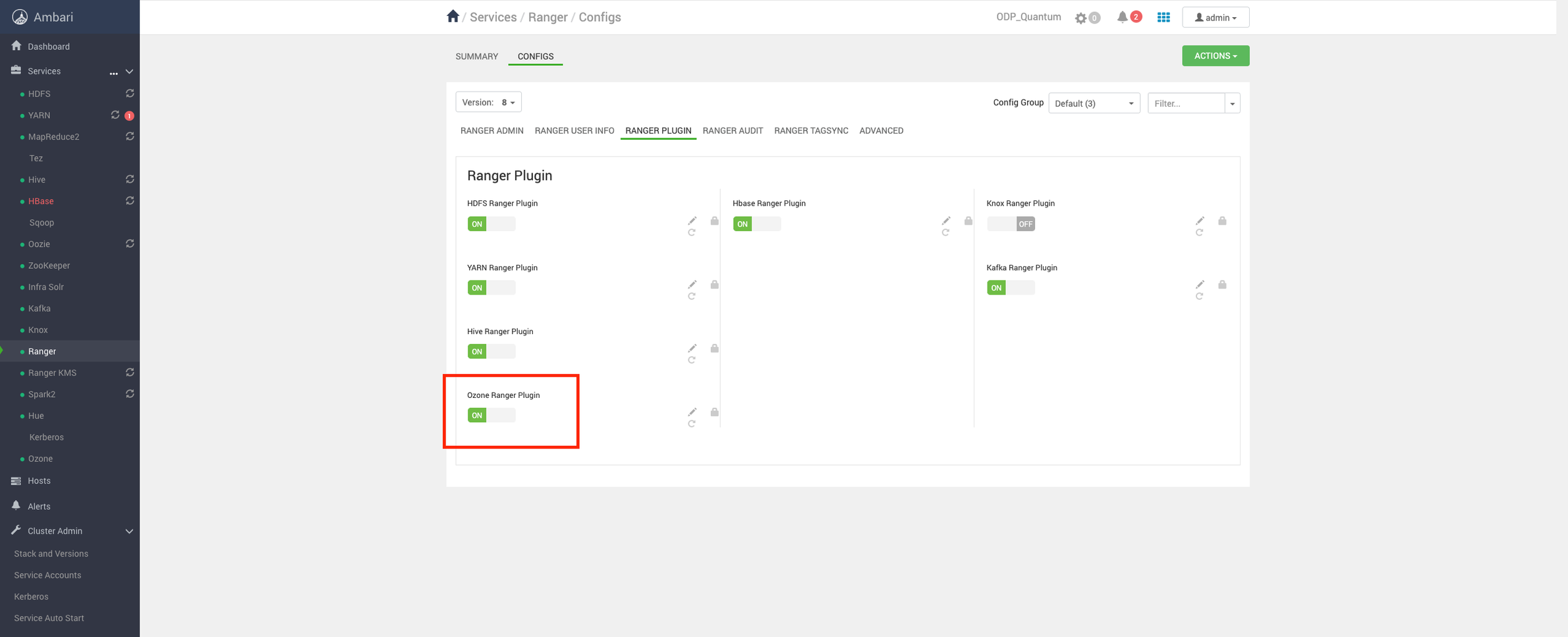
Add the below jars before enabling Ozone Ranger plugin and restarting Ranger:
cp /usr/odp/current/ozone-client/share/ozone/lib/ozone-filesystem-hadoop3-1.4.0.3.2.3.1-2.jar /usr/odp/3.2.3.0-2/ranger-admin/ews/webapp/WEB-INF/classes/ranger-plugins/ozone/
cp /usr/odp/current/ozone-client/share/ozone/lib/bcprov-jdk15on-1.67.jar /usr/odp/3.2.3.1-2/ranger-admin/ews/webapp/WEB-INF/classes/ranger-plugins/ozone/
For more info, see here.
Note
Ozone 1.4.0 limits Ranger Audit due to open bugs related to performance.