
Configure Pulse to Monitor Standalone Kafka 3 with Kerberos
This page describes about configuring Pulse to monitor standalone Kafka 3 with Kerberos.
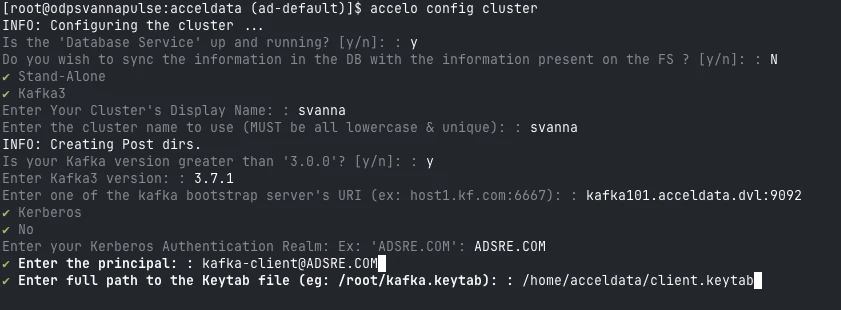
- On a Pulse node, run
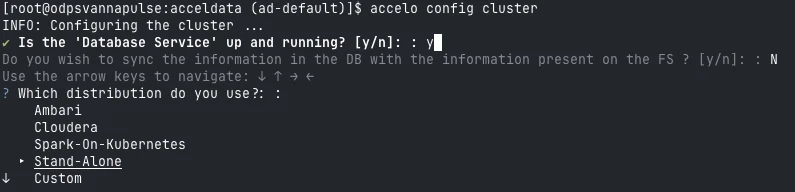
accelo config cluster - Select
Stand-Alone
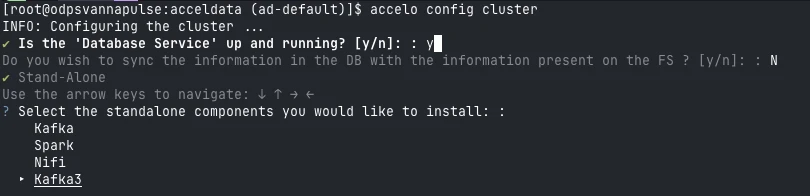
- Select
Kafka3
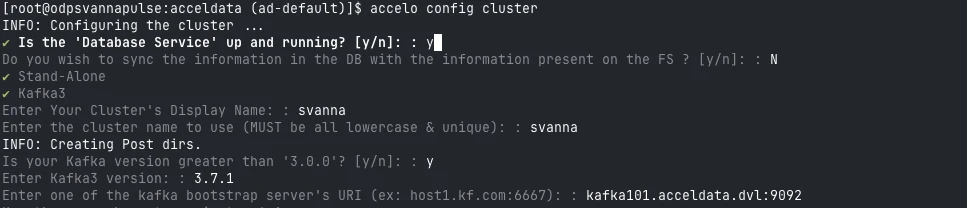
- Enter Cluster Name.

- Enter
Kafka
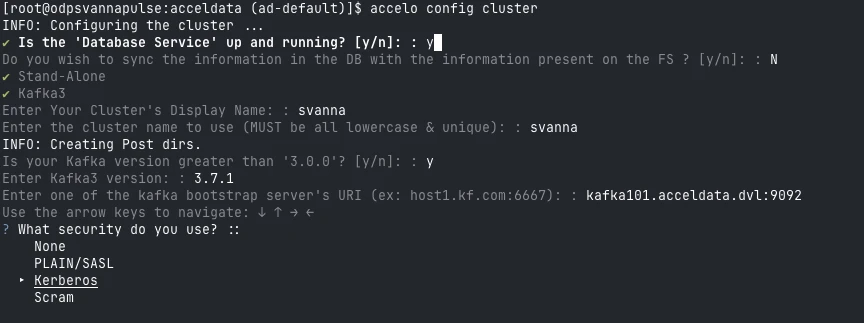
- Select Kerberos as the security type.
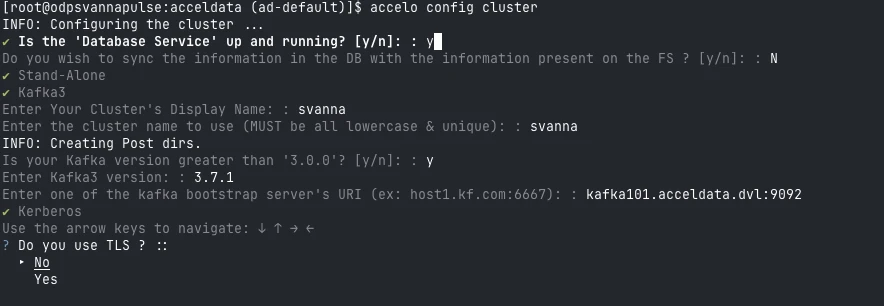
- Select
TLS
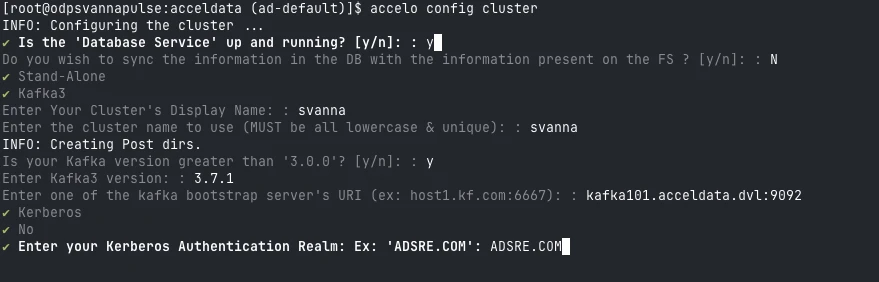
- Enter
Kerberos Authentication Realm
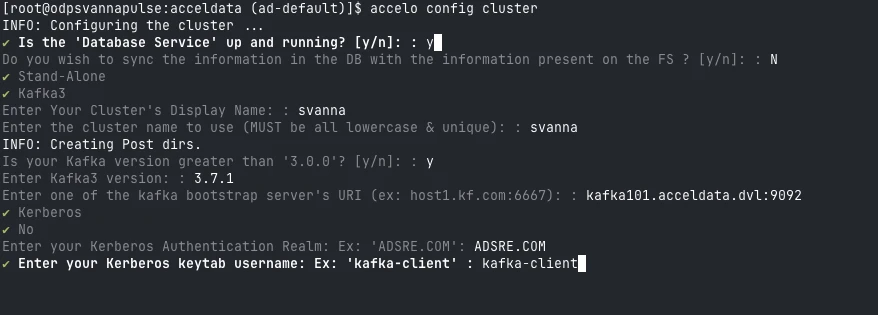
- Enter
Kerberos keytab username
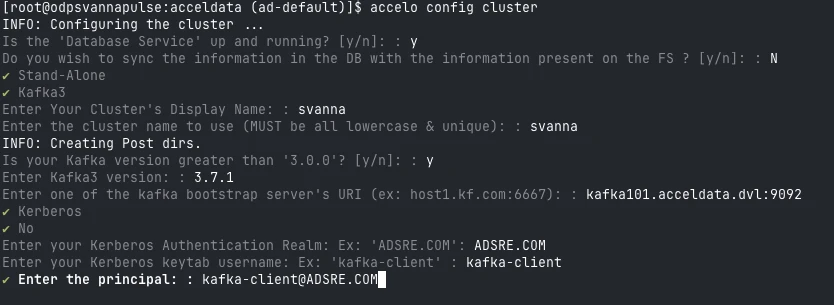
- Enter Principalfor kafka client.
- Enter full path to the
Client Keytab
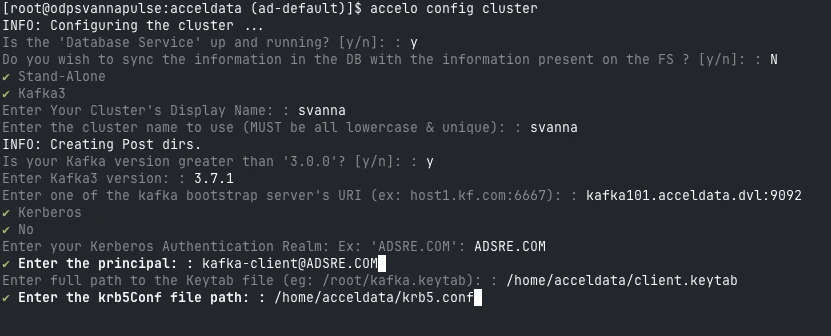
- Enter full path to the
krb5.conf
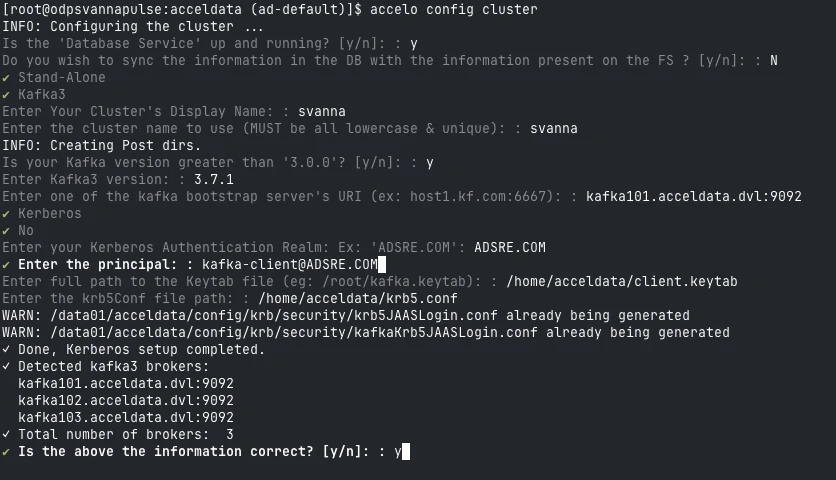
- If the above configurations are correct, the CLI will automatically fetch the list of brokers.
Verify the list and select y to proceed.
- Select Metadata Manager → Zookeeper / KRaft.
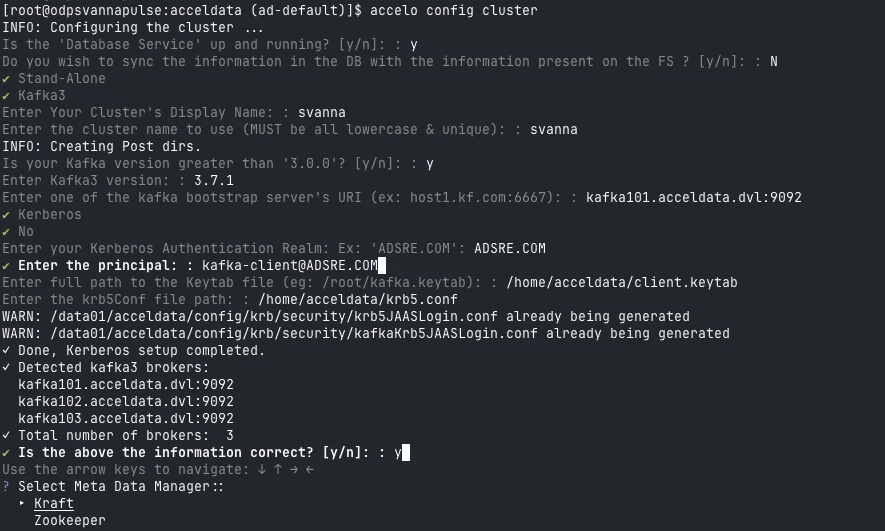
- Enter the URI’s for
MetaData Manager
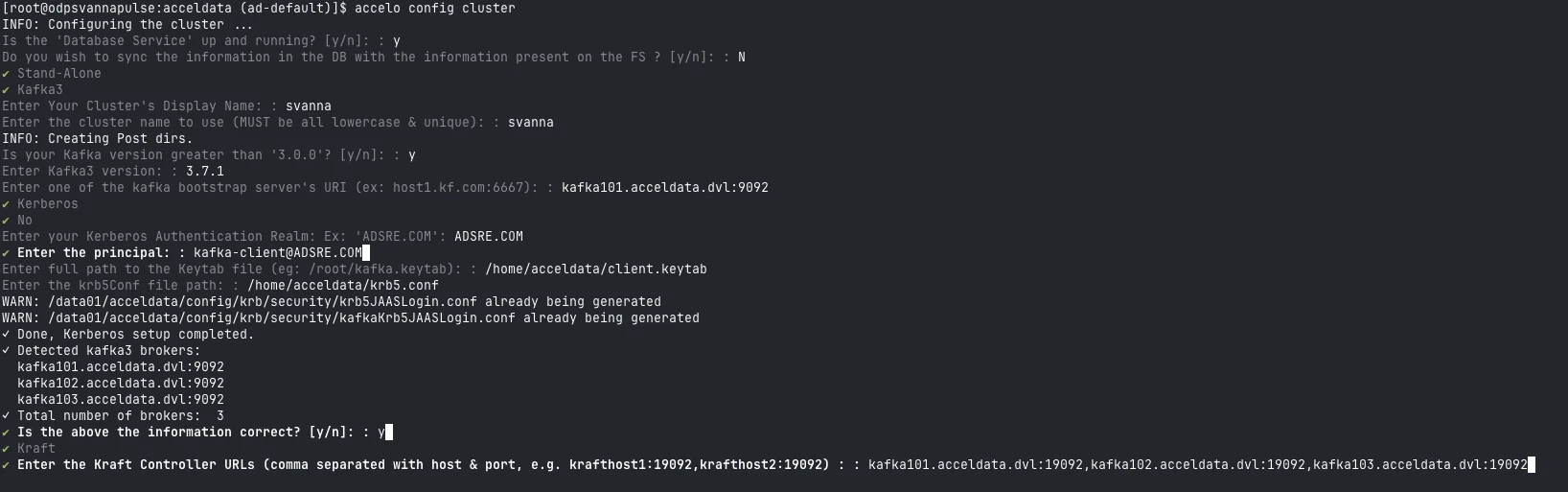
- Enter
Kafka Connect
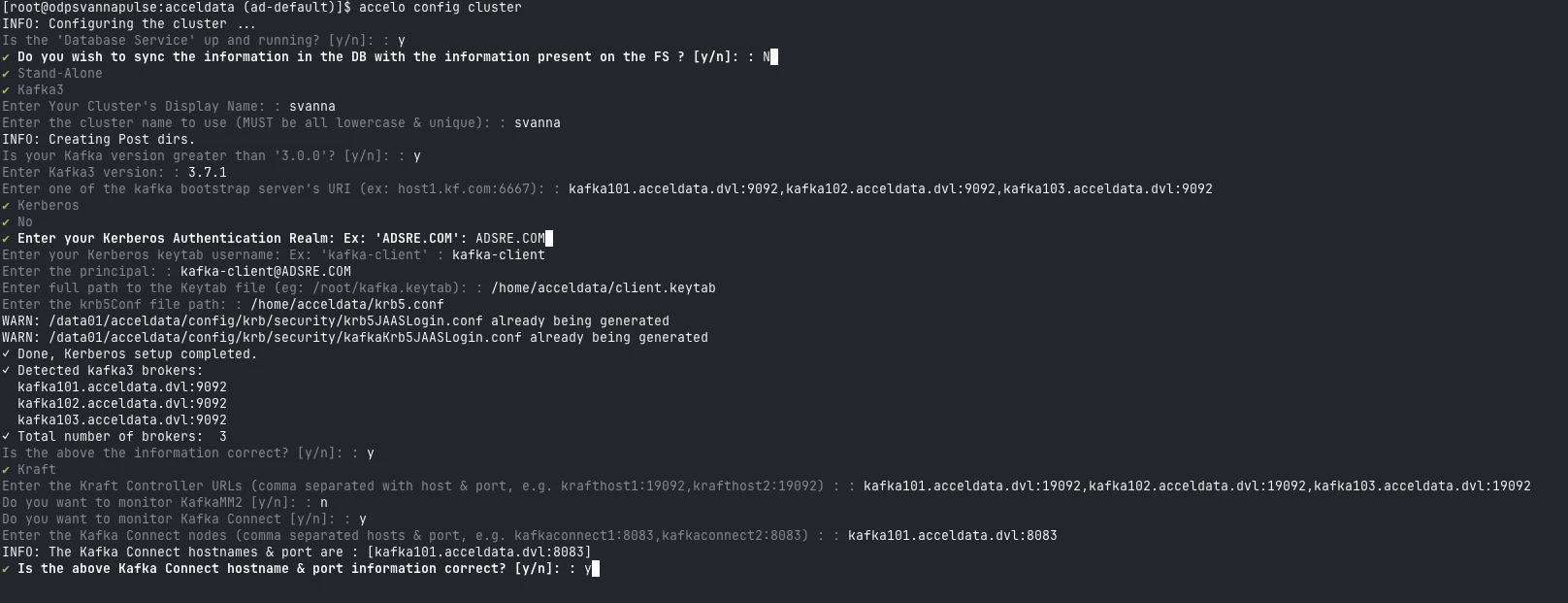
- Enter
Cruise Control
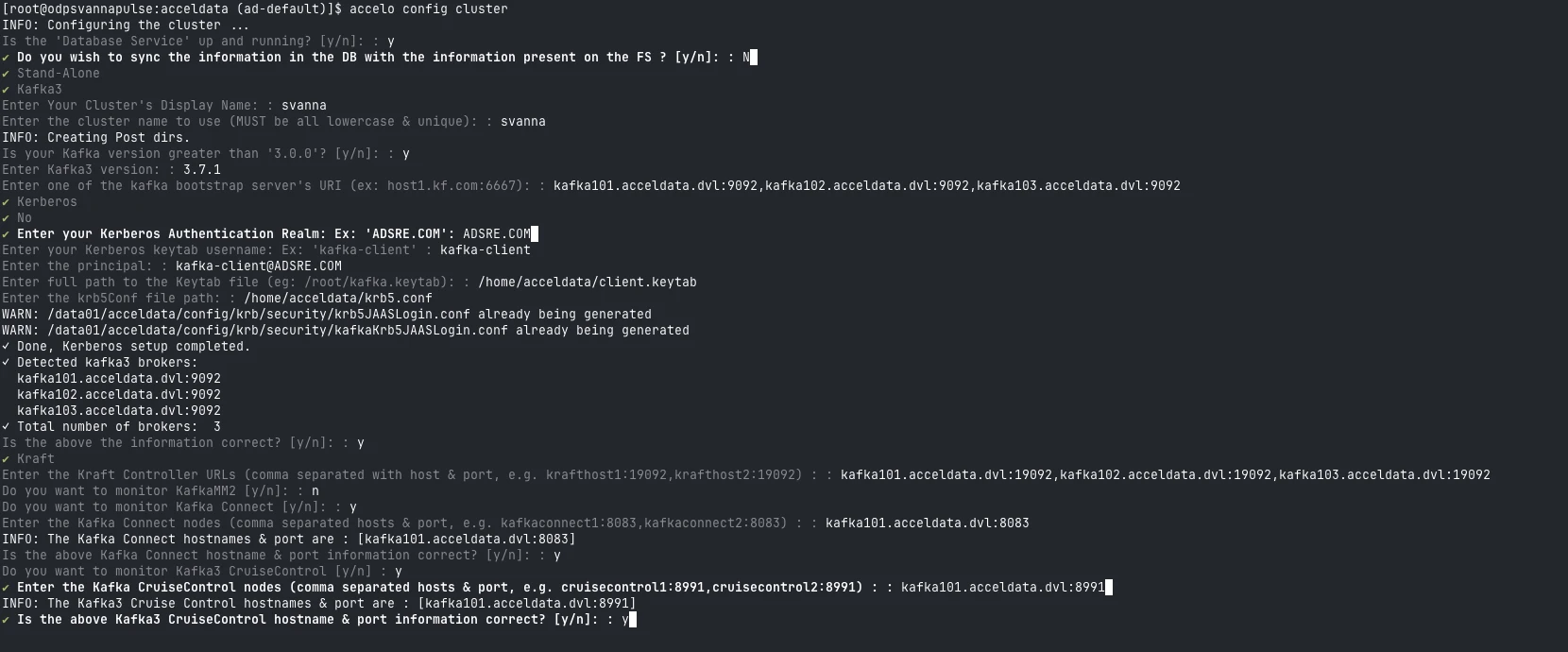
- Enter
Schema Registry
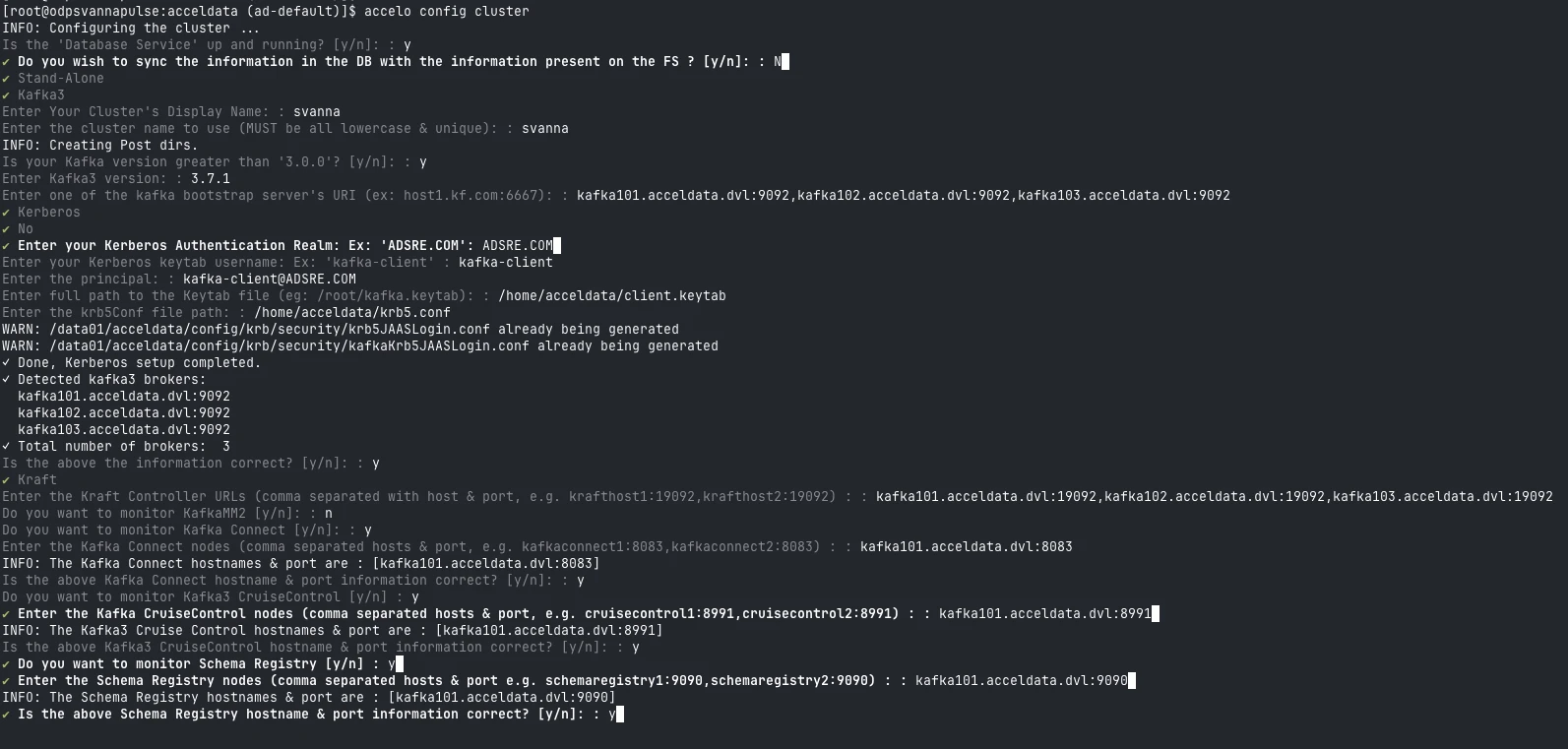
- Enter the
ssh user
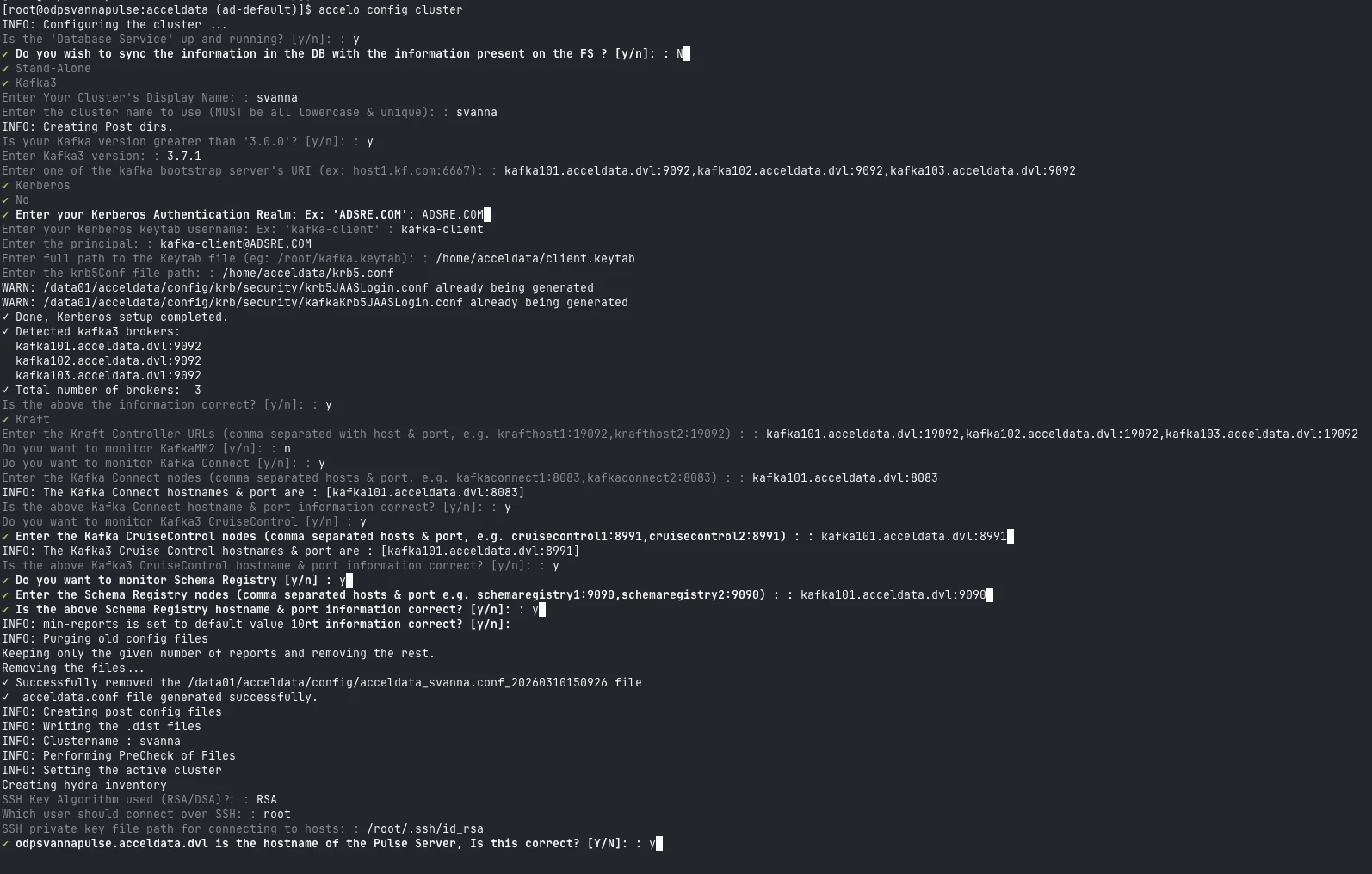
- Enter all the required JMX ports and LogSearch configurations.

Additional Configuration
- Update Kafka Connector Config
Add the following in:
$ACCELDATA_HOME/config/acceldata.conf
kafka3.connectors {
 saslMechanism = "GSSAPI"
}
- Configure Log Locations
Create:
$ACCELDATA_HOME/work/<cluster_name>/override.yml
Add:
log_locations:
 kafka3_connect:
 - path: /path_to/connect.log
 type: DEFAULT
 kafka3_connect_err:
 - path: /path_to/kafka-connect.err
 type: KAFKA_ERR
 kafka3_controller:
 - path: /path_to/controller.log
 type: DEFAULT
 kafka3_cruise_control:
 - path: /path_to/kafkacruisecontrol.log
 type: DEFAULT
 kafka3_cruise_control_err:
 - path: /path_to/cruise-control.err
 type: KAFKA_ERR
 kafka3_log_cleaner:
 - path: /path_to/log-cleaner.log
 type: DEFAULT
 kafka3_server:
 - path: /path_to/server.log
 type: DEFAULT
 kafka3_server_gc:
 - path: /path_to/kafkaServer-gc.log
 type: DEFAULT
 kafka3_state_change:
 - path: /path_to/state-change.log
 type: DEFAULT
 kraftbroker_err:
 - path: /path_to/kraft-broker.err
 type: DEFAULT
 kraftcontroller_err:
 - path: /path_to/kraft-controller.err
 type: DEFAULT
 registry_err:
 - path: /path_to/registry.err
 type: REGISTRY
 registry_server:
 - path: /path_to/registry.log
 type: REGISTRY
- Apply Configuration to Update Vars.yml.
accelo reconfig cluster
Kafka Data in Pulse
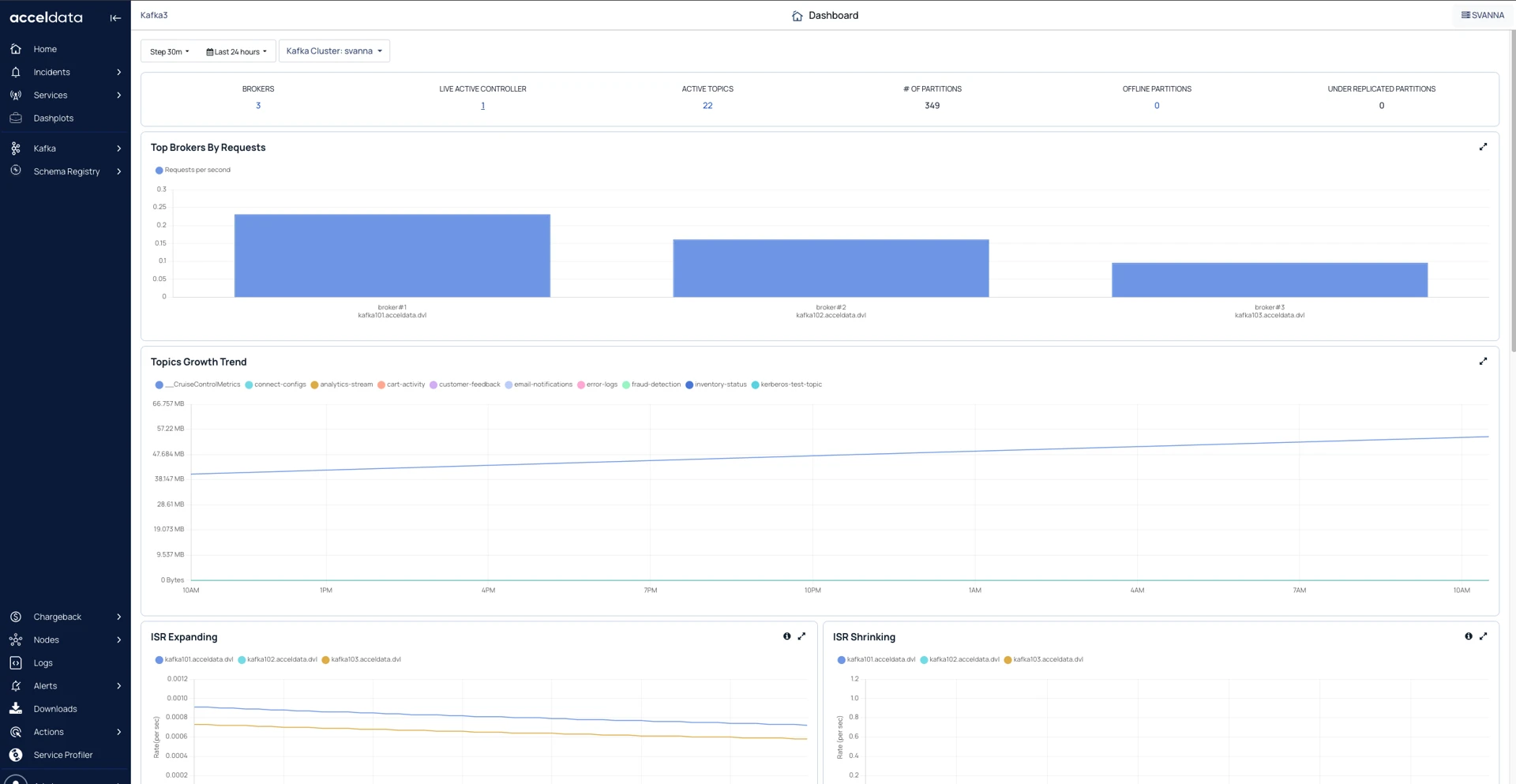
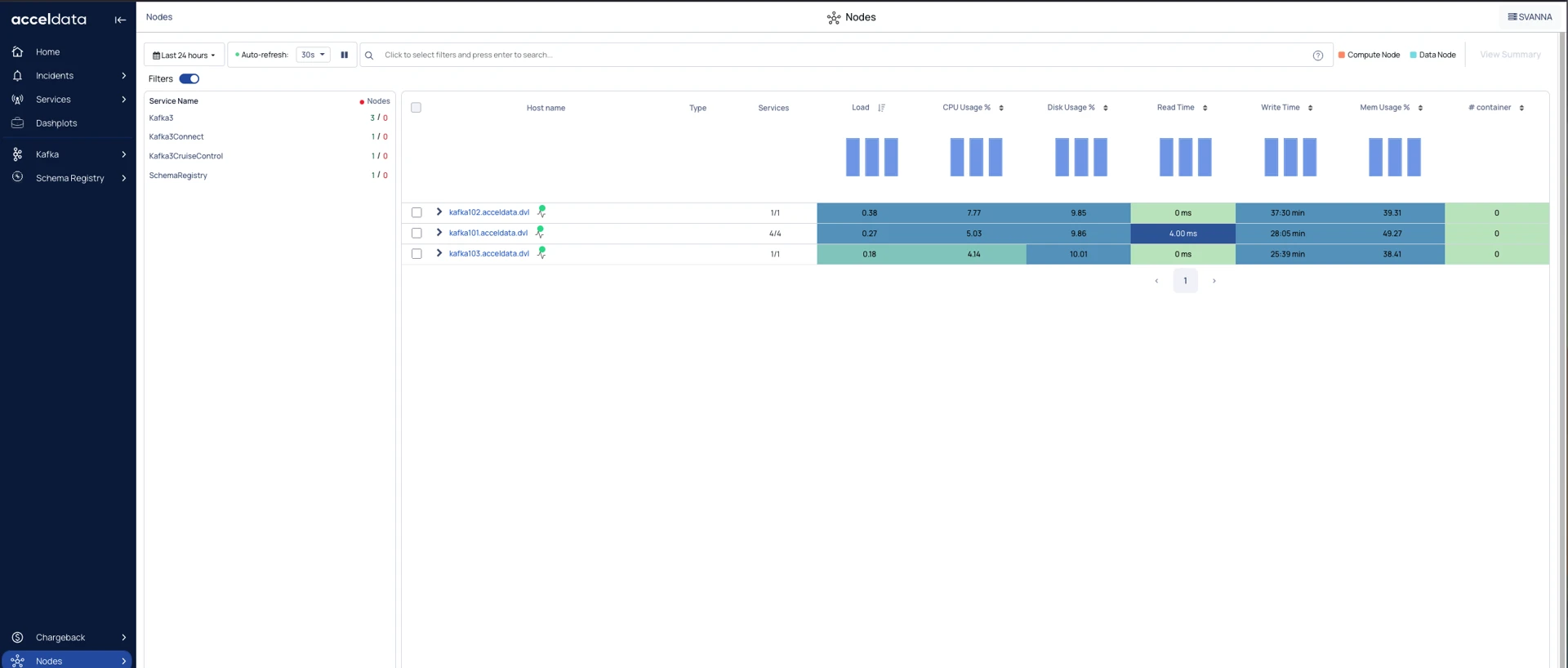
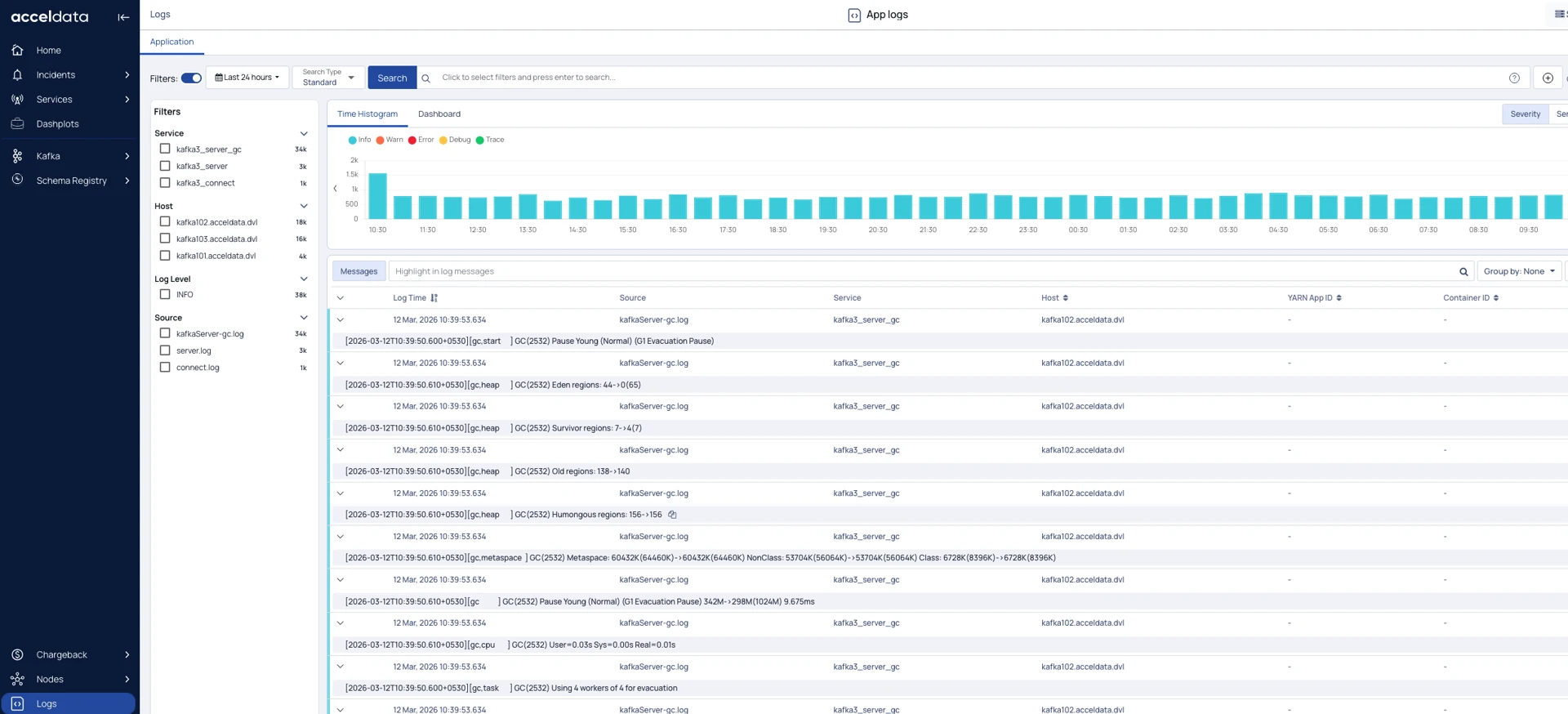
After the configuration, you can see the Kafka data in Pulse.
Kafka Dashboard
Kafka Nodes
Kafka Logs
Have a suggestion?