
Mpacks Upgrade
You need to perform the following steps on the Ambari Server host.
Download the Mpack packages for the services that are installed in the current cluster.
Mpack Upgrade Support
Warning
The following Mpack services are supported during the upgrade from 3.4.3.0 release onwards. For the rest of the Mpack services, you need to restore the services once the upgrade is completed. For details, see Mpack Restore.
- Impala
- Pinot
- Kafka3 (Add-on services; Connect, MirriorMaker2, and Cruise Control)
- Hue
- Httpfs
- JupyterHub
Info
Ensure you stop and delete the remaining Mpack services from Ambari before the upgrade.
Download the Mpack Packages
Verify the Downloaded Mpacks
Verify that the required Mpack packages are downloaded successfully.
[root@odp34upg1 mpacks]# ls -lrt
total 320
-rw-r--r-- 1 root root 28591 Oct 14 21:15 ambari-mpacks-pinot-1.5.1.3.4.3.0-1025.tar.gz
-rw-r--r-- 1 root root 99673 Oct 14 21:15 ambari-mpacks-kafka3-3.9.2.3.4.3.0-1025.tar.gz
-rw-r--r-- 1 root root 44447 Oct 14 21:15 ambari-mpacks-jupyterhub-5.5.0.3.4.3.0-1025.tar.gz
-rw-r--r-- 1 root root 38079 Oct 14 21:15 ambari-mpacks-impala-4.5.0.3.4.3.0-1025.tar.gz
-rw-r--r-- 1 root root 91421 Oct 14 21:15 ambari-mpacks-hue-4.11.0.3.4.3.0-1025.tar.gz
-rw-r--r-- 1 root root 14092 Oct 14 21:15 ambari-mpacks-httpfs-3.4.3.3.4.3.0-1025.tar.gz
[root@odp34upg1 mpacks]#
cd /var/lib/ambari-server/resources/mpacksUpgrade the Existing Mpacks
Run the following commands for the Mpacks that are already installed:
For example:
ambari-server upgrade-mpack --mpack=ambari-mpacks-pinot-1.5.1.3.4.3.0-1025.tar.gz
ambari-server upgrade-mpack --mpack=ambari-mpacks-kafka3-3.9.2.3.4.3.0-1025.tar.gz
ambari-server upgrade-mpack --mpack=ambari-mpacks-jupyterhub-5.5.0.3.4.3.0-1025.tar.gz
ambari-server upgrade-mpack --mpack=ambari-mpacks-impala-4.5.0.3.4.3.0-1025.tar.gz
ambari-server upgrade-mpack --mpack=ambari-mpacks-hue-4.11.0.3.4.3.0-1025.tar.gz
ambari-server upgrade-mpack --mpack=ambari-mpacks-httpfs-3.4.3.3.4.3.0-1025.tar.gz
Restart Ambari Server
After you upgrade and install the required Mpacks, restart Ambari Server:
ambari-server restartUpdate MPACK Configurations
Update the following MPACK configurations before proceeding with the upgrade.
Kafka3
- In the Ambari UI, navigate to Kafka3 > Configs.
- Click Set to Default for the following configuration templates to apply the upgraded default values:
- cruise-control-env
- kafka3-env
- kafka3-mirrormaker2-env
- kraft-broker-env
- Kraft-controller-env
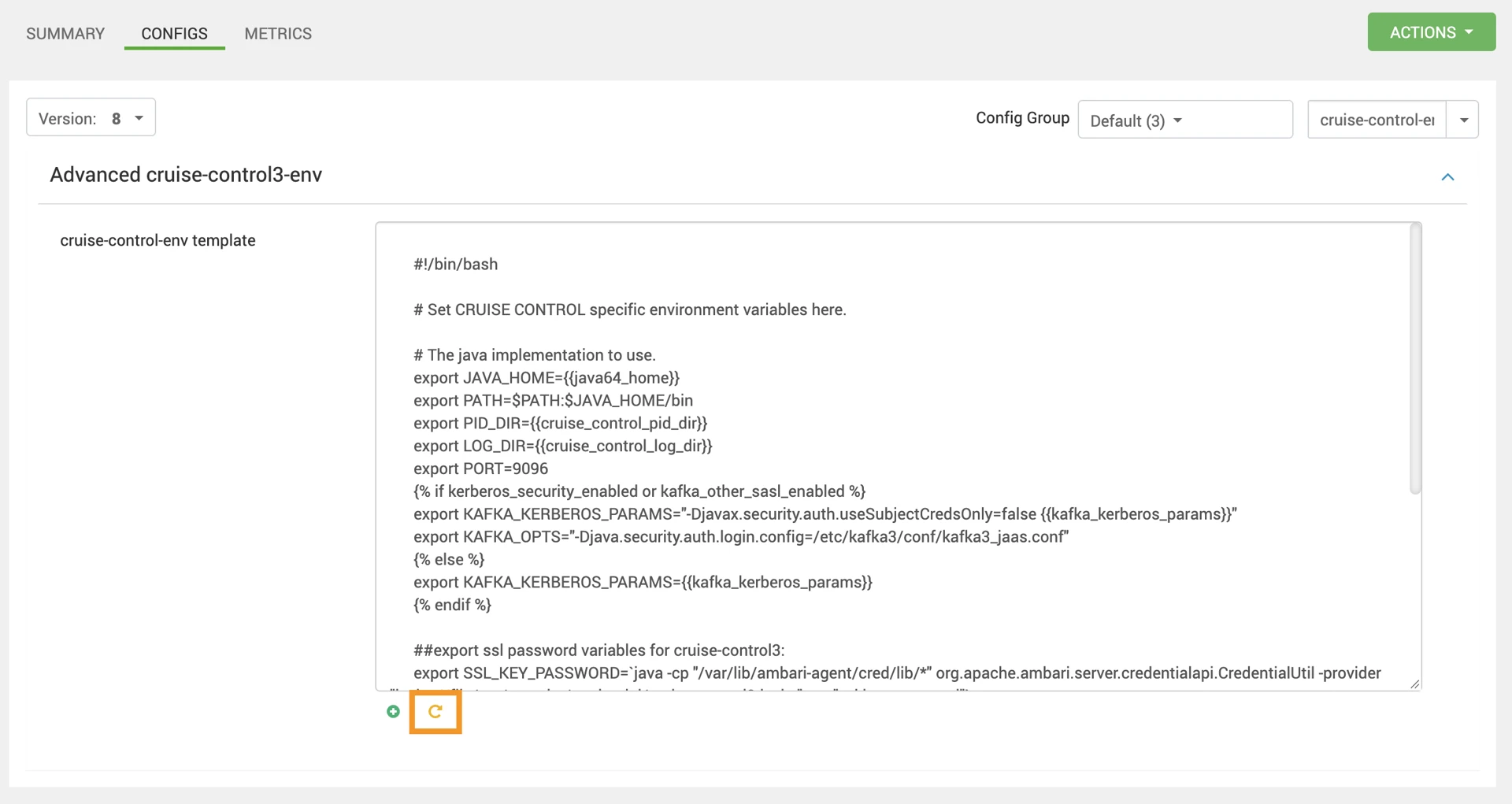
- Save the configuration changes.
HTTPFS
- In the Ambari UI, navigate to HTTPFS > Configs > Custom httpfs.
- Add the following configuration property:
httpfs_pid_dir=/var/run/hadoop/httpfs
- Save the configuration changes.
Pinot
- In the Ambari UI, navigate to Pinot > Configs.
- Click Set to Default for the following configurations to apply the upgraded default values:
- Pinot Controller Start Script
- Pinot Minion Configuration Template
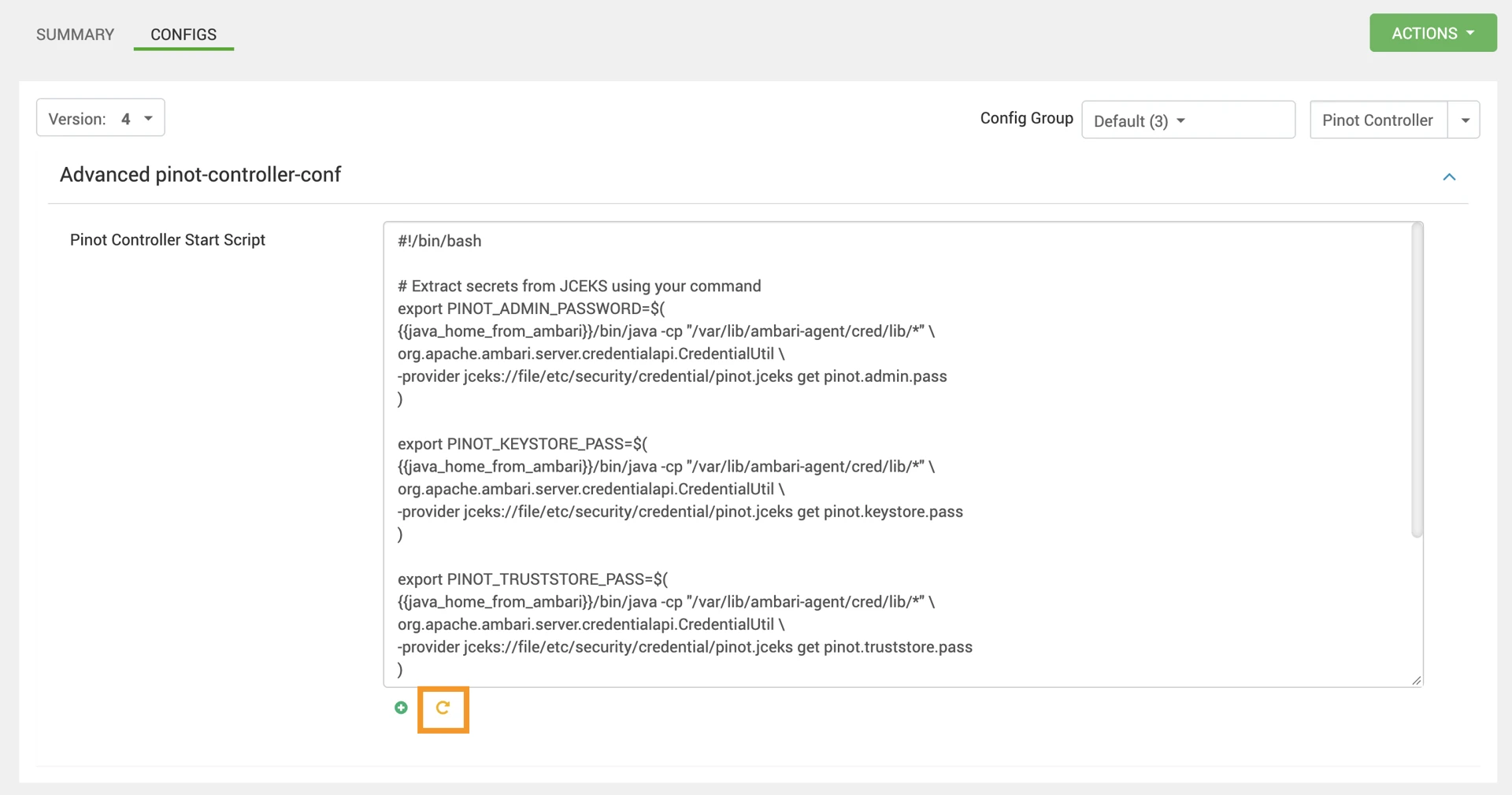
- Save the configuration changes.
Have a suggestion?