Troubleshooting
Ambari Upgrade Failed
ambari-server upgrade -v
Error
/usr/lib/jvm/java-11-openjdk/bin/java -cp '/etc/ambari-server/conf:/usr/lib/ambari-server/*:/usr/share/java/mysql-connector-java.jar' org.apache.ambari.server.upgrade.SchemaUpgradeHelper
Run the upgrade manually
Error
ambari_simplejson.errors.JSONDecodeError: Expecting value: line 1 column 1 (char 0)
Error
Exception in thread "main" org.apache.ambari.server.AmbariException: Trying to create a ServiceComponent not recognized in stack info, clusterName=ODP_322_darth, serviceName=HBASE, componentName=HBASE_CLIENT, stackInfo=ODP-3.3
at org.apache.ambari.server.upgrade.SchemaUpgradeHelper.executeDMLUpdates(SchemaUpgradeHelper.java:24)
at org.apache.ambari.server.upgrade.SchemaUpgradeHelper.main(SchemaUpgradeHelper.java:461) Caused by: java.lang.RuntimeException: Trying to create a ServiceComponent not recognized in stack info, clusterName=ODP_322_darth, serviceName=HBASE, componentName=HBASE_CLIENT, stackInfo=ODP-3.3
at org.apache.ambari.server.upgrade.SchemaUpgradeHelper.main(SchemaUpgradeHelper.java:461) Caused by: java.lang.RuntimeException: Trying to create a ServiceComponent not recognized in stack info, clusterName=ODP_322_darth, serviceName=HBASE, componentName=HBASE_CLIENT, stackInfo=ODP-3.3
at org.apache.ambari.server.state.ServiceComponentImpl.updateComponentInfo(ServiceComponentImpl.java:154)
at org.apache.ambari.server.state.ServiceComponentImpl.<init>(ServiceComponentImpl.java:178)
at org.apache.ambari.server.state.ServiceComponentImpl$$EnhancerByGuice$$d631daa0.<init>(<generated>)
atorg.apache.ambari.server.state.ServiceComponentImpl$$EnhancerByGuice$$d631daa0$$FastClassByGuice$$54b0e6a4.newInstance(<generated>)
Verify the Symlinks for HBASE in all HBase installed nodes.
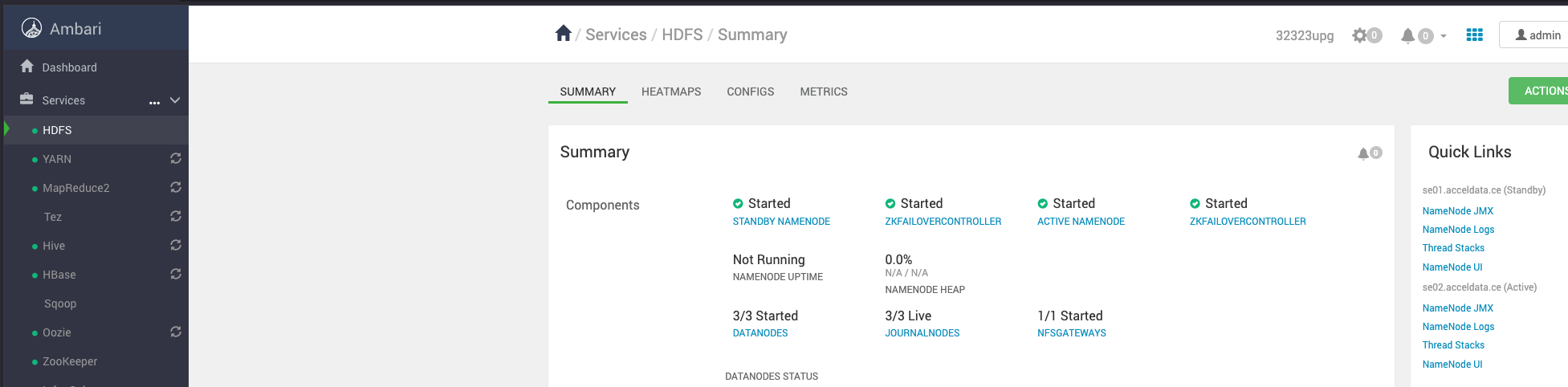
High Availability (HA) Service Status Missing
Issue
The HA service status is not displayed for Active and Standby nodes.
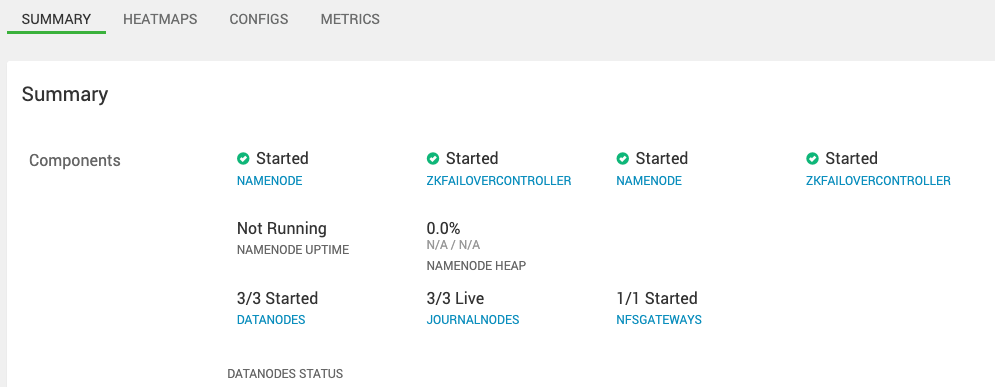
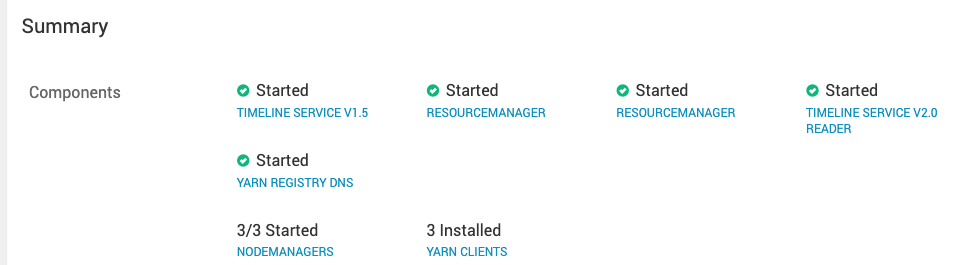
Workaround
Option 1:
- Regenerate Kerberos cluster-level keytabs.
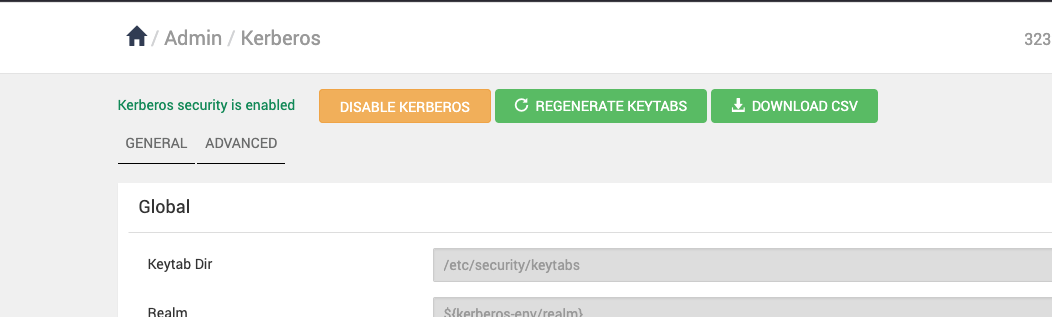
- Followed by restart the Ambari Server.
ambari-server start
- Verify the status of the active and standby services.