
Deployment on Google Cloud Composer
To deploy the plugin on Google Cloud Composer, perform the following:
1. Setup Environment Variables
Configure the required and optional environment variables for the plugin. For a detailed list of these variables and their descriptions, refer the configuration section. You may add airflow_monitoring to DAGIDS_TO_IGNORE to exclude health check DAGs from being monitored.
2. Install Required Packages
In your Composer environment, navigate to the PYPI PACKAGES tab and add the following package:
- adoc_airflow_plugin
This will install the necessary dependencies for the plugin to function correctly.
3. Validate the Plugin Installation
Navigate to Admin > Plugins in your Airflow UI. Ensure that AcceldataListenerPlugin is listed, indicating successful installation.
4. Verify Instrumentation
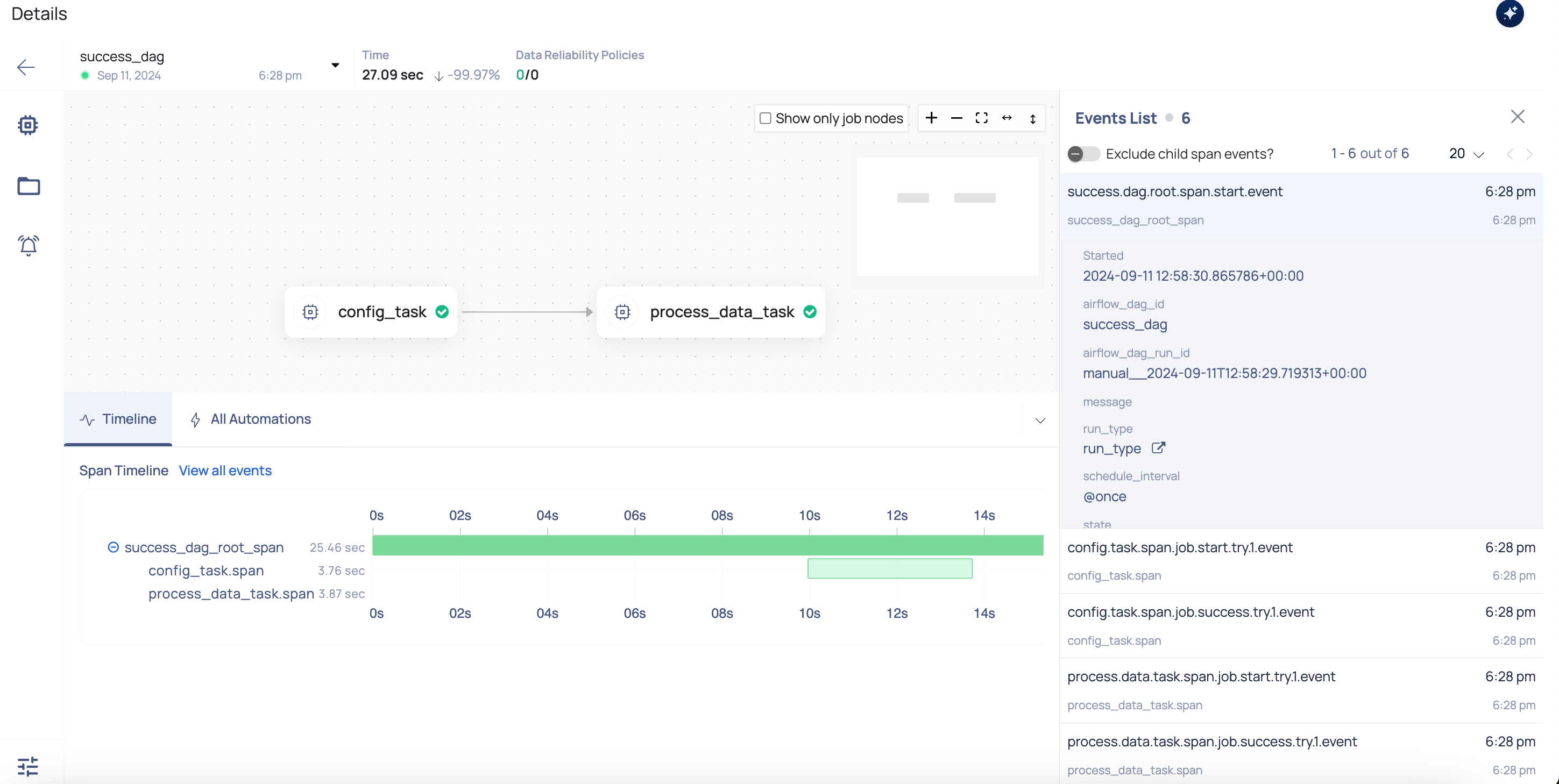
After installing the plugin and configuring the environment, trigger a DAG in your Airflow instance. Once the DAG run is complete, navigate to ADOC UI > Pipelines to verify successful instrumentation. Find the pipeline that corresponds to your DAG’s name; it should be displayed with its associated spans and events, as shown in the screenshot below.
No comments yet.